Nasuni Edge Appliance Initial Configuration Guide 8.3 27
Configuring the Nasuni Edge Appliance Network Settings
The Spanning Tree's blocking, listening, and learning stages should be disabled or bypassed on all
switch ports to which a bonded Nasuni Edge Appliance port is attached. (Cisco switches have a feature
called PortFast that is used to disable these Spanning Tree stages on a port-by-port basis.)
Bonded Nasuni Edge Appliance port members may also be split across more than one switch in order
to achieve switch redundancy. However, all switch ports that are attached to members of the same
bond must comprise a single broadcast domain (namely, the same VLAN) configured on the switch
port.
Additionally, if problems exist after deploying a Nasuni Edge Appliance bond across more than one
switch, reattach all bond members to the same switch. If the problems disappear, then the cause of the
problem resides in the configuration of the switches and not in the configuration of the Nasuni Edge
Appliance.
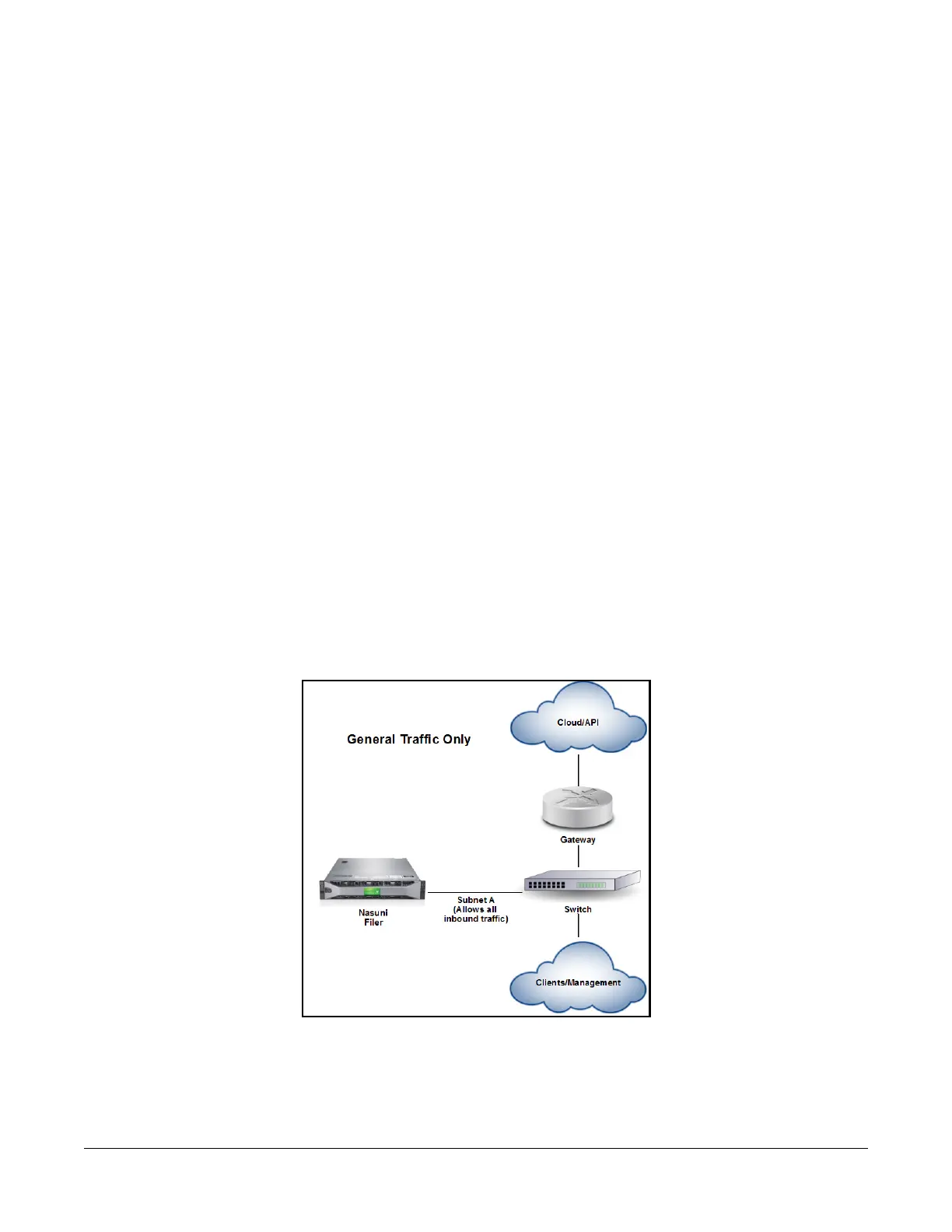
Basic Configuration. Put all available NICs into the General traffic group. The Nasuni Edge Appliance
uses a single IP address, and all types of traffic use that IP address. Traffic leaving the LAN uses a
default gateway available on this LAN.
Separating client and cloud traffic. Divide the NICs into General and External traffic groups. The
Nasuni Edge Appliance uses one IP address for serving CIFS, NFS, FTP, and iSCSI traffic, along with
the user interface and management protocols, and one IP address for Web Access and Mobile Access.
The default gateway must be specified on the LAN that the External traffic group uses.
Separating data and management traffic. Divide the NICs into General and Management traffic
groups. The Nasuni Edge Appliance uses one IP address for serving CIFS, NFS, FTP and iSCSI traffic in
addition to communicating with cloud APIs, and a different IP address for the user interface and
management protocols. This configuration expects that administrators use a separate “back plane”
network to manage devices more securely.
Sample network topologies.
This example is for General traffic only.
Figure 1-7: General traffic only.



 To Next Page