Nasuni Edge Appliance Initial Configuration Guide 8.3 35
Configuring the Nasuni Edge Appliance Network Settings
• Enter the IP address for your secondary DNS server in the Secondary DNS server text
box (if applicable). You must enter a valid hostname or IP address.
• Static: Address information must be entered manually. Enter the following information:
• Enter a default gateway address in the Default Gateway text box.
The gateway address must match a subnet of a defined static network.
• Enter one or more local search domains in the Search Domain text box, each separated
by a space. You must enter valid hostnames.
You can use search domains to avoid typing the complete address of domains that you
use frequently. The search domains that you enter are automatically appended to names
that you specify for purposes such as Active Directory configuration, data migration
sources, HTTPS proxy, and NTP server. For example, if you specify the search domain
“mycompany.com”, then typing “server1” for one of these purposes would connect to
“server1.mycompany.com”.
• Enter the IP address for your primary DNS server in the Primary DNS server text box.
You must enter a valid hostname or IP address.
• Enter the IP address for your secondary DNS server in the Secondary DNS server text
box (if applicable). You must enter a valid hostname or IP address.
6. To configure a proxy in order to reach HTTPS resources on the Internet, select the Configure A
Proxy check box.
7. Click Continue to proceed.
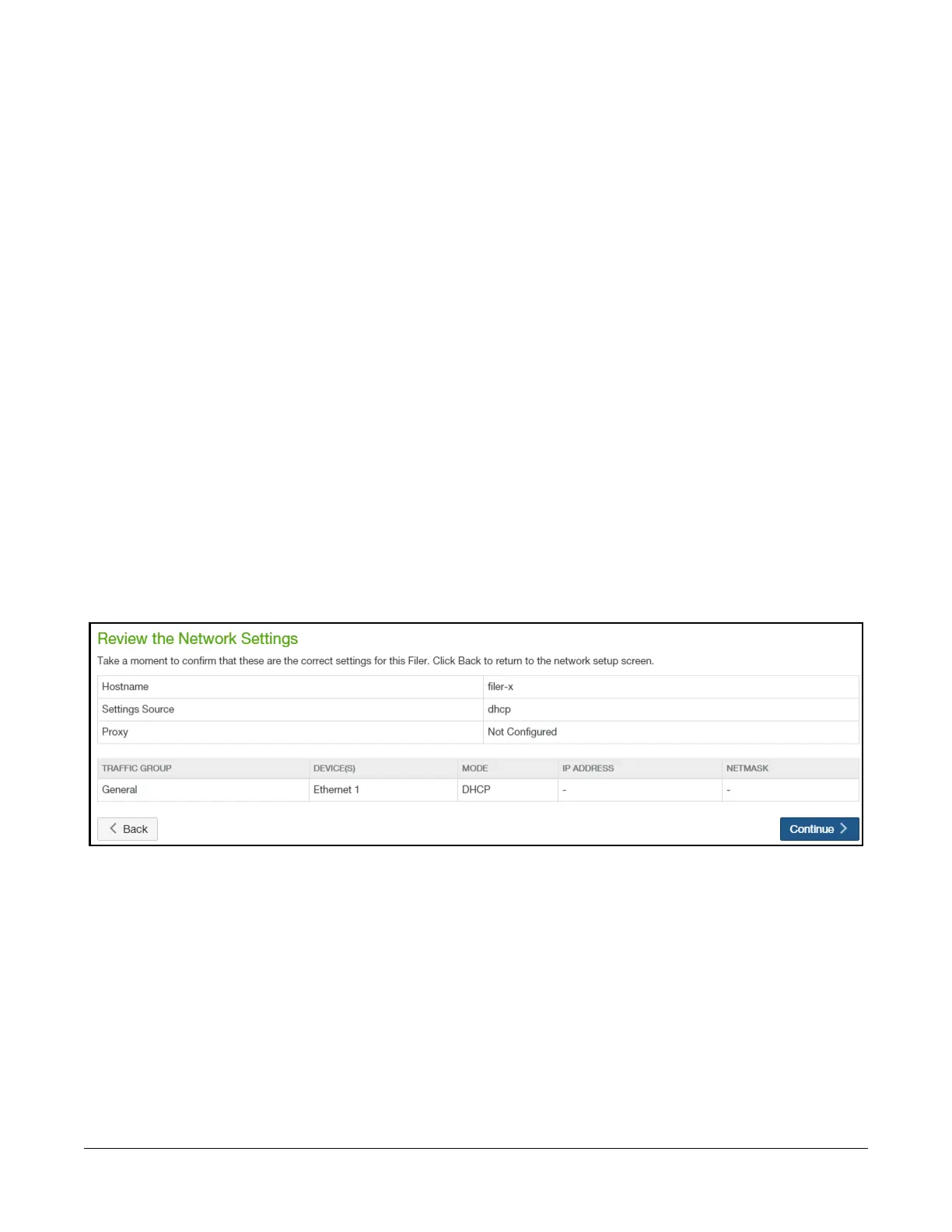
8. The Review the Network Settings page appears.
Figure 1-15: Review the Network Settings page.
To accept the network settings, click Continue. To return to the previous page to change network
settings, click Back.



 To Next Page