Appendix A Device-Specific Information
© National Instruments Corporation A-17 NI USB-621x User Manual
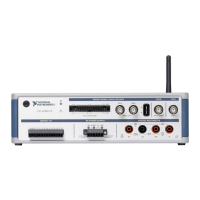
When you set the source type to the GS position and configure the
device for single-ended input in software, each BNC connector
provides access to two single-ended channels, AI x and AI x+8. For
example, the BNC connector labeled AI 0 provides access to
single-ended channels AI 0 and AI 8, the BNC connector labeled AI 1
provides access to single-ended channels AI 1 and AI 9, and so on.
Up to 16 single-ended channels are available in single-ended
measurement modes.
For information on how to connect your signals in single-ended mode,
AI GND, and/or AI SENSE, refer to the Connecting Analog Input
Signals on USB-6210/6211/6212 Devices
or Connecting Analog Input
Signals on USB-6215/6216/6218 Devices section of Chapter 4,
Analog In
put. For a detailed description of each signal, refer to the
I/O Connector Signal Descriptions section of Chapter 3, Connector
and LED Information.
Analog Output
You can access analog output signals on the BNC connectors labeled AO 0
and AO 1. Figure A-9 shows the analog output circuitry on the
USB-6212/6216 BNC.
Figure A-9. Analog Output Circuitry
Refer to the Connecting Analog Output Signals section of Chapter 5,
Analog Output, for more information.
Digital I/O and Timing I/O
You can access digital I/O and timing I/O signals on the BNC connectors
labeled PFI <0..7>/P1.<0..7>. Figure A-10 shows the DIO/TIO circuitry on
the USB-6212/6216 BNC.
Figure A-10. Digital I/O and Timing I/O Circuitry
PFI x/P1.
D GND


 To Next Page
 Loading...