VX150 TO VX2 TROUBLESHOOTING MANUAL RESPONDING TO ALARMS
VERSION 2.0 2023-04-20 PAGE 3.1.59
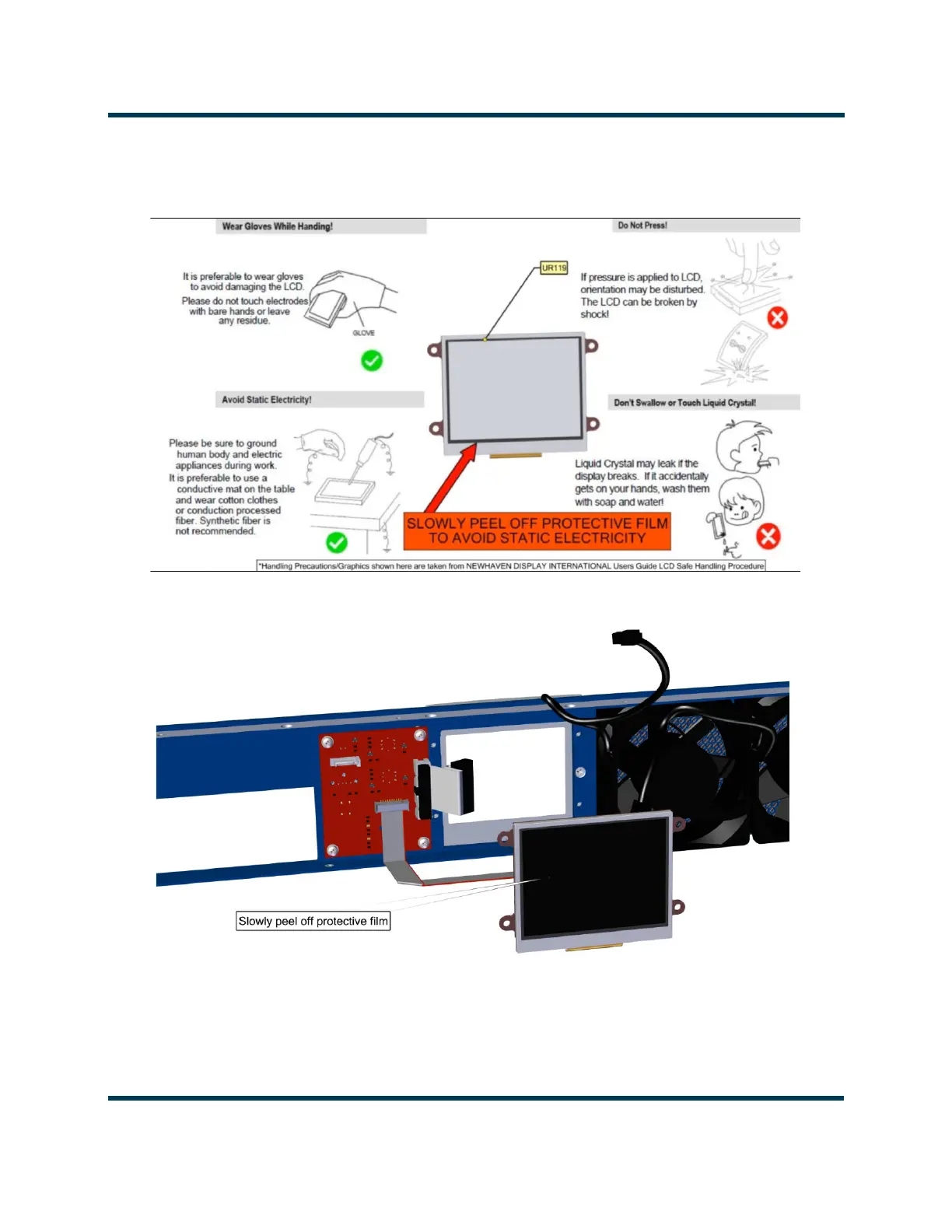
18. Remove the protective film from the display. Observe Precautions. See Figure 3.1.33 and
Figure 3.1.34.
Figure 3.1.33: Display Handling Precautions
Figure 3.1.34: Protective Film Removal
19. Complete the Installation of the FPUI Display by reversing Step 4 to Step 15. Torque all metric
hardware to 6 in-lbs (0.68 N-m). Torque the #10 screws to 10 in-lbs (1.1 N-m). Replacement cable
ties (Nautel part # HT77) can be found in the ancillary kit. Return the transmitter to operation.



 To Next Page