VX150 TO VX2 TROUBLESHOOTING MANUAL RESPONDING TO ALARMS
PAGE 3.1.58 VERSION 2.0 2023-04-20
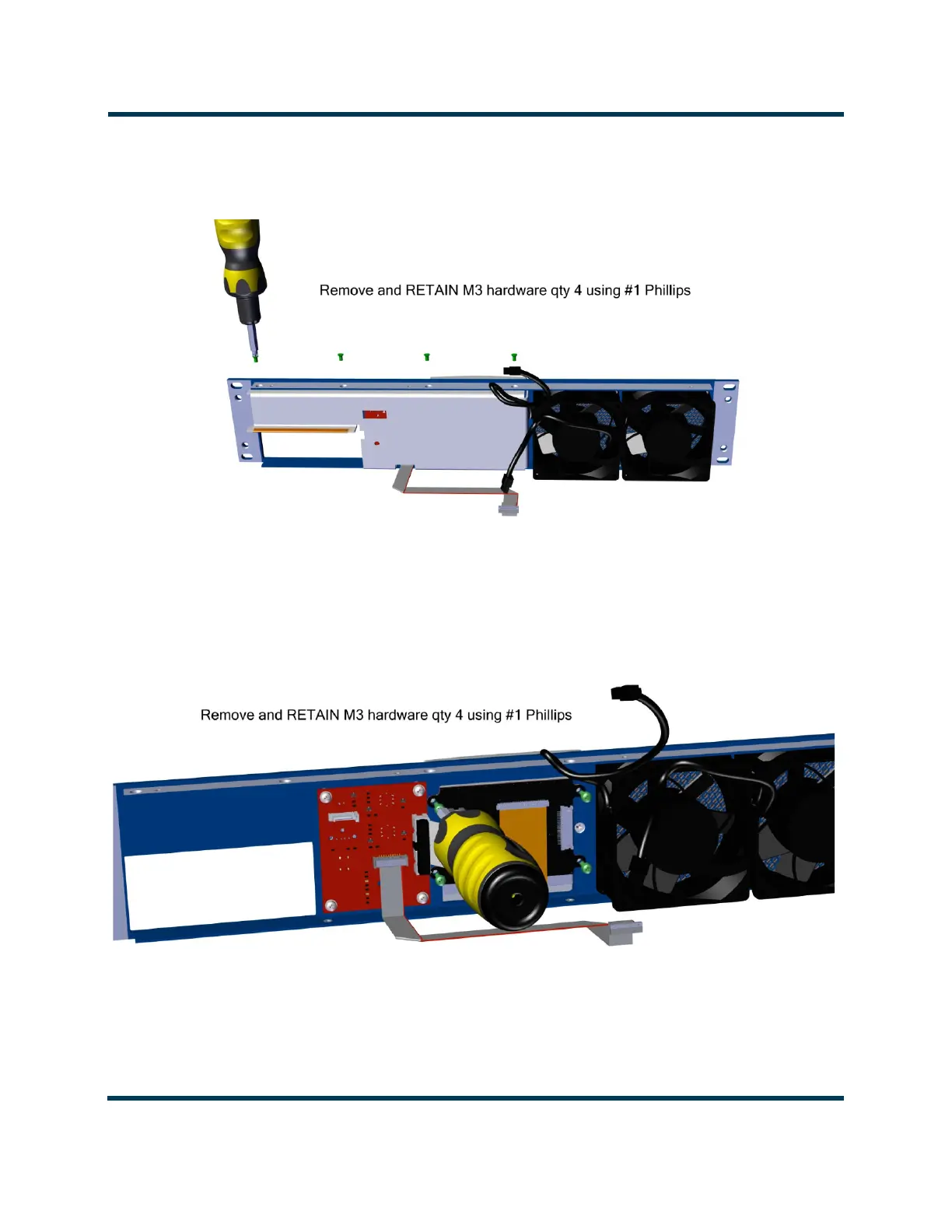
13. Remove and retain the four M3 screws securing the FPUI bracket to the front panel. See
Figure 3.1.31.
Figure 3.1.31: FPUI Bracket Removal
14. Remove the FPUI bracket.
15. Disconnect the FPUI ribbon cable and four M3 screws securing the FPUI display to the front panel.
Retain screws. See Figure 3.1.32.
Figure 3.1.32: Ribbon Cable and Securing Screw Removal
16. Remove the FPUI Display.
17. Obtain a replacement LCD Display (Nautel part # UR119).



 To Next Page