VX150 TO VX2 TROUBLESHOOTING MANUAL RESPONDING TO ALARMS
VERSION 2.0 2023-04-20 PAGE 3.1.57
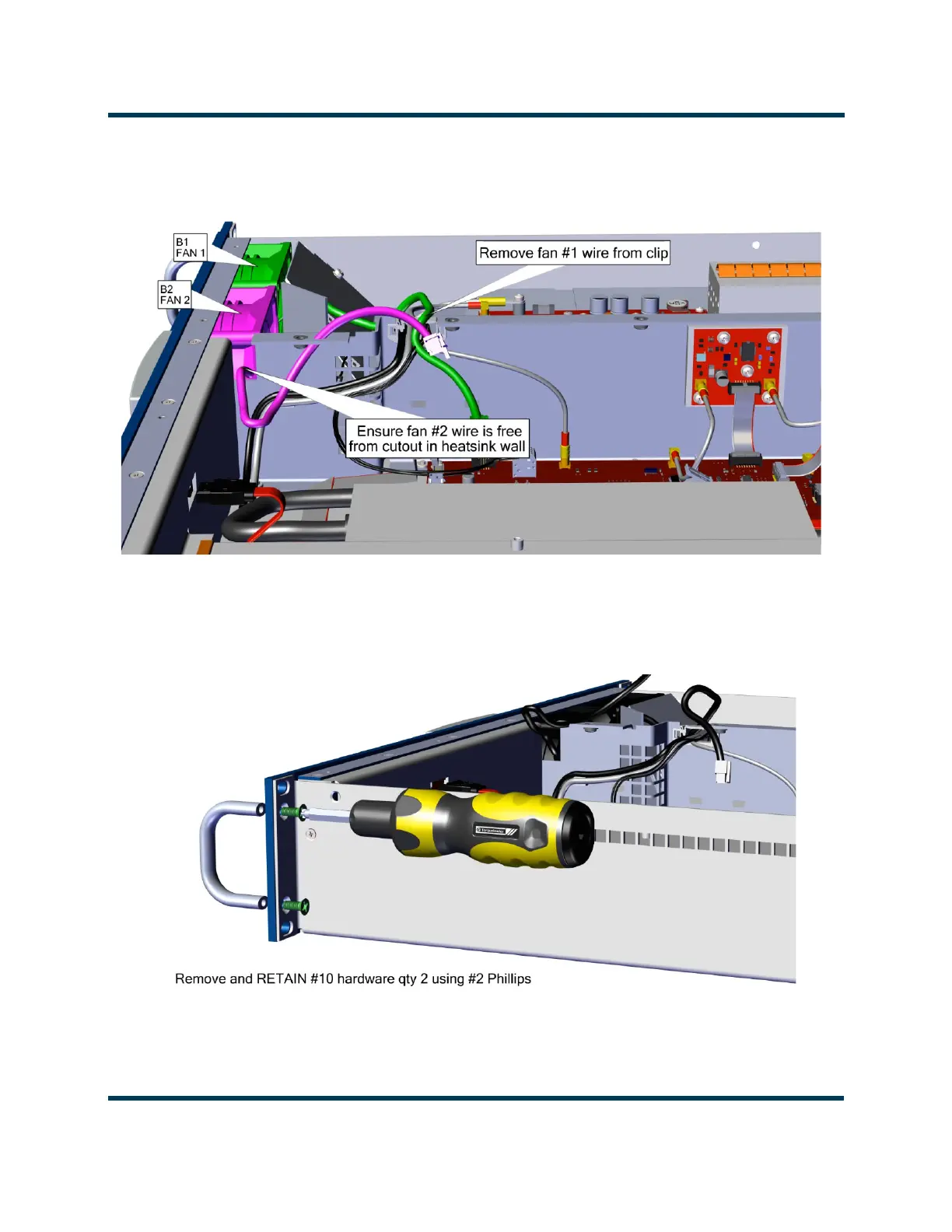
11. Move the fan wiring to allow FPUI Display removal. See Figure 3.1.29.
Figure 3.1.29: Fan Wiring Removal
12. Remove and retain the four #10 screws (two per side) securing the front panel. See Figure 3.1.30.
Remove front panel.
Figure 3.1.30: Front Panel Removal



 To Next Page