VX150 TO VX2 TROUBLESHOOTING MANUAL RESPONDING TO ALARMS
VERSION 2.0 2023-04-20 PAGE 3.1.63
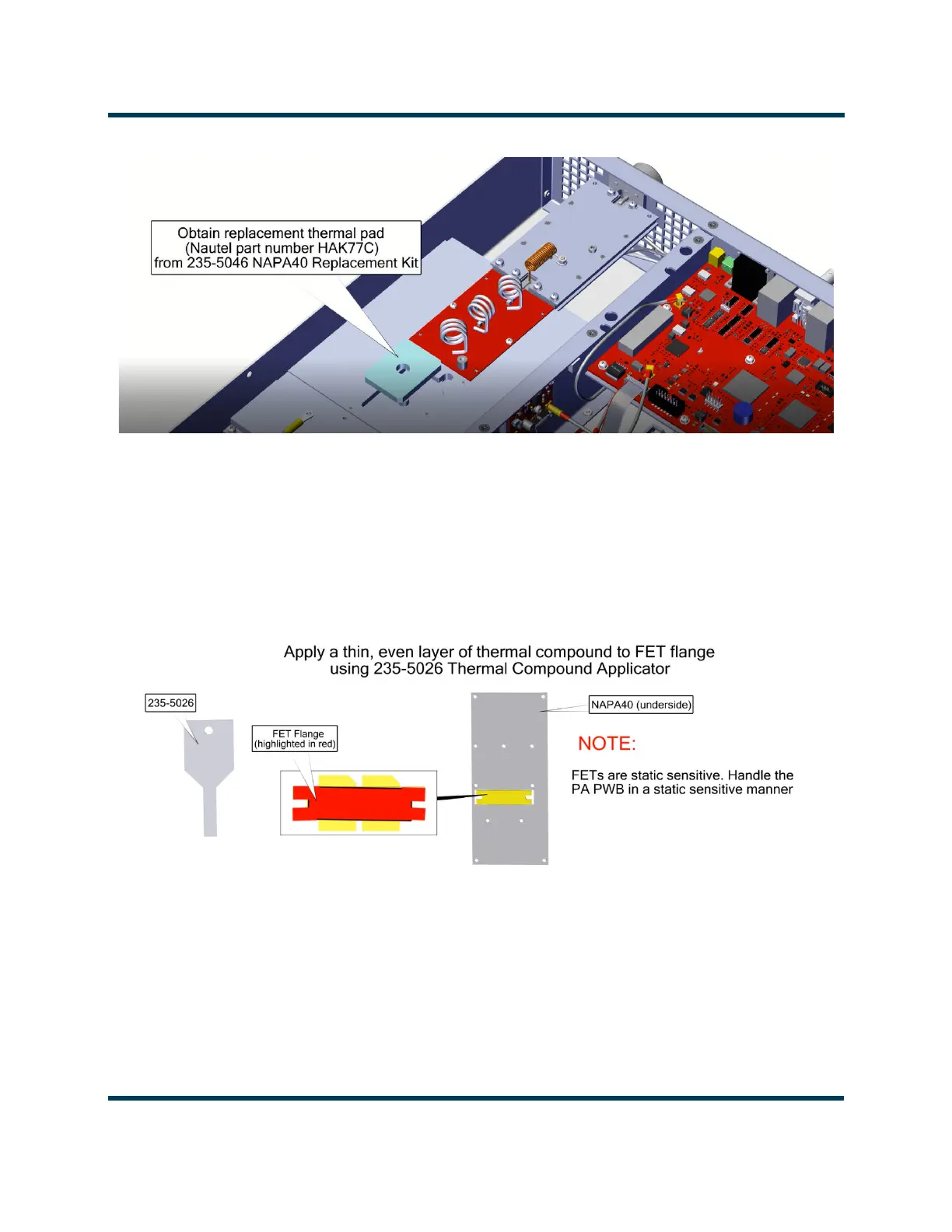
Figure 3.1.39: Thermal Pad Installation
15. Obtain the replacement PA PWB (Nautel part # NAPA40*), thermal compound (Nautel part #
HAG80) and thermal compound applicator (Nautel part # 235-5026) from the 235-5046*
NAPA40* Replacement Kit.
16. Apply a thin, even layer of thermal compound to the FET flange using the thermal compound
applicator. See Figure 3.1.40.
Figure 3.1.40: PA PWB Thermal Compound Application
17. Seat PA PWB using small downward pressure.
18. Loosely secure the PA PWB to the heatsink using the retained eleven M2.5 screws. Do not tighten
screws at this time.
19. Obtain two replacement M3 screws (Nautel part # HMSP59F) from the 235-5046* NAPA40*
Replacement kit to secure the FET to the PA PWB.



 To Next Page