VX150 TO VX2 TROUBLESHOOTING MANUAL RESPONDING TO ALARMS
PAGE 3.1.62 VERSION 2.0 2023-04-20
9. Remove and retain the 11 M2.5 screws securing the PA PWB to the heatsink.
10. Remove and discard the two M3 screws securing the FET to the heatsink.
NOTE:
The
LPF end of the PA PWB may require prying to break the seal from the underlying thermal
pad.
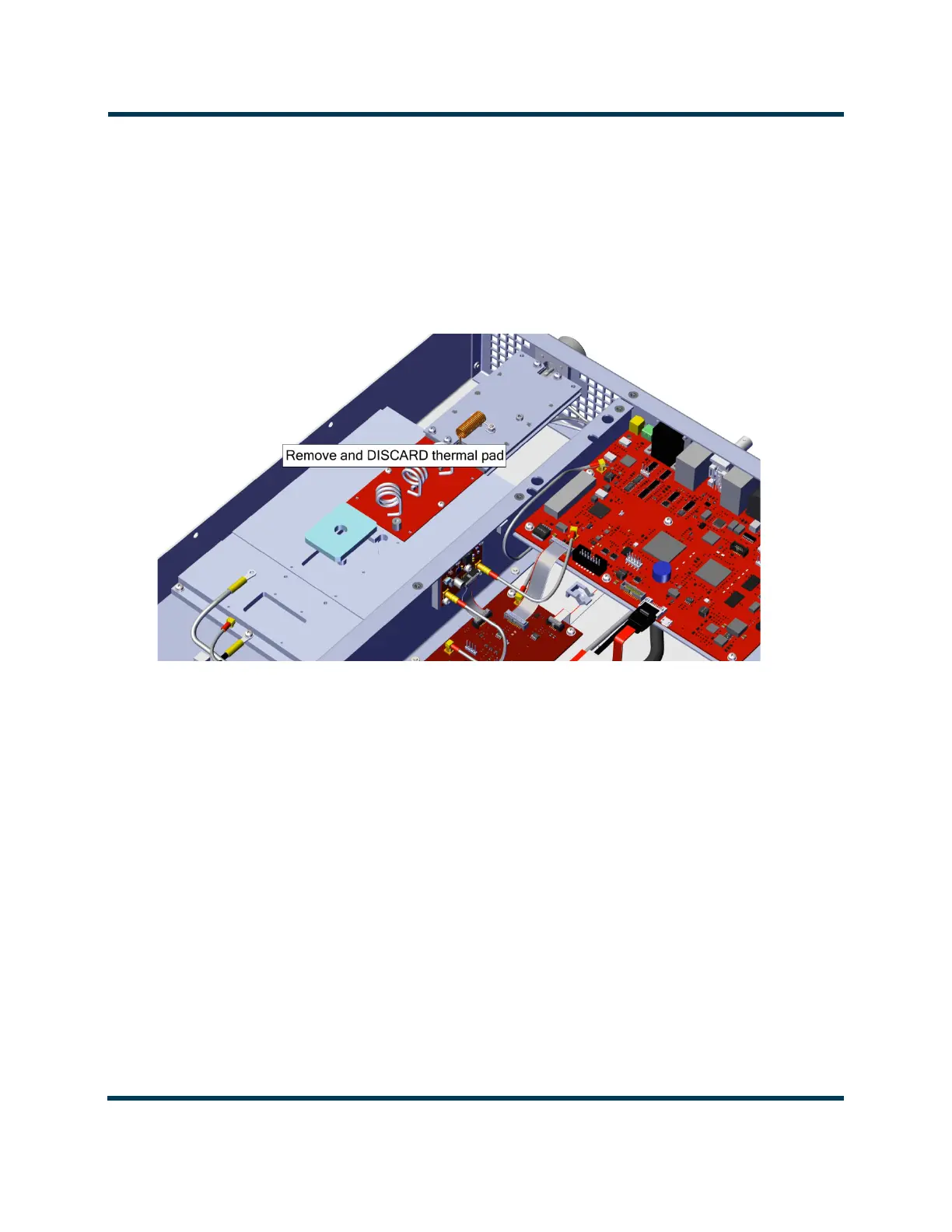
11. Remove the PA PWB and thermal pad and discard. See Figure 3.1.38.
Figure 3.1.38: Thermal Pad Removal
12. Clean the heatsink of any residual thermal compound where the FET attaches to the heatsink. Use
isopropyl alcohol and a microfiber cloth.
13. Obtain the replacement thermal pad (Nautel part # HAK77C) from the 235-5046* NAPA40*
Replacement Kit.
14. Install the thermal pad into the cavity in the heatsink. See Figure 3.1.39 on page 3.1.63.



 To Next Page