88
4. Using the Viewer
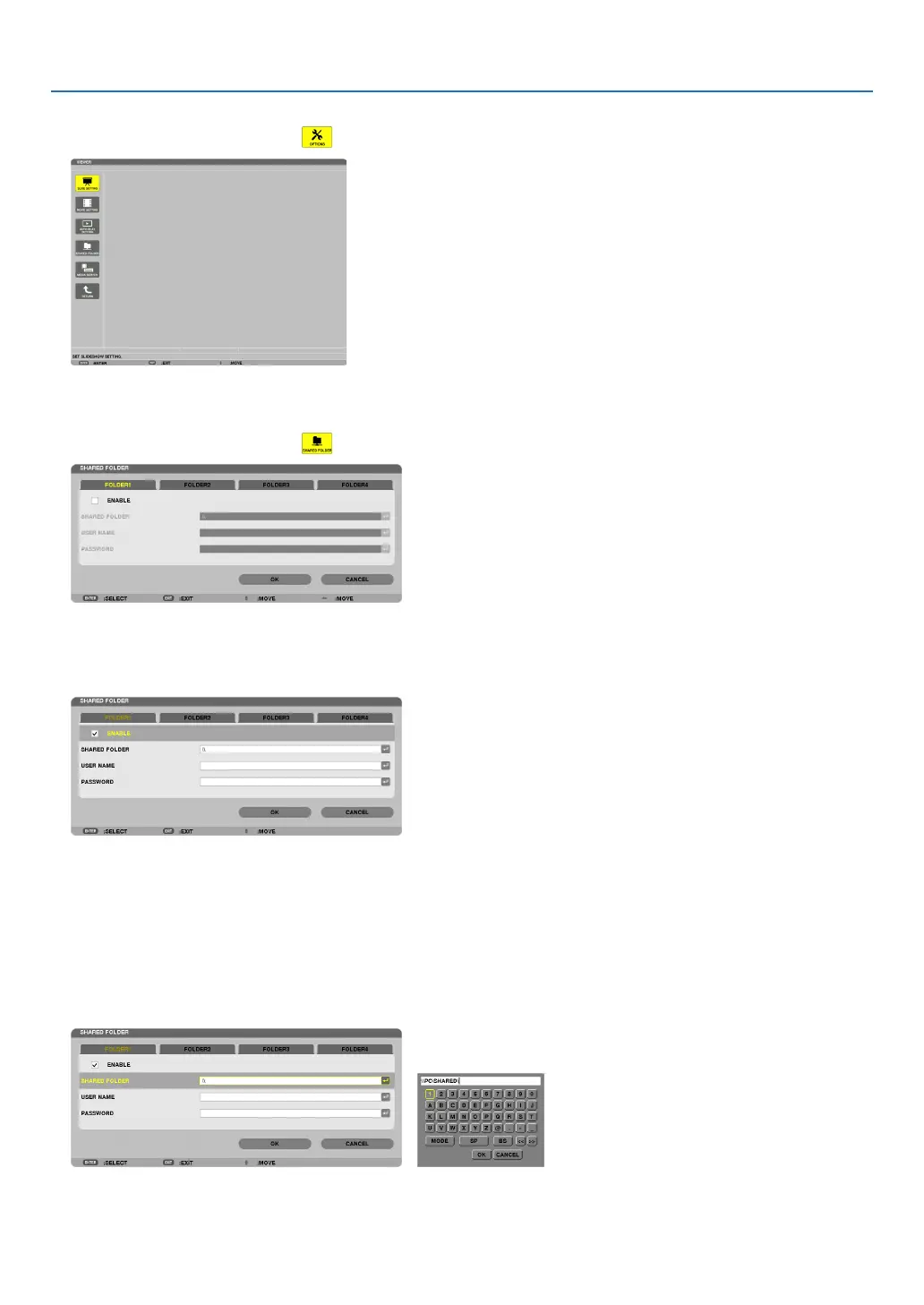
2. Displaysthe[OPTIONS]menu.
Press the ▼ button to select the (OPTIONS)iconandpresstheENTERbutton.
• WhentheOPTIONSmenuisdisplayed,thedrivelistwillnotbedisplayed.
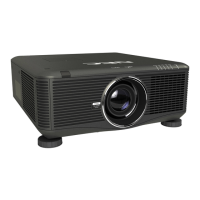
3. Displaythe[SHAREDFOLDERSETTING]screen.
Press the ▼ button to select the (SHAREDFOLDERSETTING)iconandpresstheENTERbutton.
4. Selectafoldernumberandplacetoenableit.
Press the ◀ or ▶ button to a shared folder number and press the ▼ button to select [ENABLE] , and then press
the ENTER button.
5. Enterthepath,username,andpasswordforthesharedfolder.
Press the ▼ button to select the [SHARED FOLDER] field. The software keyboard will be displayed.
For using the software keyboard, see page 150.
• Ifyourcomputerisnotpasswordprotected,enteringapasswordisnotrequired.
• Uptofoursharedfolderscanbeadded.
• Themaximumlengthofapathofthesharedfoldermustbe15alphanumericcharactersforcomputernameand
23 alphanumeric characters for folder name.



 To Next Page