192
8. User Supportware
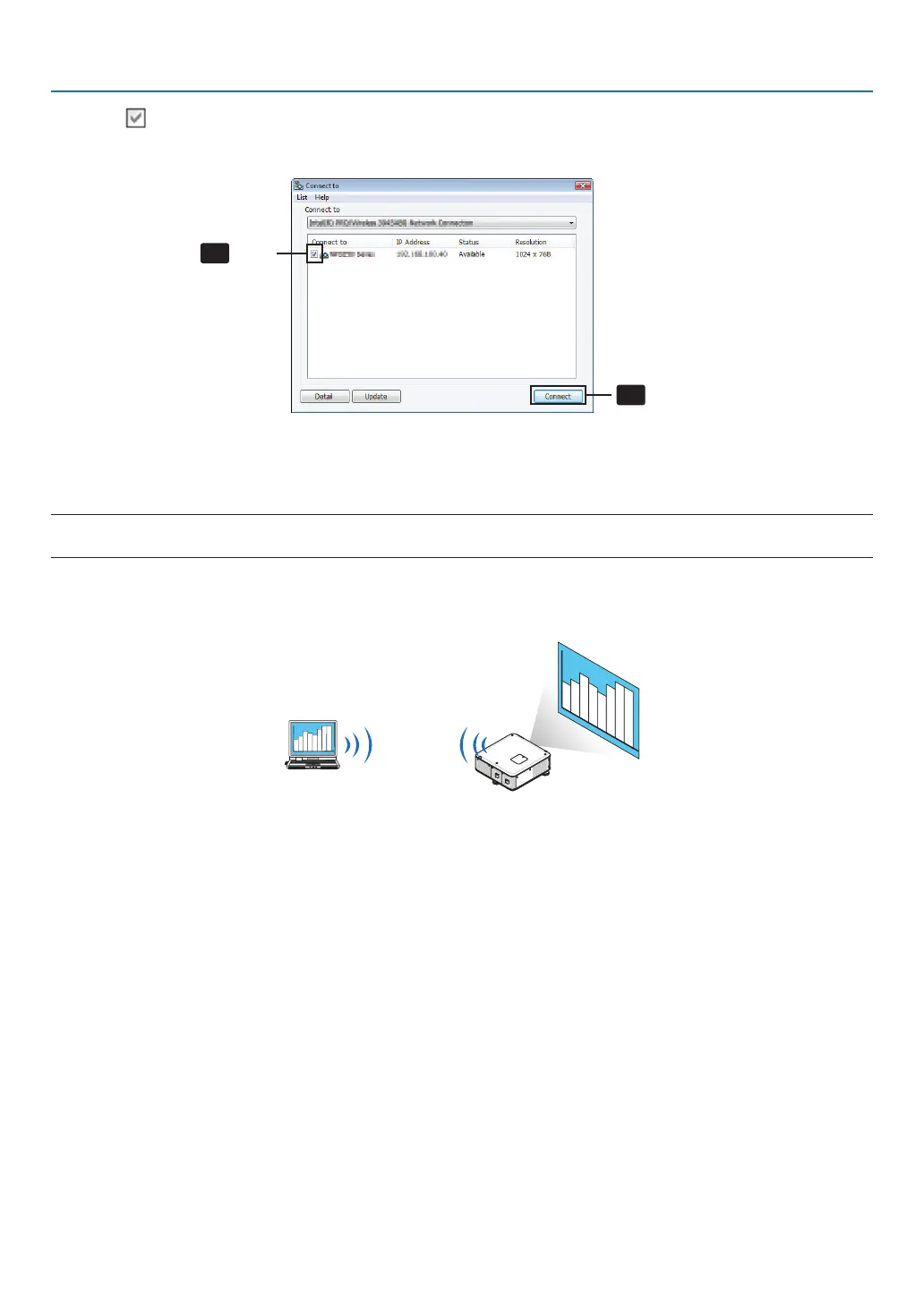
4 Check( )theprojectortoconnectandclick[Connect].
Ifthenameoftheprojectortoconnectisnotonthelistorifitishidden,click[Update].
Click
Click
The screen of your computer will be projected from the projector.
At this time, the input signal of the projector will automatically change to “NETWORK”.
NOTE:
• Whentheprojectorisfound,“1280×800”willbedisplayedintheresolutioneld.
•Transferringimages
Whenyourcomputerisconnectedtotheprojector,thescreenofthecomputerisprojectedfromtheprojectorasis.To
makeyourpresentationbyusingaPowerPointle,openthePowerPointleandstartyourpresentation.



 To Next Page