N10_Hardware_User_Guide
Copyright © Neoway Technology Co., Ltd.
1. Activate the sleep mode by using the AT+ENPWRSAVE=1 command. Keep DTR high level in
normal working mode.
2. Pull DTR low, and the module will enter sleep mode, but only after process and pending data
finished.
3. In the sleep mode, the external MCP can pull DTR high so that the module will exit from sleep mode.
Then the module can respond to AT commands after UART is activated. After processing is
completed, pull DTR low again to take the module back to sleep mode.
4. In sleep mode, the module can be woken up by the events of incoming voice call, received data, or
SMS. Meanwhile the module will send out the unsolicited messages through the UART.
Upon receipt of the unsolicited messages, the host MCU should pull DTR high firstly, otherwise the
module will resume sleep mode in two minutes after the service processing. And then the host MCU
can process the voice call, received data, or SMS. After processing is completed, pull DTR low again
to put the module into sleep mode.
3.4.2 RING Signal
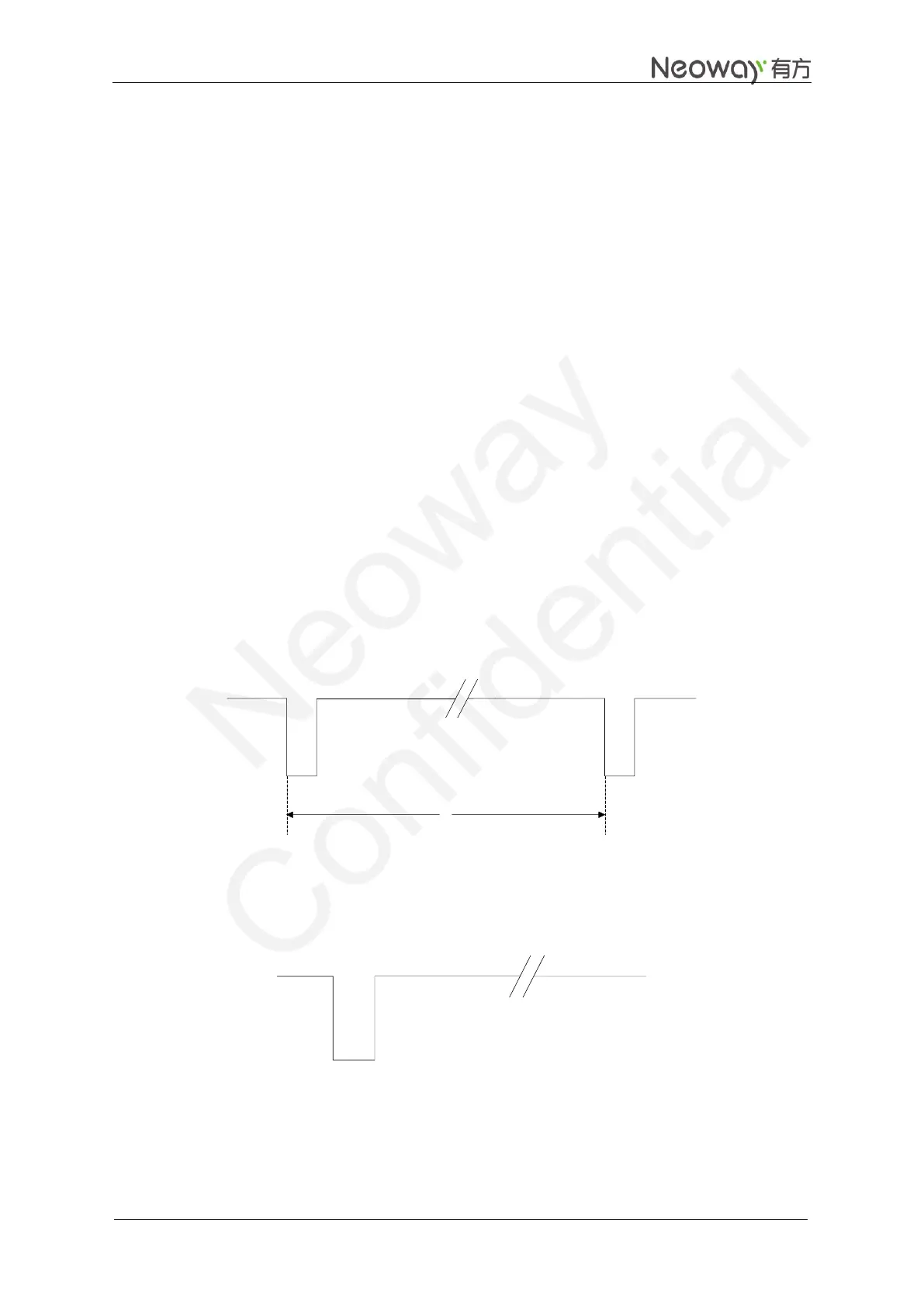
Calling: Once a voice call is coming, UART outputs "RING" character strings and meanwhile the
RING pin outputs 30 ms low pulses at 5s period. After the call is answered, the high level restores.
Figure 3-16 RING indicator for incoming call
SMS: Upon receipt of SMS, the module outputs a 35 ms low pulse.
Figure 3-17 RING indicator for SMS


 To Next Page