Setting Up the MRX920 Unit
MRX920/MTX950 User’s Manual 3-11
3 Press the power button located near the center of the
back edge of the laptop.
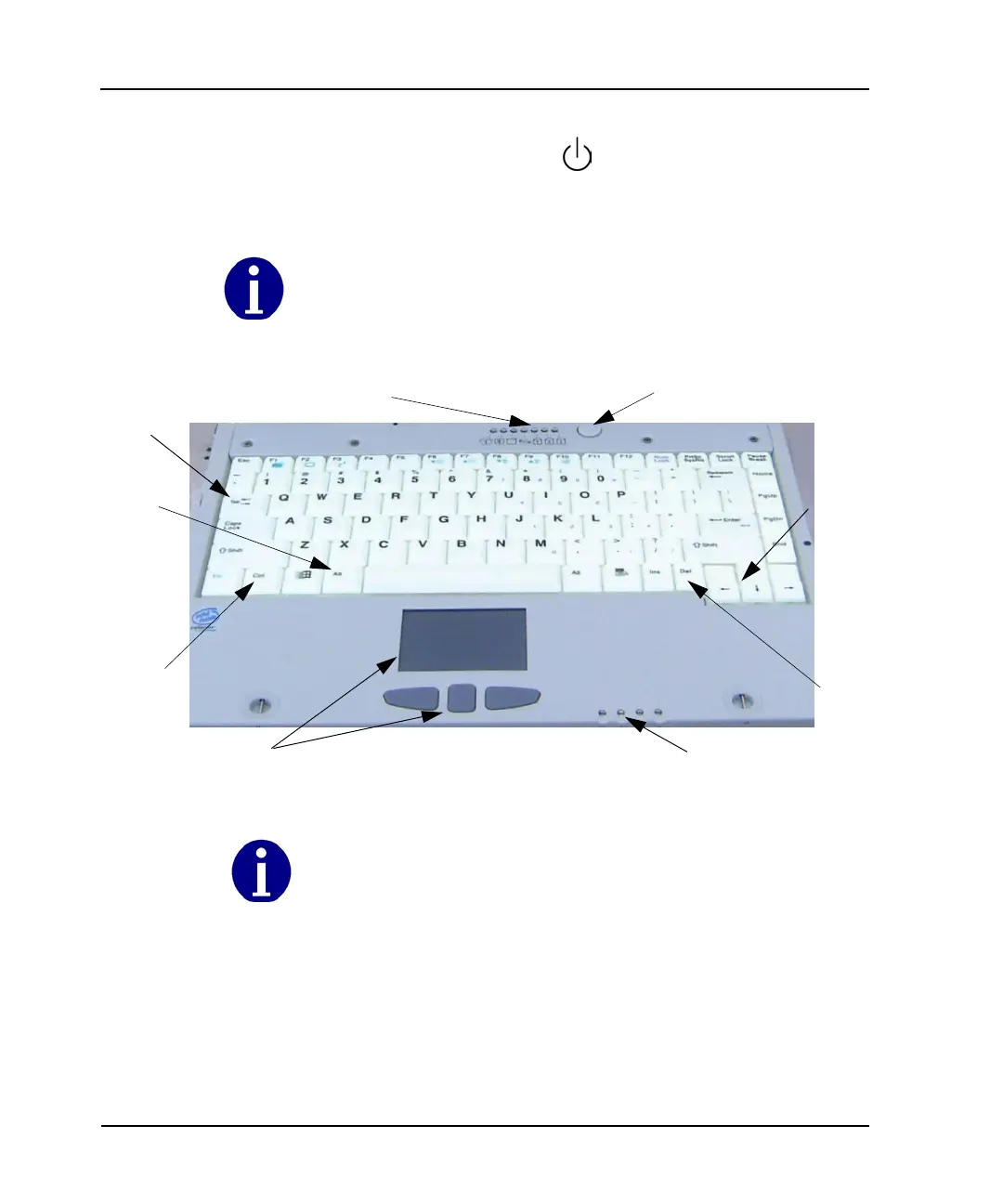
Figure 3.11 Laptop Keyboard
For additional information on MRX920 self-diagnostics or
keyboard, see
• “Performing Diagnostics.” on page C-3.
• “Using the Keyboard.” on page B-1
The power button is a soft raised button on the right side of the LED light indicators.
See Figure 3.11.
Alt
Ctrl
Delete
LED Activity Indicators
ON / OFF
Touchpad
LED Wireless/Modem Indicators
Arrow
Keys
Tab
If the laptop fails to respond to the keys or to the stylus, reboot by pressing and holding
down Ctrl + Alt + Delete (Figure 3.11) for at least 10 seconds. Release the buttons to
restart the computer.



 To Next Page