Installation 4-1
Chapter 4
Installation
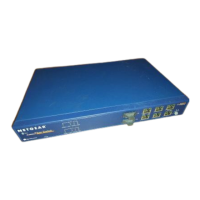
This chapter describes the installation procedures for the Model FS562/FS566 switch.
Preparing the Site
Before you begin installing the switch, prepare the installation site. Make sure the operating
environment meets the physical requirements of the switch, as described in Appendix A,
“Technical Specifications.”
Checking Package Contents
Unpack the contents of the package and verify them against the following list:
• Model FS562 Fiber Switch or Model FS566 Fiber Switch
• Self-adhesive rubber pads for desktop installation
• Rack Mount Kit for rack installation
• AC power cord
• Warranty and Owner Registration Card
• This installation guide
Call your reseller or customer support in your area if there are any wrong, missing, or damaged
parts. Refer to page iv for the location of customer support in your area.
Caution:
Use the appropriate power cord as required by your national electrical codes
and ordinances.









 To Next Page