Installation Guide for the Model FS562 and Model FS566 Fiber Switches
Physical Description 2-7
Rear Panel
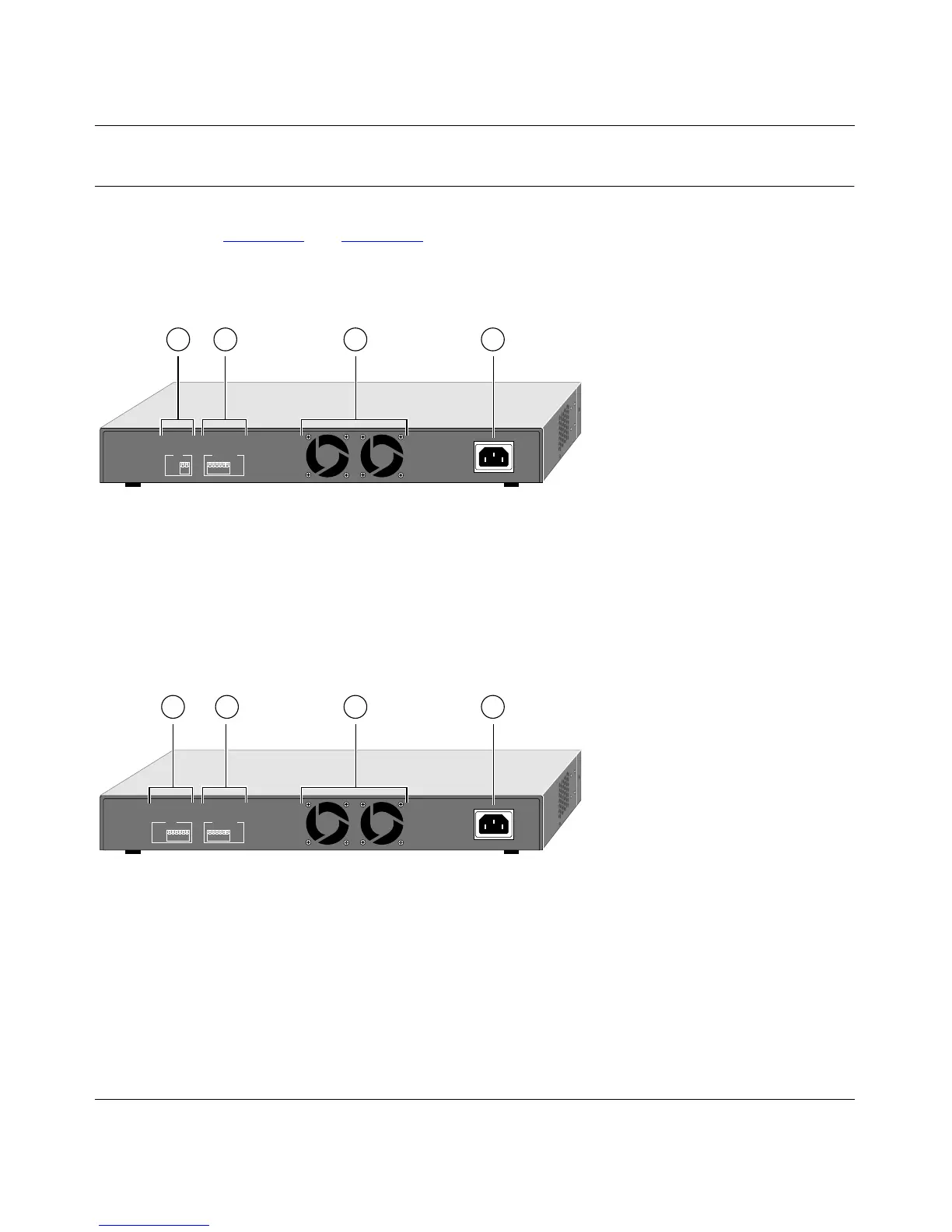
As illustrated in Figure 2-5 and Figure 2-6, the rear panels have a full-duplex (FDX) and
half-duplex (HDX) toggle switch, an FDX and auto-duplex (AUTO) toggle switch, a standard
AC power receptacle, and fans for cooling.
Key:
1 = FDX and HDX duplex toggle switches
2 = FDX and AUTO duplex toggle switches
3 = Fans
4 = AC power outlet
Figure 2-5. Rear Panel of the Model FS562 Switch
Key:
1 = FDX and HDX duplex toggle switches
2 = FDX and AUTO duplex toggle switches
3 = Fans
4 = AC power outlet
Figure 2-6. Rear Panel of the Model FS566 Switch
100-240 VAC 50-60 Hz 0.35A
8884FA
AUTO -
FDX -
HDX -
Enable port to determine duplex mode automatically
Force port to operate at Full Duplex
Force port to operate at Half Duplex
FDX
AUTO
Fiber
16
FDX
AUTO
10/100 Mbps
16
1 2 3 4
100-240 VAC 50-60 Hz 0.50A
8882FA
AUTO -
FDX -
HDX -
Enable port to determine duplex mode automatically
Force port to operate at Full Duplex
Force port to operate at Half Duplex
FDX
AUTO
Fiber
16
FDX
AUTO
10/100 Mbps
16
1 2 3 4









 To Next Page