EasyManua.ls Logo

Netis WF-2403 - 5. AP Mode Configuration; Login, Status, and Wireless Settings; DHCP and System Tools

Netis WF-2403
59 pages
To Next Page IconTo Next Page
To Previous Page IconTo Previous Page
Loading...
Portable Wireless-N Router/AP User Manual
15
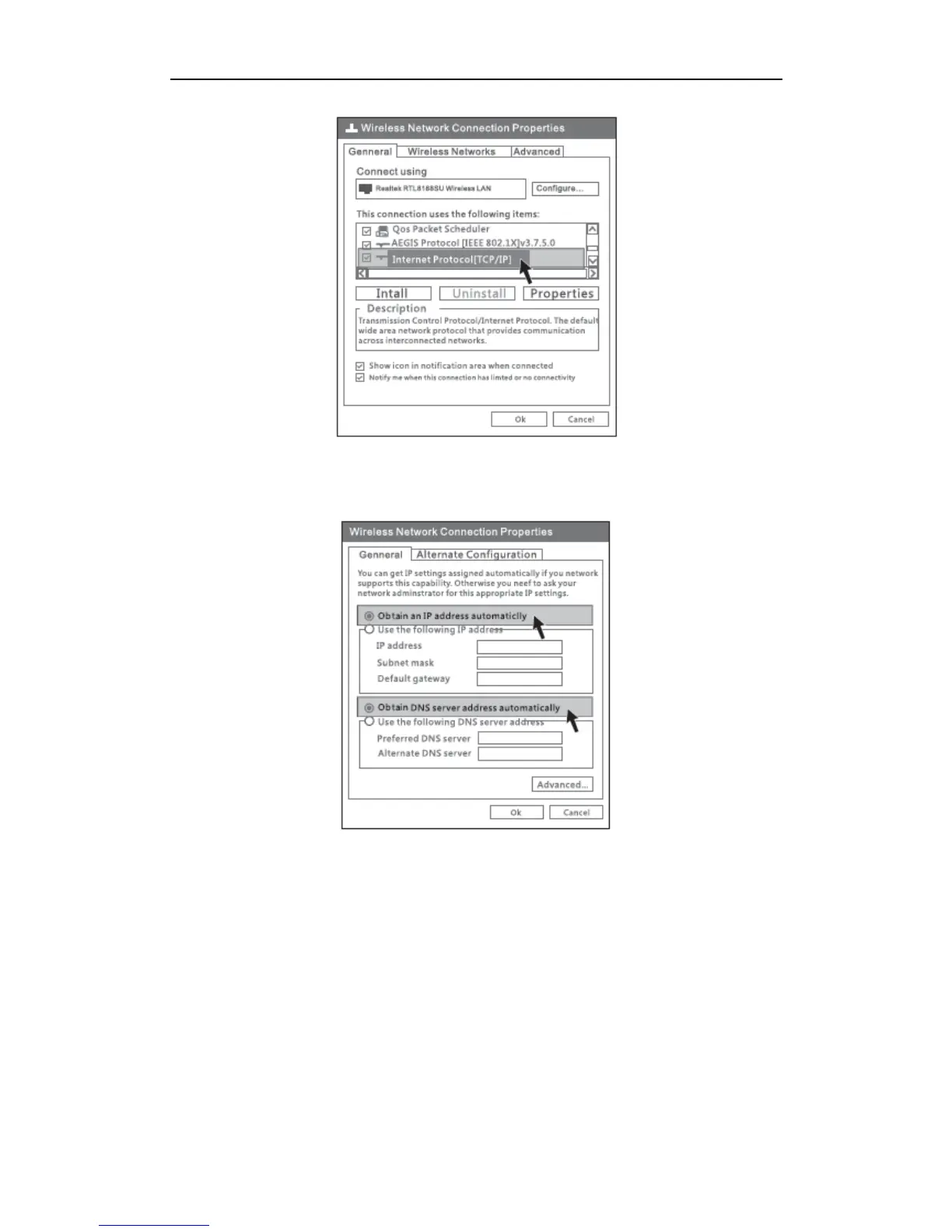
Figure 3-3
4) Choose Obtain an IP address automatically and Obtain DNS server address
automatically, then click OK.
Figure 3-4
5) Return to network connection window, choose Wireless Network connection, right
click, then choose View Available Wireless Networks.

Table of Contents

Related product manuals