more bits password have, the better security wireless network is, at the same time the
speed of wireless is more slower.
Key Mode: If you select WEP to encrypt your data, choose the bits of password, it should
be 64 bits or 128 bits. Then choose the format of password; it should be HEX or ASCII.
The valid character for HEX format should be numbers from 0 to 9 and letters from A to
F. HEX support mixed letter and number mode. And ASCII supports all characters that in
keyboard.
Key Length description: when you select 64bits, you need to input 10 chars for HEX and
5 chars for ASCII, and when you select 128bits, you need to input 26 chars for HEX and
13 chars for ASCII.
Note: when the WPS is enabled, please not use WEP.
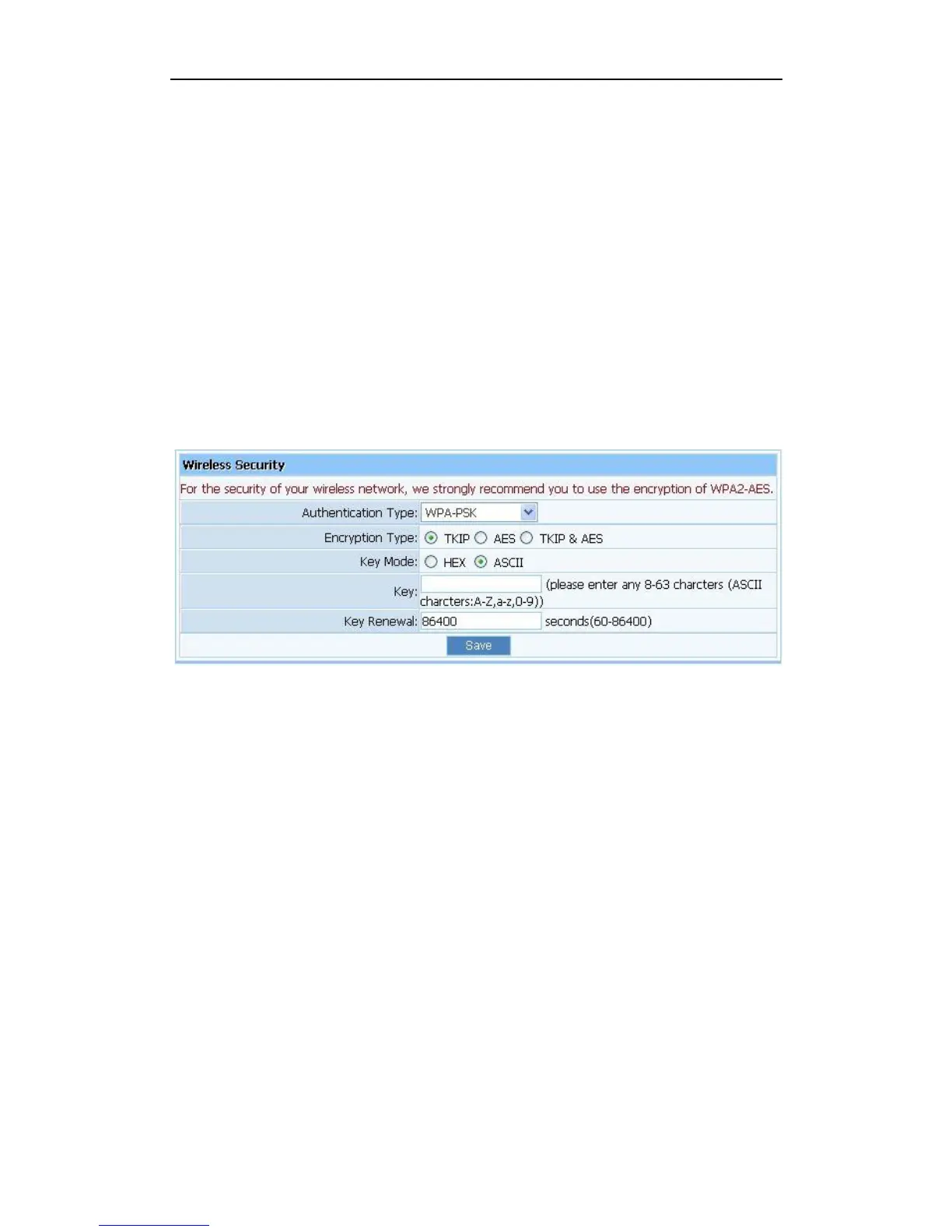
3.6.2.3. WPA-PSK
Figure 3-34
Encryption type: You can select the algorithm you want to use, TKIP, AES or
TKIP&AES. TKIP means “Temporal Key Integrity Protocol”, which incorporates
Message Integrity Code (MIC) to provide protection against hackers. AES, means
“Advanced Encryption System”, which utilizes a symmetric 128-Bit block data.
Key Renewal: you can configure the renewal time between 60 to 86400 seconds.
Key Length description: you need to input 8 to 63 ASCII characters no matter which type
you select.
3.6.2.4. WPA2-PSK
The WPA2-PSK is similar to WPA-PSK and with stronger encryption method than WPA-PSK,
using WPA2-PSK; you should input password (leave this value in the range of 8 to 63
characters) and key renewal time (leave this value in the range of 60 to 86400 seconds).


 To Next Page