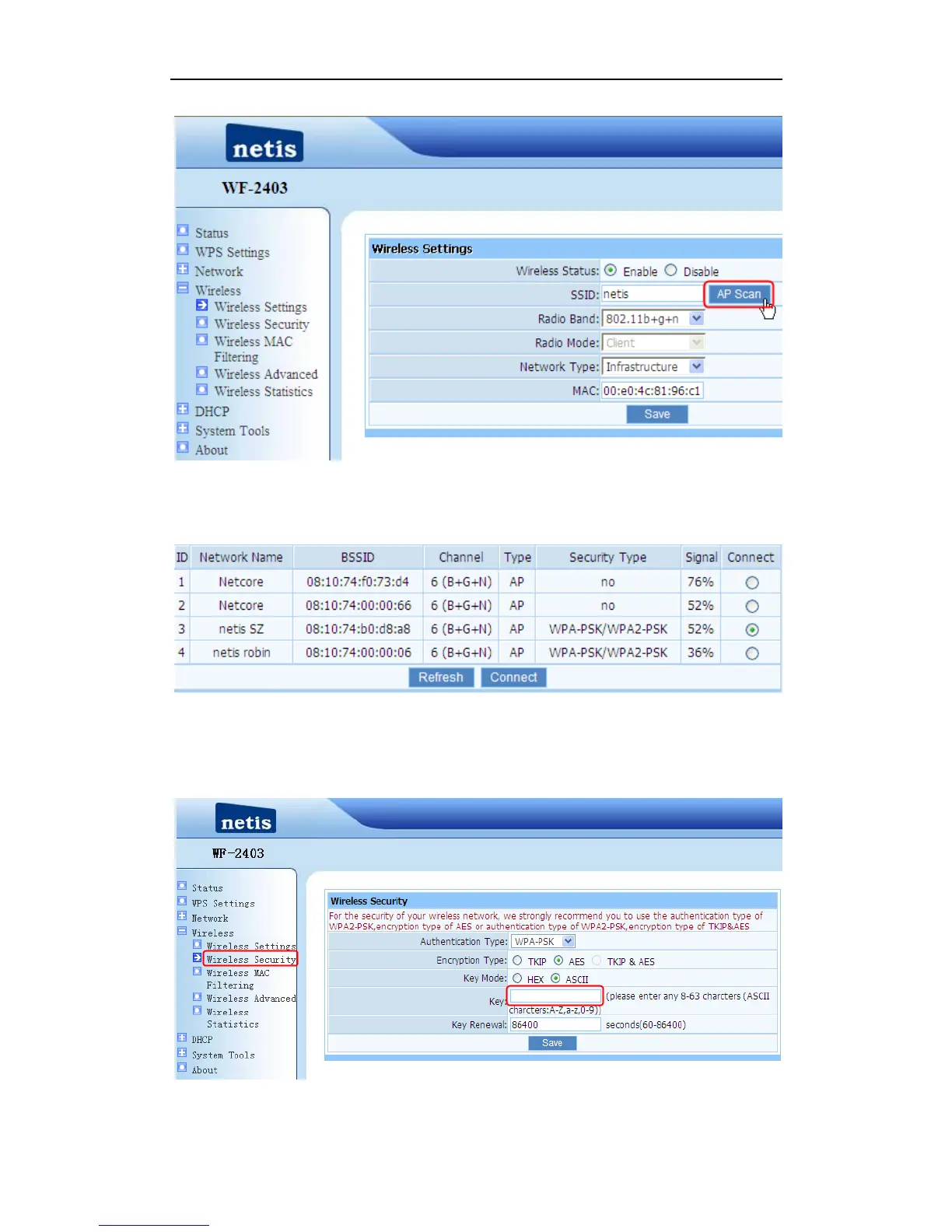
Figure 4-7
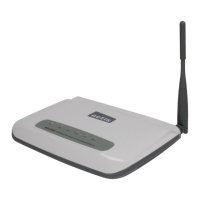
2) You can see several SSID of the AP or AP-Router like figure 4-10, select the SSID that
you want to connect, click “Connect” button. Here we use “netis SZ” for example.
Figure 4-8
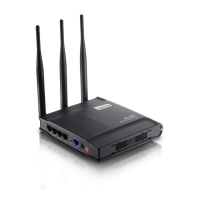
3) If AP has been encrypted, you need configure the wireless security for PORTABLE
WIRELESS-N ROUTER /AP. When configuring wireless security, please make sure
authentication type and the key is same as AP’s setting.
Figure 4-9


 To Next Page