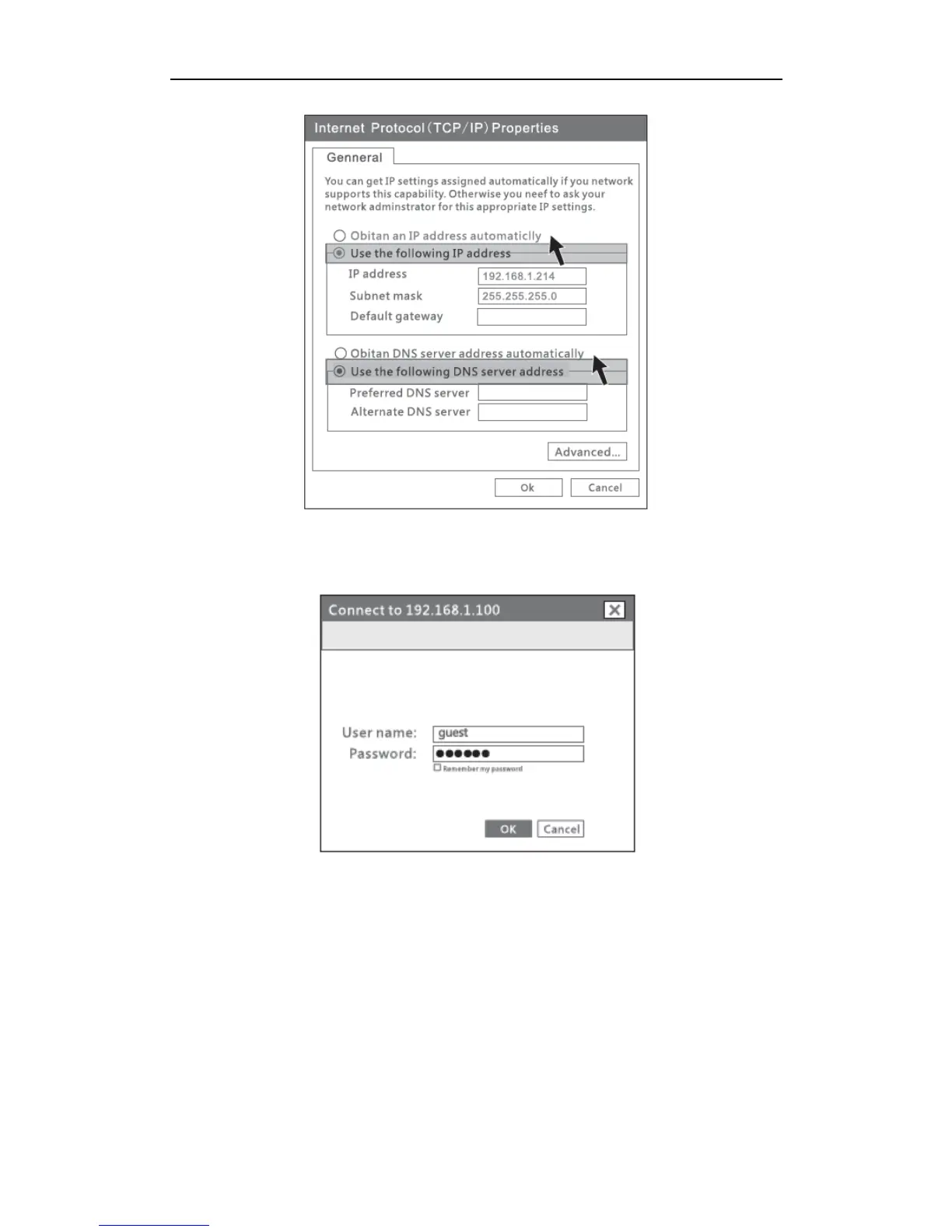
Figure 5-4
5) Open the web browser, enter “192.168.1.100” in the address bar. Then enter the User
name “guest” and Password “guest” in the dialog box, click OK.
Figure 5-5
If you can see the picture as below(figure 5-6), that means you have successfully login web
management page of PORTABLE WIRELESS-N ROUTER /AP. You can start configuring
your PORTABLE WIRELESS-N ROUTER /AP now.


 To Next Page