R3.1_v1.2
18/76
Modem Web Interface
User Manual MDM3X00
4.6.4 Pointing the Antenna
There are two ways to point the antenna:
1. Manual pointing, using the Point&Play tool
2. Automatic pointing, using an Antenna Control Unit (ACU)
4.6.4.1 Manual Pointing
Before proceeding with this step, make sure that:
• Your antenna, LNB and BUC are properly installed. For instructions, refer to its
manufacturer's installation guide.
• The LNB is connected to the RX interface on the modem.
Note: The BUC should not yet be connected to the TX interface.
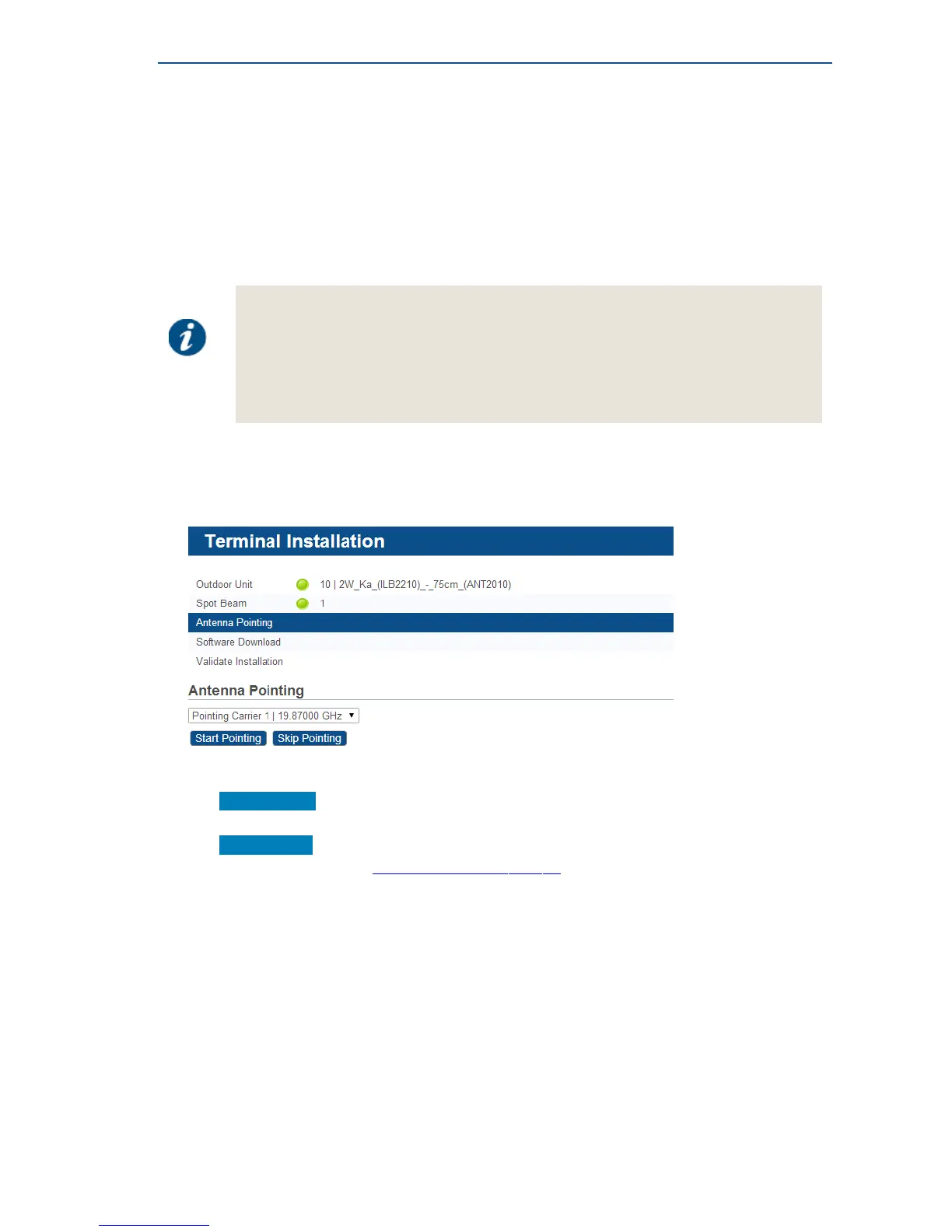
• If two pointing carriers have been preconfigured, keep the pre-selected carrier.
If pointing fails during the procedure, you will need to repeat this step with the other pointing
carrier.
• Click Start Pointing to start the pointing procedure with the Point&Play tool and proceed to the
next section: Using the Point&Play Tool.
• Click Skip Pointing to skip the pointing procedure (use if the antenna is already correctly
pointed). You can proceed to SoftwareDownloadonpage23.



 To Next Page