R3.1_v1.2
47/76
Modem Web Interface
User Manual MDM3X00
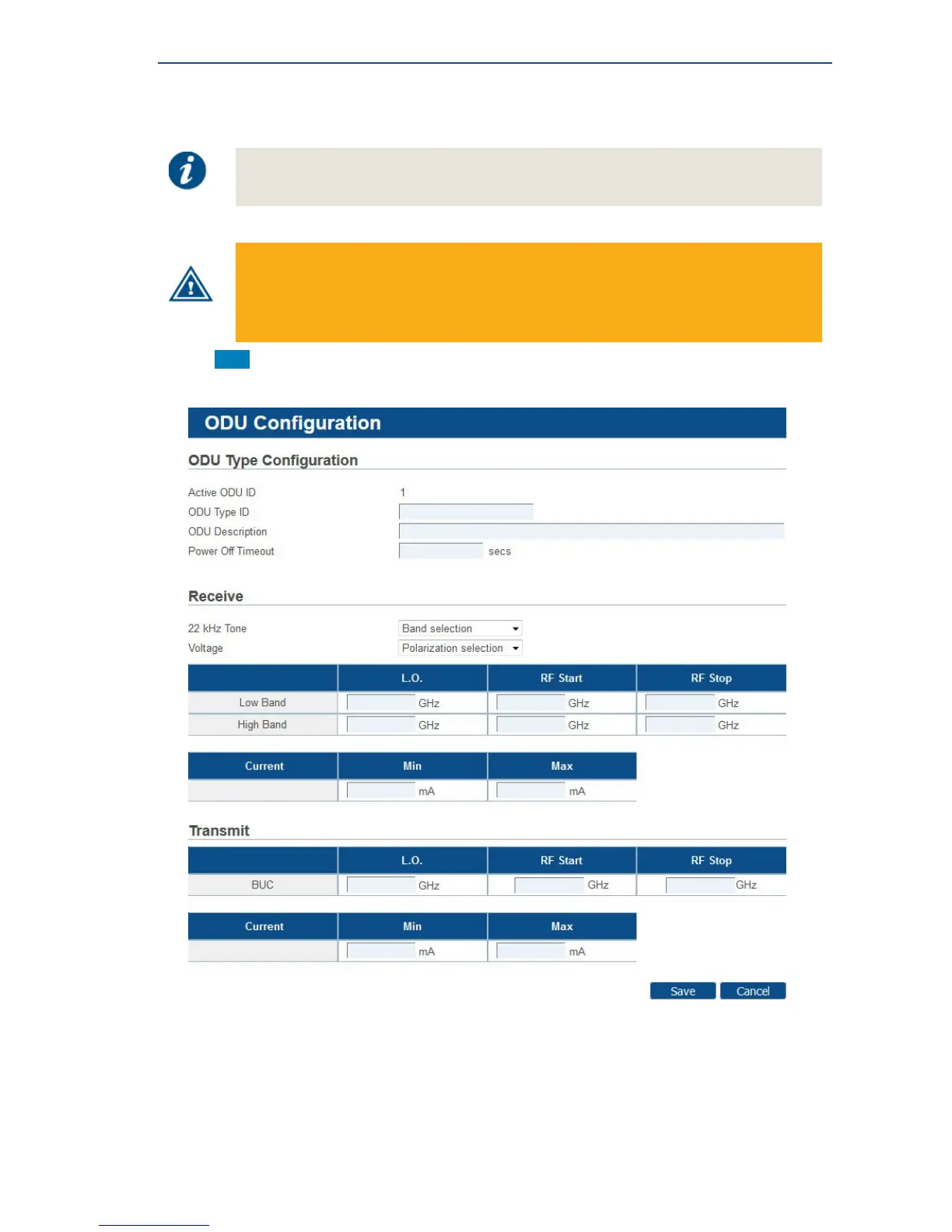
4.7.4.5 Add Outdoor Unit Parameters
Adding an ODU can be disabled by the Network Operator. In such case, the Add
button is not present and the ODU configuration settings are read-only.
When adding a new outdoor unit in the modem, it should also be configured with the
exact same settings in the hub by the Network Operator. If an outdoor unit type in the
modem has no matching entry in the hub, the modem will possibly be prevented from
logging onto the network. Please contact your Service Provider or Network Operator in
case of doubt!
• Click Add to create an outdoor unit type.



 To Next Page