R3.1_v1.2
58/76
Modem Web Interface
User Manual MDM3X00
4.10.1.3 LAN Test
The LAN test is composed of two tests:
» The "Ethernet status" exists of three tasks:
• Checking the Ethernet physical layer.
• Obtaining the IP address off the computer connected to the modem.
• Checking the IP address of the computer, provided via DHCP by the modem.
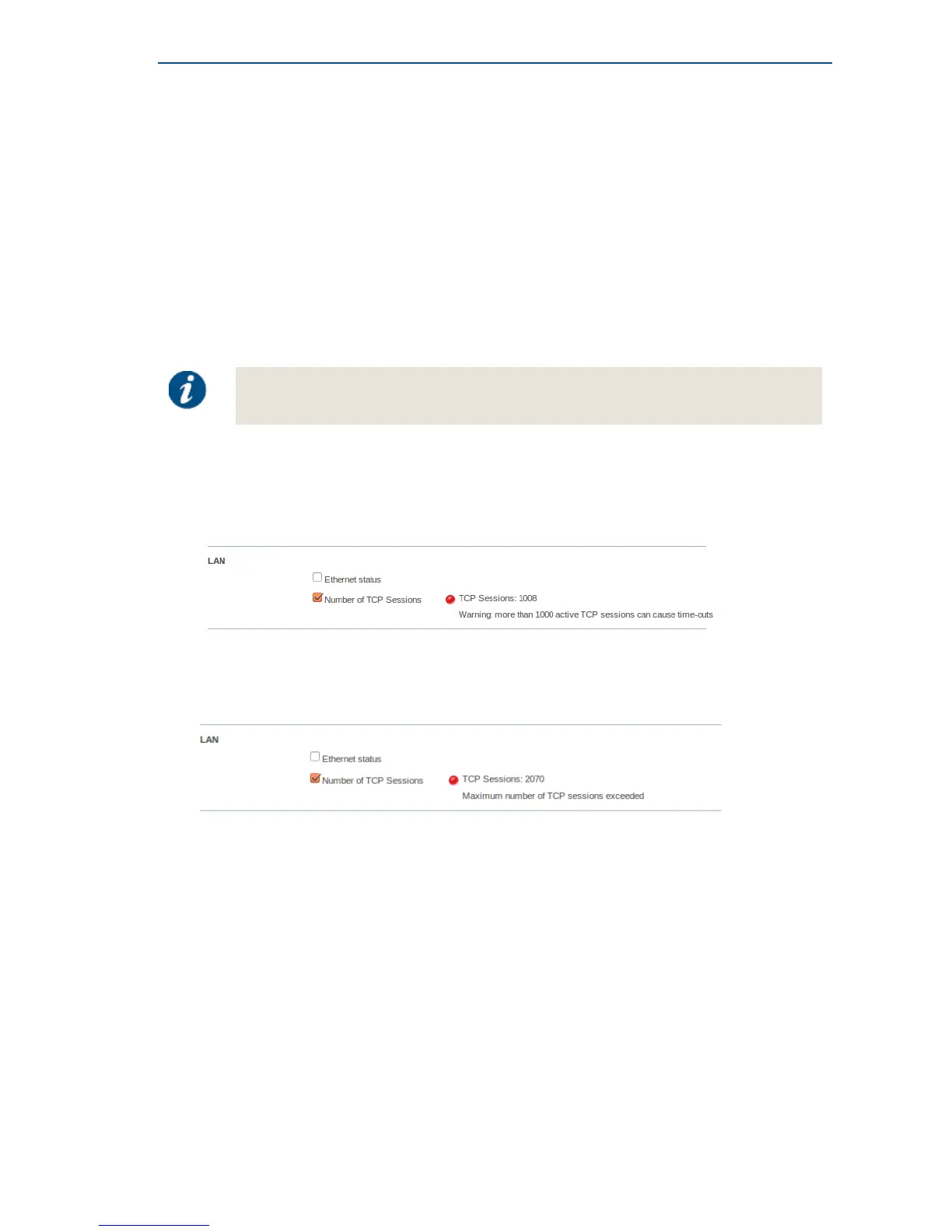
» The "Number of TCP sessions" shows how many TCP sessions are currently active.
The maximum number of TCP sessions is set by the Network Operator.
» If more than half the maximum allowed number of TCP sessions is active, a warning message is
displayed. In the example shown below, the maximum number was set to 2000.
» If the number of active TCP sessions exceeds the maximum number set by the Network
Operator, an error message is displayed, TCP sessions will be delayed until the number drops
again below the maximum. In the example shown below, the maximum number was set to 2000.
4.10.1.4 Satellite Connection Test
The Satellite connection test is composed of three tests:
• The Physical layer test, checks if the physical layer of the modem - satellite connection is able to
receive data.
• The Data link layer test, checks if the system is able to send data to the satellite.
• The Network layer test, checks the IP connection.



 To Next Page