R3.1_v1.2
35/76
Modem Web Interface
User Manual MDM3X00
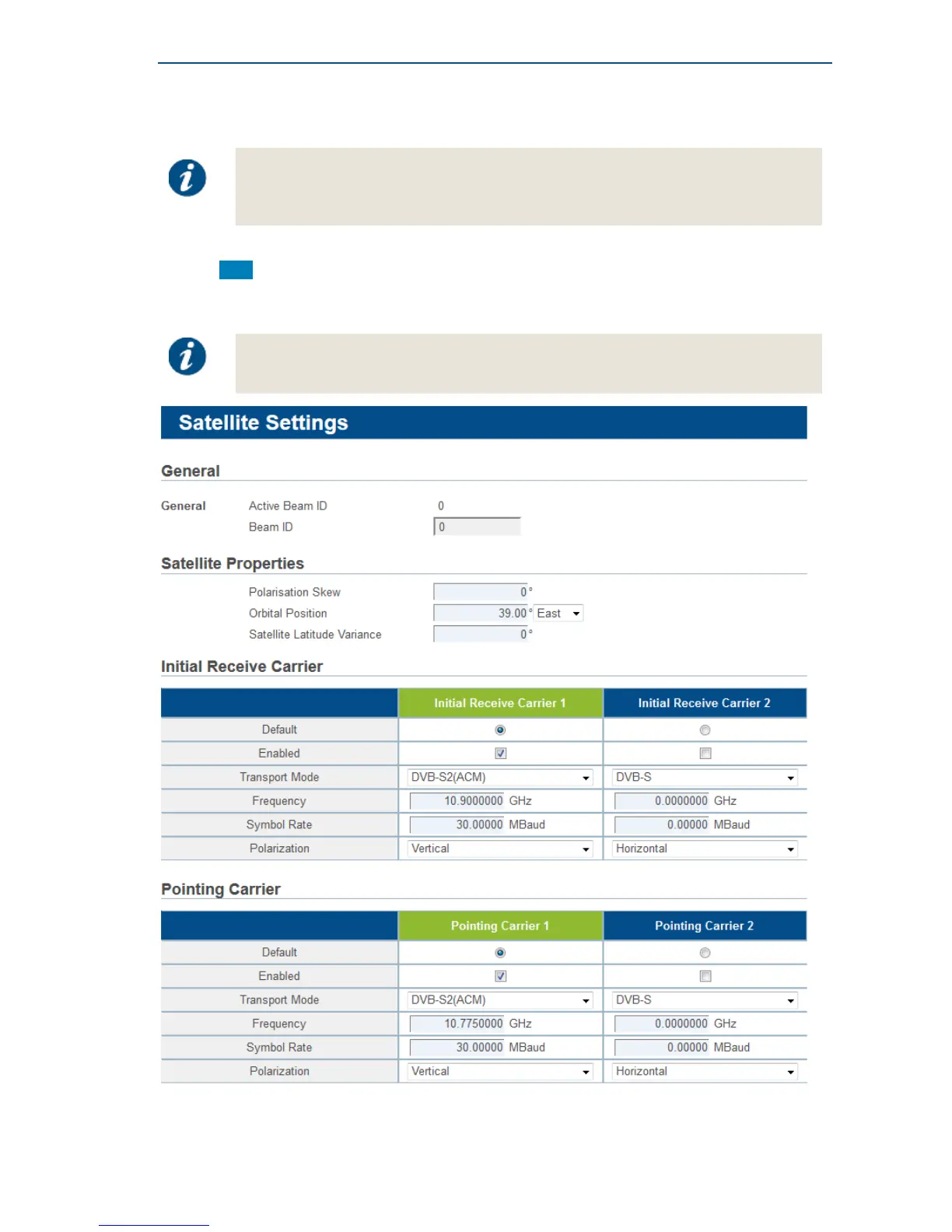
4.7.2.3 Edit the Satellite Interface Configuration
Editing the Satellite Interface Configuration can be disabled by the Network Operator.
In such case, the Edit button is not present and the configuration settings are
read-only.
• Click Edit in the Web Interface > View Satellite Configuration Interface.
• Edit the parameters to be changed.
At least the preferred initial receive carrier and default pointing carrier must be
enabled.



 To Next Page