R3.1_v1.2
72/76
Expert Mode
User Manual MDM3X00
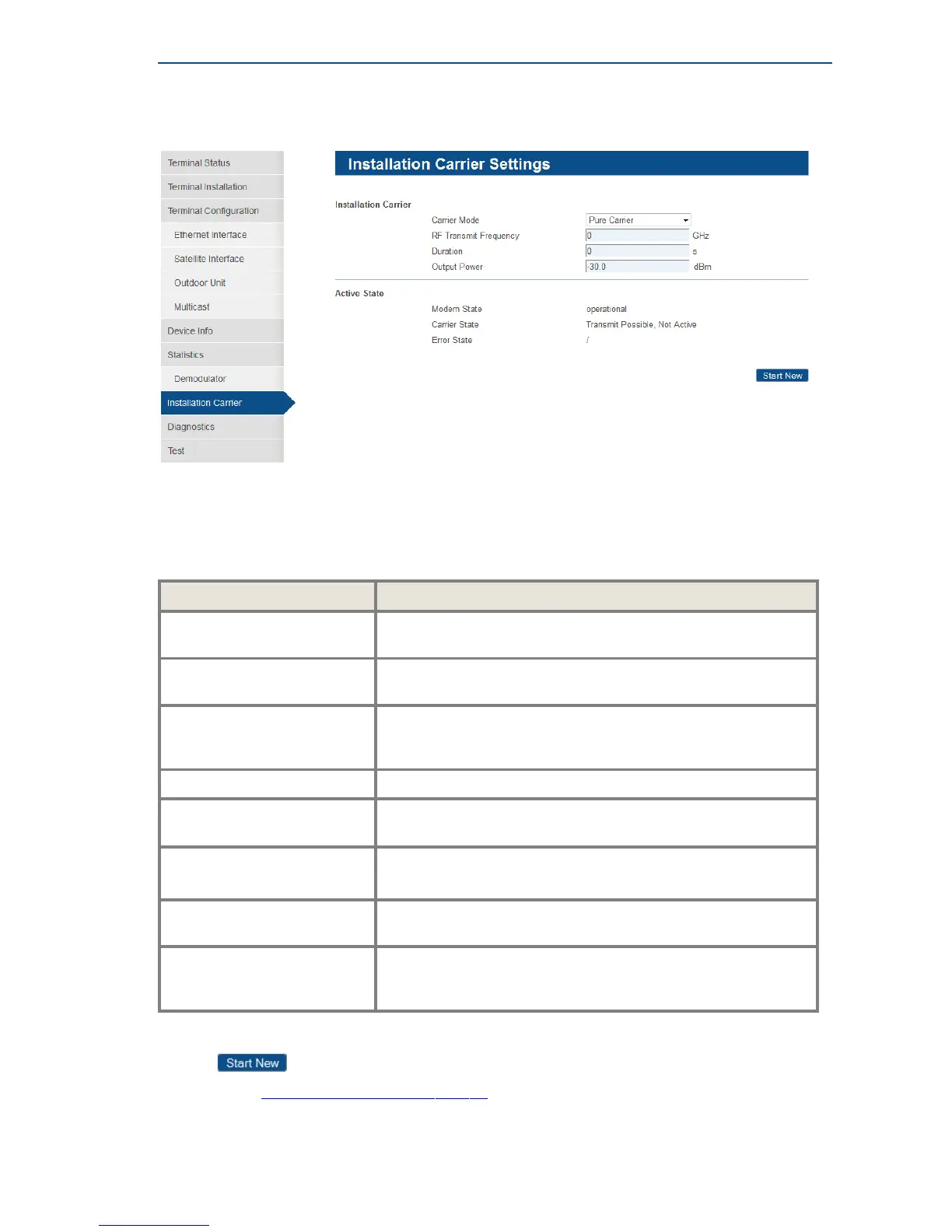
5.2.3.1 Installation Carrier Settings
This test mode can only be activated when the terminal has found the satellite network and is able
to synchronize with the satellite network clock (NCR signal).
This test mode will interrupt the normal terminal operation. After a time-out or a manual stop, the test
mode is ended and the normal operational mode restored.
An overview of the parameters:
Parameter Description
Carrier Mode Select: Pure carrier, CPM Carrier, S2 Carrier, S2 Extensions
or HRC Carrier from the dropdown list.
Modulated Carrier Bandwidth In case 'CPM Carrier' is selected, choose the bandwidth from
the dropdown list for the modulation.
Carrier Symbol Rate In case S2 carrier, S2 Extensions Carrier or HRC Carrier' is
selected, choose the symbol rate for the modulation (in Mbaud
for S2 or S2 Extensions, in kbaud for HRC carrier).
RF Transmit Frequency Choose the frequency of the outgoing transmitted carrier (GHz).
Duration
Duration of the test. Choose a value between 10 and 1800
seconds.
Output Power
Set the output power level of the installation carrier (value
between -35 and +5 dBm). Typically this value depends on the
used outdoor unit, RF cable length and satellite.
MODCOD
Select the MODCOD of the corresponding installation carrier
from the dropdown list.
Roll Off Specify the roll off factor of the S2 or S2 Extensions carrier from
the dropdown list.
Occupied bandwidth = Symbol Rate*(1+roll-off factor).
» Select and enter the correct values for the test.
» Click to validate the entered values and show the Installation Carrier Control page
(see section InstallationCarrierControlonpage73). If another test is still ongoing, it will be
interrupted.



 To Next Page