R3.1_v1.2
62/76
Expert Mode
User Manual MDM3X00
5 Expert Mode
Next to the default user mode, the modem web interface can also be accessed in expert mode.
This mode offers some extra functionality.
5.1 Login as Expert
Once the computer is connected to the modem's Ethernet interface, set the computer's IP settings to
DHCP enable.
» Connect your PC to the modem as described in section ConnectingtheModemtoYourComputeron
page6
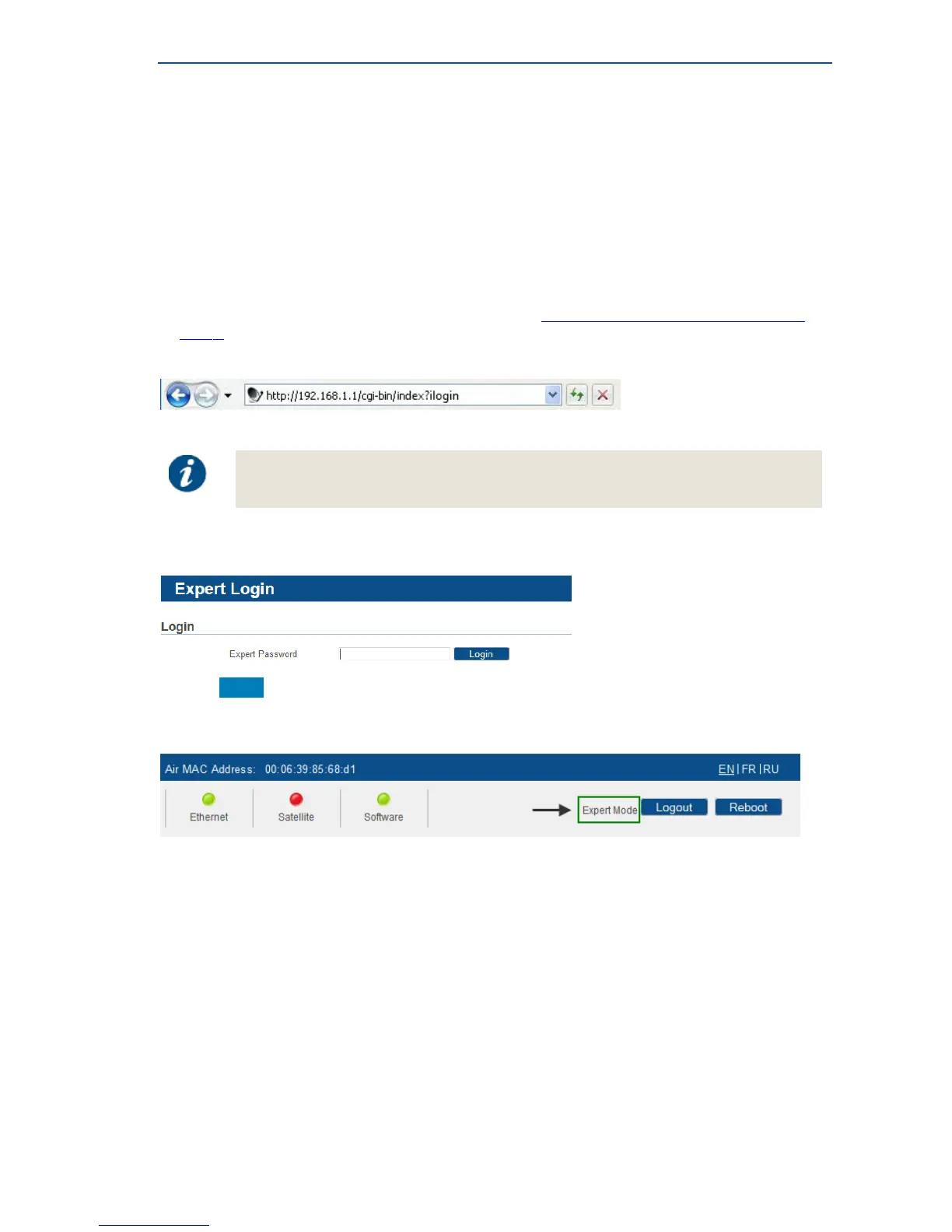
» Type "?ilogin" behind the http://192.168.1.1/cgi-bin/index URL
» Enter the password in the text field
The Expert password can be obtained from your modem supplier.
» Click Login to proceed
As a result the following screen is shown. In the right top corner it is indicated that you are logged-in
in expert mode.
Return to Normal User Mode
» Click the Log out link in the right top corner of the screen.



 To Next Page