5.3 Install
the
Build
Plate
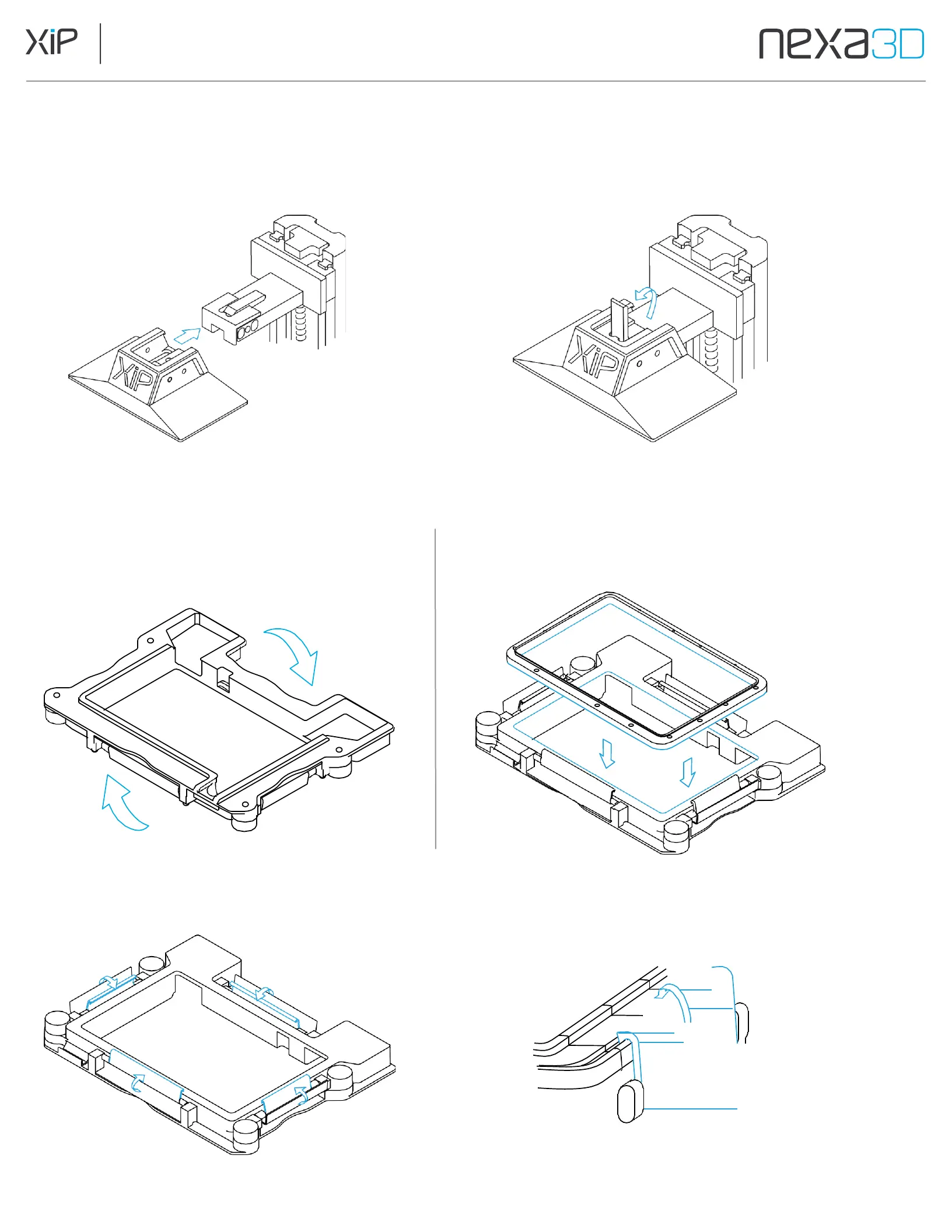
Open the printer door, slide the build plate onto the Z-axis platform, then lift the lever to lock the plate in position.
5.4 Install
the
Resin
Vat
1.
Flip vat frame upside down and lay on
the work surface.
2.
Place membrane on the bottom of the vat
with the gasket facing downward.
3.
Once membrane is in place, flip up the four inner clamps and rest the edge of each inside the groove.



 To Next Page