8.2 MASTER A + B USE
8.1 MANUAL PRESET FUNCTION
GB
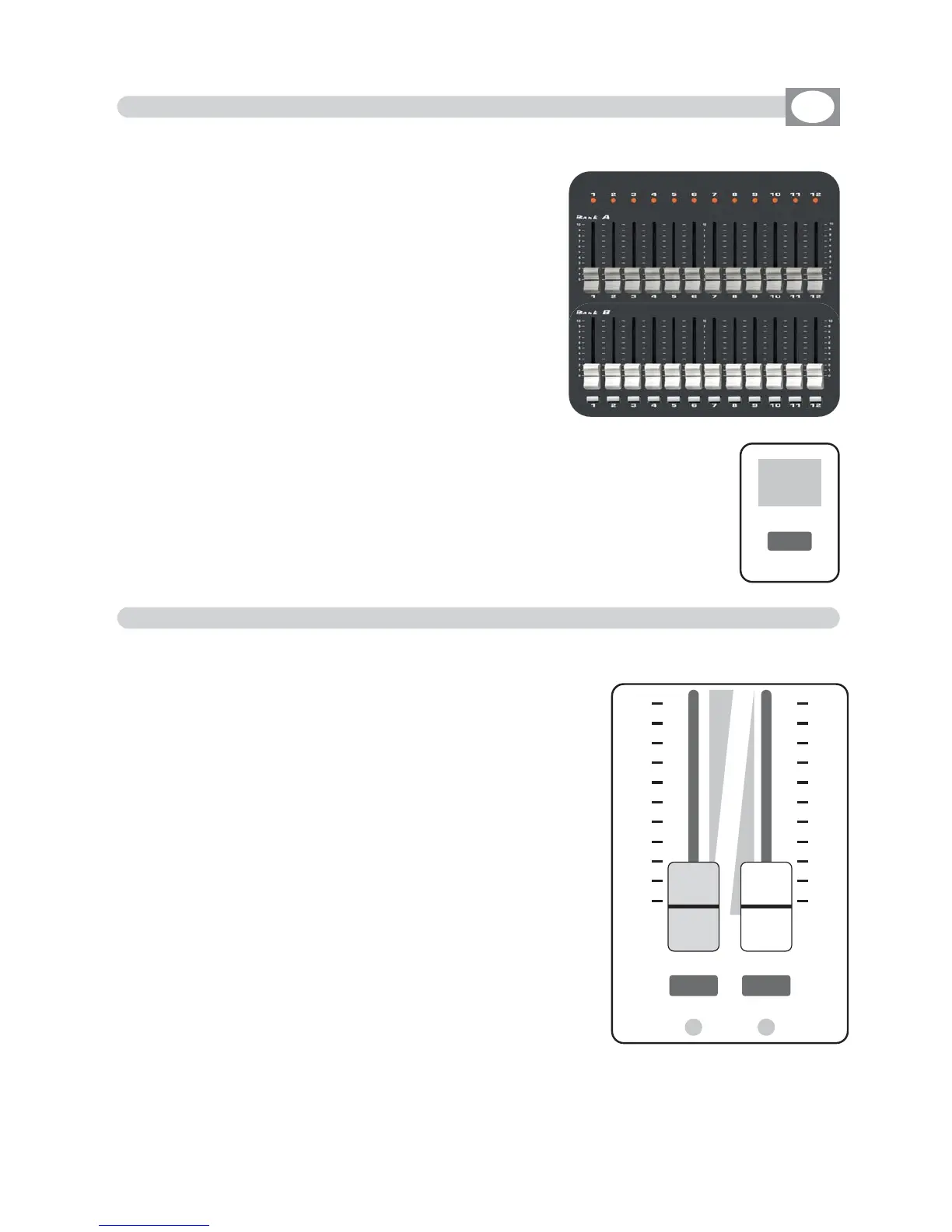
MATRIX LIVE IS ENDOWED OF TWO CONTROL A+B LEVEL OUTPUT
The
MMaasstteerr AA
fader
(Fig. 38)
allows to adjust the bright
of preset A
The
MMaasstteerr BB
fader
(Fig. 38)
allows to adjust the bright
of preset B
The
MMaasstteerr BB
fader has the scale inverted as regards
the
MMaasstteerr AA
fader,
move the two knobs at the same
time to have a
AA
and
BB
mix.
12 bank A faders to control presets A
12 bank B faders to control presets B
12 keys: perform flash on the channels.
12 led: Visualize the channels status.
BANK key:
(Fig. 37) to select the preset page, max 12.
Press
BBaannkk
key followed from 1÷12 key, to change page
Press
twice
the
BBaannkk
key to go to the next page
TThhee sseelleeccttiioonn ooff tthhee bbaannkk iiss lliimmiitteedd ttoo tthhee nnuummbbeerr ooff tthhee ddiimmmmeerr
sseett iinn tthhee ppaattcchh..
Led display:
(Fig. 37) Visualize the active preset page.
THIS SECTION OF MATRIX LIVE IS MANUAL ENTIRELY CONTROLLED
10
9
8
7
6
5
4
3
2
1
0
0
1
2
3
4
5
6
7
8
9
10
B
A
A B
AA aanndd BB
Key are used to enable the two presets crossfa-
de, for this function keep
oonnee
master to 0 value (the cor-
responding led will turn off).
Set the transition
XXFFAADDEE TTIIMMEE
from 0 to 600
seconds with encoder under lcd display
Press Function key then
AA
or
BB
key to cange lcd
XXFFAADDEE TTIIMMEE
of manual presetPress Function key then
AA
o
Bank
0 1
Fig. 37
Fig. 38



 To Next Page