10.18 MENU: RS 232 HOST LINK
GB
---------------------------------------------------------------------------------------------------------------------
AVAILABLE ONLY AFTER THE ACTIVATION OF THE SYSTEM SETTINGS
(see par.10.14)
---------------------------------------------------------------------------------------------------------------------
THIS FUNCTION ALLOWS TO UPDATE LIBRARY, SAVE THE PROGRAMMING AND TO
RESTORE USER DATA.
The display changes as shown in (Fig. 64)
RS232 HOST LINK
11.. CCOONNNNEECCTT RRSS 223322 CCAABBLLEE
22.. OOPPEENN TTEERRMMIINNAALL AASS::
****111155220000--88--NN--11****
33.. PPRREESSSS SSTTAARRTT BBUUTTTTOONN
44.. FFOOLLLLOOWW IINNSSTTRRUUC
CTTIIOONNSS
SS TT AA RR TT
Connect the RS 232 cable (included)
from the Matrix to the RS 232 of the
Computer, start a program of terminal
emulation and to set the communica-
tion like:
115200 bps, 8 data bit, no parity, 1
stop bit.
With
MMiiiiccrroossoofftt WWiinnddoowwss
®®
system
start the software
HHyyppeerr TTeerrmmiinnaall
(Start> Programs> Accessories>
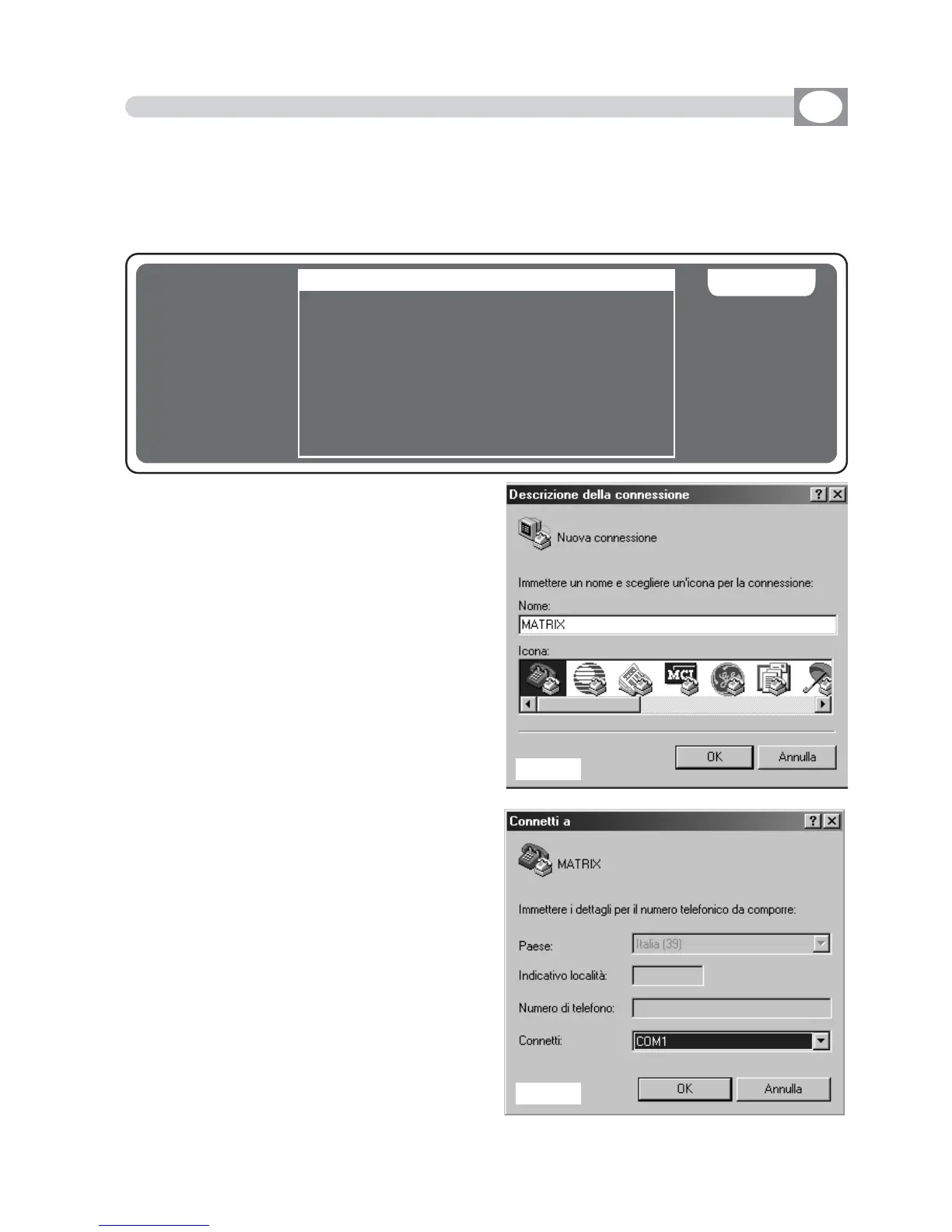
Communications), set the connection
like in
ffiigg..6655--6666--6677
.
Press the
SSTTAARRTT
key (Matrix); in the
monitor of
Computer
appears the Menù
see
ffiigg..6688
.
Press (
CCoommppuutteerr KKeeyybbooaarrdd
) the number
of the desired function.
Press
11
to save the data of program-
ming;
You must select from the menù
TTrraannssffeerr>> RReecceeiivvee ffiillee
. Set
YYmmooddeemm
protocol then click to
RReecceeiivvee
The
saved file is in the Hard Disk with
name
MMAATTRRIIXX..BBAAKK..
Fig. 65
Fig. 66



 To Next Page