May 2023 12
f. Server Antennas
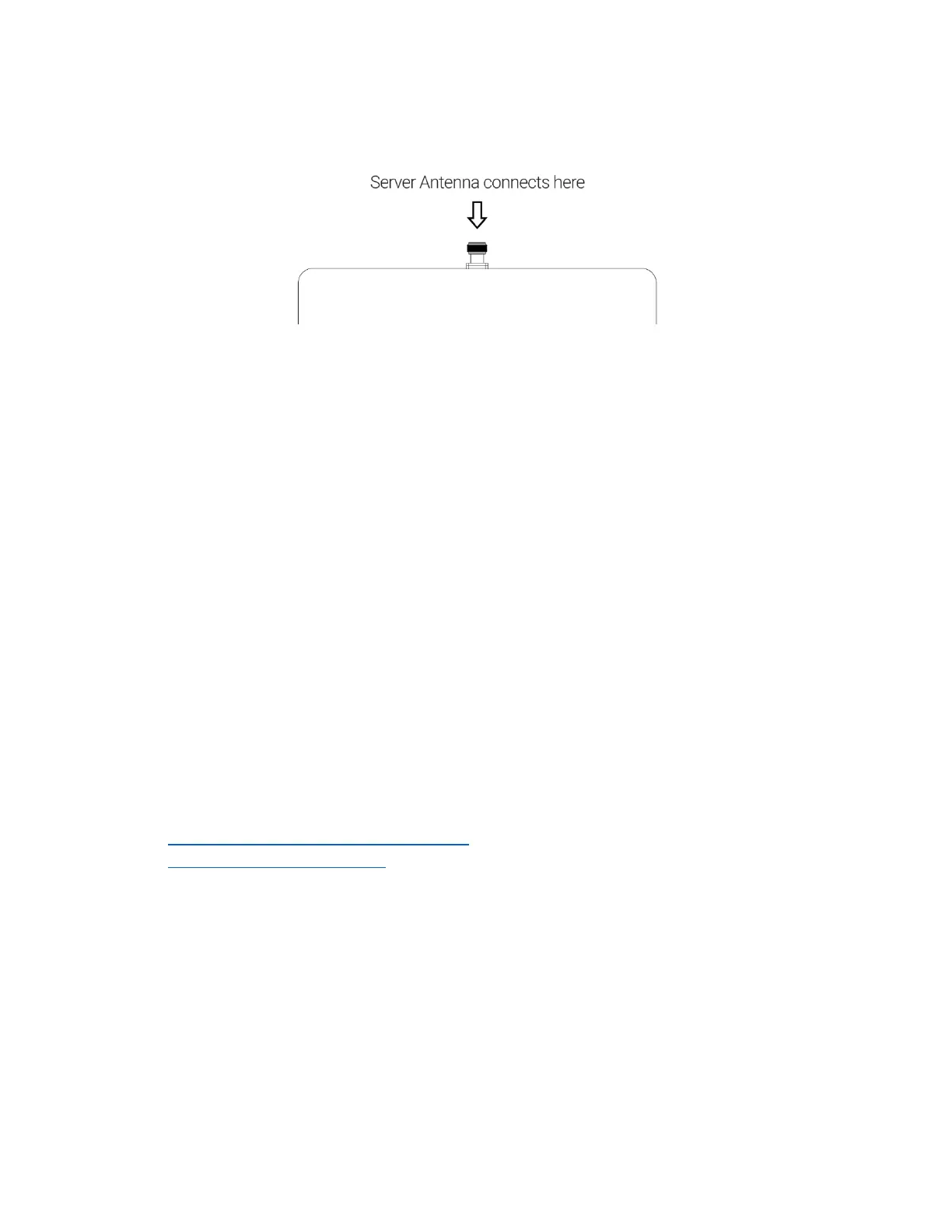
Server antennas connect to the N-type(f) RF port on the CU.
Figure 5: Server Antenna port
A variety of Server antennas are available from Nextivity. Visit the Antenna Product page for
details and updates.
g. Couplers
RF couplers or tappers may be used with CUs when multiple service antennas are desired.
Careful system design should be implemented to ensure sufficient radiated power for all
antennas. Couplers should be specified that are appropriate for the power and frequency
bands that EVO supports.
IV. Nextivity WAVE Portal
The WAVE Portal is Nextivity’s SOC2 Type 1 compliant cloud-based software platform from
which CEL-FI apps and connected devices are hosted and driven. Current-generation CEL-FI
products feature embedded connectivity that allows them to connect to the WAVE cloud. The
WAVE Portal and apps facilitate software updates, registration, commissioning, installation,
optimization, and troubleshooting. The CEL-FI WAVE platform continues to expand in features
and function.
In order to use the WAVE Portal and related capabilities, you must be registered with the
system.
• Request Access to the WAVE Portal
• Log In to the WAVE Portal
The portal constantly monitors your systems and tells you how to resolve alarms or improve
performance with explicit guidance, all from your smartphone or computer browser. See CEL-
FI training modules for easy-to-understand videos and slide tutorials.
The internet/portal connection method should be determined and prepared for prior to
installation. This will ensure that the portal is connected and available for
commissioning and settings.
Some of the many things the portal can do:
• Configure your EVO single or dual operator port assignments
• Monitor system health and display, email, or text alarm notifications



 To Next Page