May 2023 36
Once these commissioning steps are complete, your system will leave the New Systems list,
and it will appear on the Systems, Map, and Site pages where all “in-service” systems are
managed.
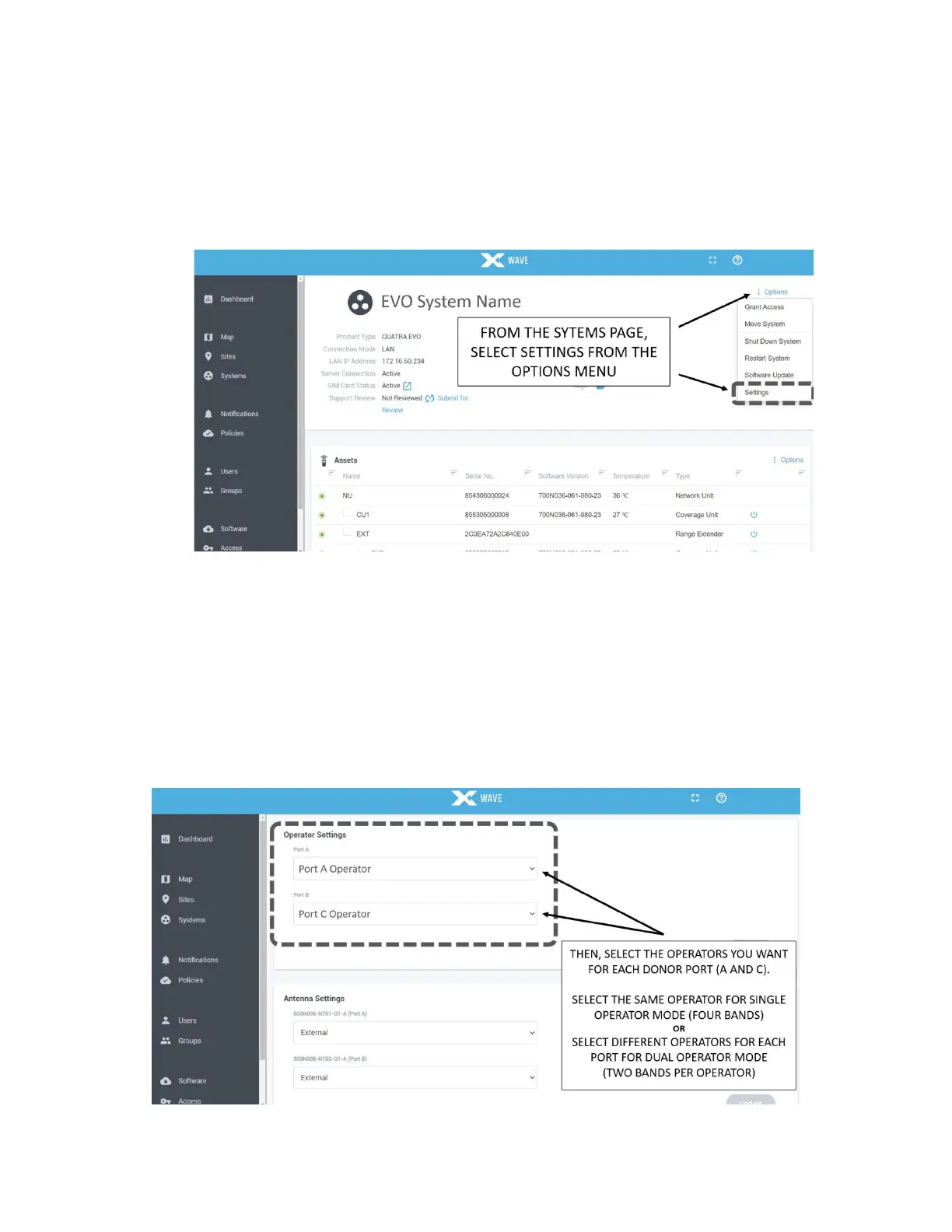
Next, set the preferred operational mode from the Settings menu. Open the Options menu on
the Systems page and select Settings.
Figure 24: System Settings in WAVE Portal
On the Settings page, use the drop-down Operator Settings field to select the operators you
want to assign to Port A and Port C. Select the same operator for both ports for Single
Operator Mode, or select different operators for Dual Operator Mode.
The system will automatically assign the channels with the highest priority and quality to each
radio. Or you may scroll down in the Settings page to manually configure the bands and
channels you prefer.
Figure 25: Selecting Operators in WAVE Portal



 To Next Page