May 2023 37
VIII. Diagnostics
Performance and Diagnostics are accomplished with system LEDs, and through the WAVE
Portal.
a. NU and HUB LEDs
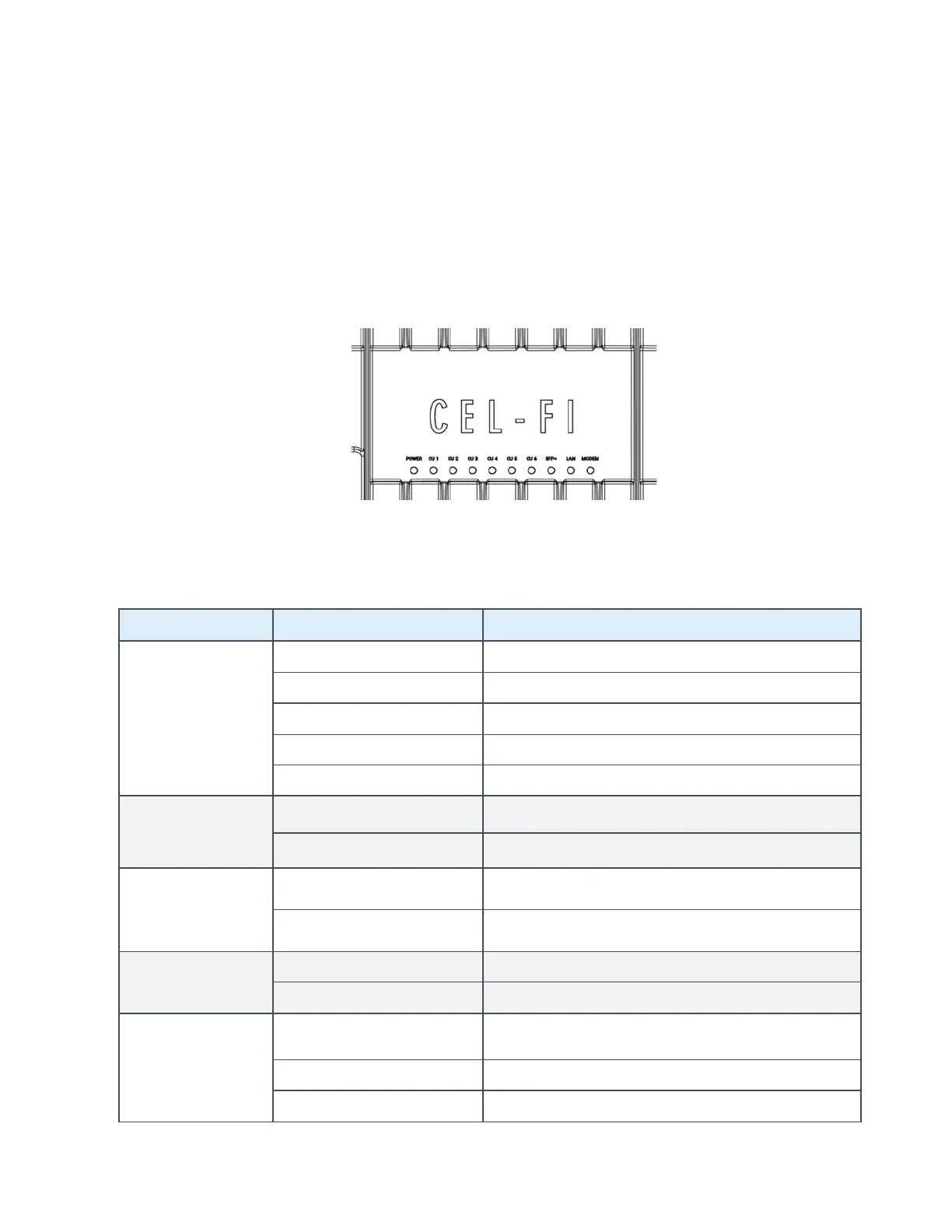
The QUATRA EVO NU has ten (10) LEDs on the front of the unit, used as status indicators,
during setup and normal operation. The LEDs are labeled.
Figure 26: NU LEDs
The LEDs on the front of the QUATRA EVO function as follows:
POWER
Powered and operating normally
Scanning to acquire network signals
CU1, CU2, CU3,
CU4, CU5, CU6
NO LIGHT Not connected properly, no power
Connected, powered and operating normally
SFP+
SOLID GREEN SFP+ module installed, and communicating properly
FLASHING GREEN SFP+ module installed, not communicating
LAN*
MODEM*
SOLID GREEN
Modem is installed, connected, and has an IP
address
Modem is attempting to connect
Modem is functioning properly
*NU only



 To Next Page