May 2023 20
a. Mounting the Network Unit (NU) or Optional HUB
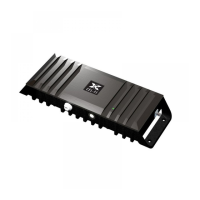
The CEL-FI QUATRA EVO NU and HUB are designed for simple wall or rack mounting -
typically in an IT room with coaxial cable riser access to where the donor antennas are to be
mounted (usually on the roof, or another exterior location with a quality donor signal from each
cellular operator). The location should also have an available electrical outlet within reach of
the supplied NU or HUB power cord.
Mounting accessories, including screws and anchors, for common material types (drywall,
plywood, etc.) are included with each NU and HUB.
Wall Mounting
The following tools are recommended:
• Power drill/screwdriver
• Drill bit extender (3”+)
• Hammer
• Pencil, or another similar marker
• Level
Caution
Make sure the area behind any surface is free of electrical wires or other dangerous elements
prior to drilling.
The QUATRA EVO NU and HUB have four (4) secure mounting tabs, two on each side. The
two topmost tabs have been key-holed, allowing the unit to be lifted onto pre-installed screw
heads.
Note
The Mounting Instructions below use the standard drywall mounting anchors and screws
included with the unit. If the NU or HUB are to be mounted onto other surfaces, make sure the
appropriate anchors and screws are used (not included).



 To Next Page