May 2023 35
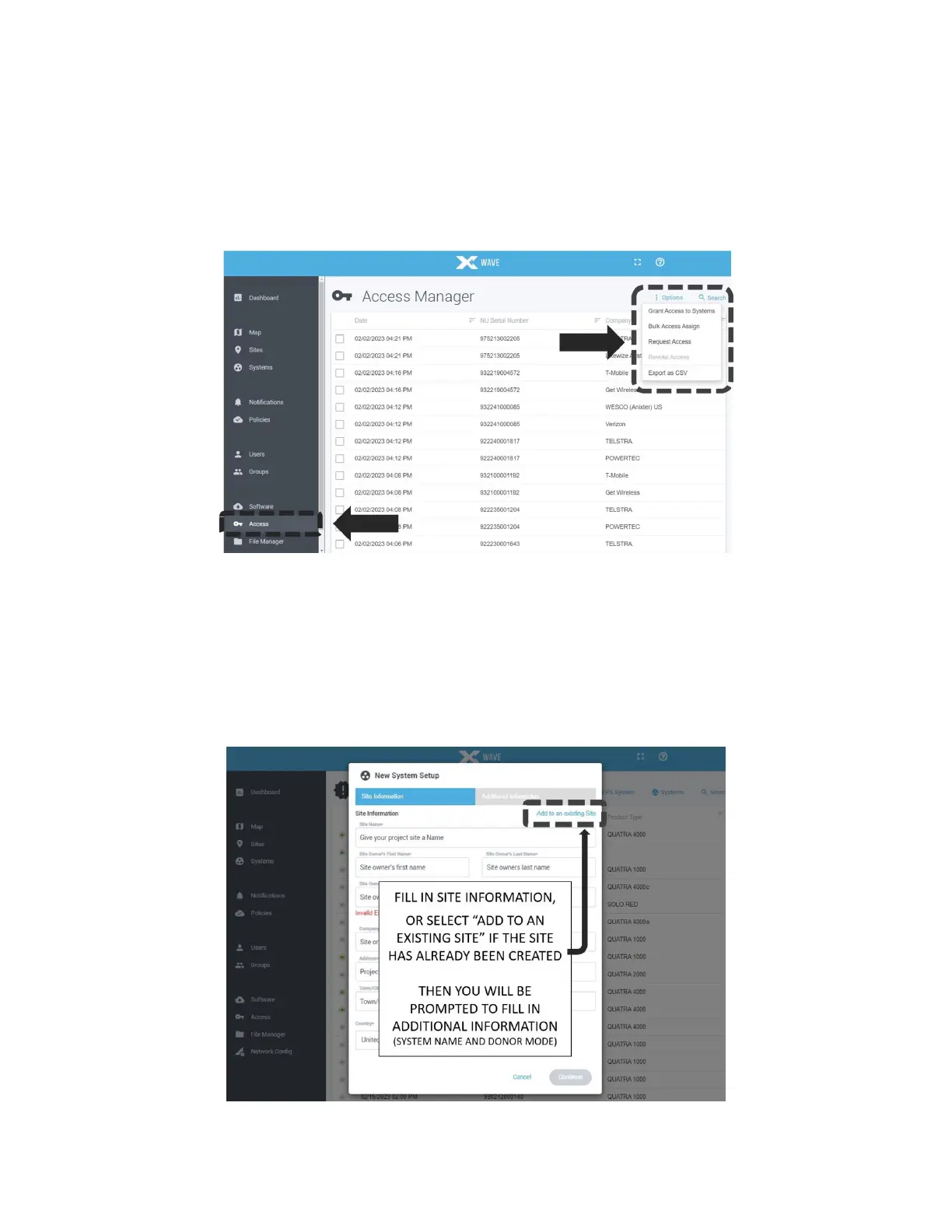
If you do not see your NU on the portal within ten minutes after powering up the NU (New
Systems page or Systems page), you may need to register it with your portal login account.
Click on the portal Access tab (lower left portal screen) and select the Request Access option
under the upper right screen Options menu. Input the NU serial number and the SKU from the
NU carton label, and access is immediately granted. If the NU carton has been discarded,
contact your point of sale or Nextivity Support to obtain access.
Figure 22: Registering Your NU in WAVE Portal
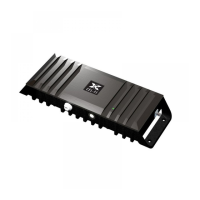
By now you should have been able to see the online NU on the portal and select it to begin the
guided commissioning process. You will be prompted to provide Site name and address
details, or you may skip the step by adding the system to an existing Site where these fields
have already been filled out. Then you will be prompted to input the system Name and Mode.
Figure 23: New System Setup



 To Next Page