GPS NAVIGATOR
6.2 WP
Note! This page is only accessible when the NX2 GPS Navigator is in MASTER or SLAVE mode.
Not accessible when operating as a REPEATER. See 7.7.
Access levels and summary of the WP functions
"FIRST SHOWN" MARK WP (Marks a waypoint from pre sent
position), chapter 6.2.1.
"Press MINUS" EDIT WP ( EDIT a WP in Lat/Lon), chapter
6.2.2.
"Press MINUS " COPY WP (Copy one or a block of WP's to
another memory part), chapter 6.2.3.
"Press MINUS " MOVE WP (As with COPY but clears the "from"
memory when done), chapter 6.2.4.
"Press MINUS " DELETE (DELETES one or a block of WP's),
chapter 6.2.5.
"Press MINUS " ED B/R (EDIT a WP in Bearing and range),
chapter 6.2.6.
Notel All waypoints are stored and identified with an unique number
and with any 7 alphanumeric "NAME".
6.2.1 MARK WP
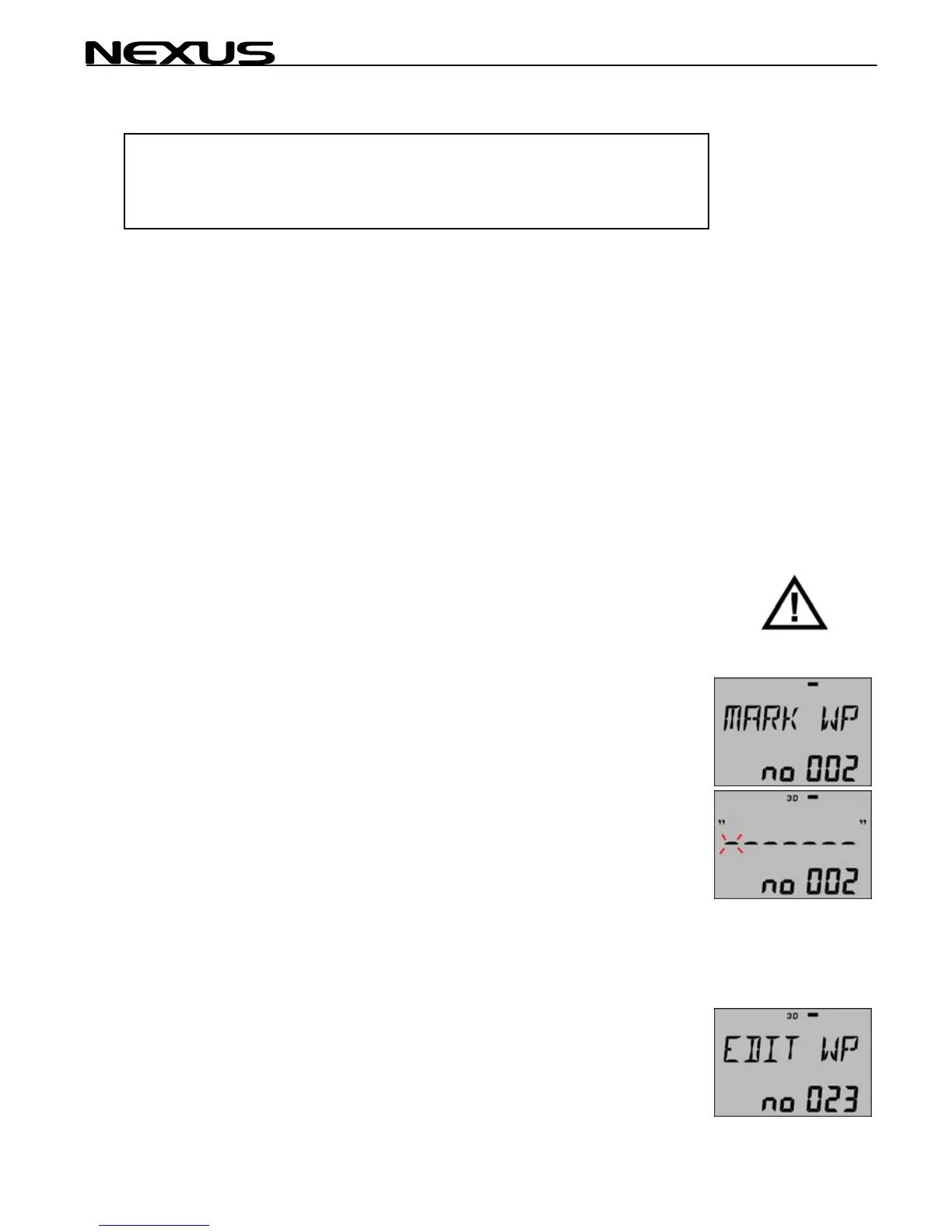
Use MARK WP when passing a position to store for later use. The
position will be stored directly when the SET is pressed.
The first free waypoint is shown in the example as no 002.
Press SET and you are invited to optionally give the waypoint a
name. Enter the character with PLUS or MINUS buttons and move
to the next character with the PAGE button (cursor). Press SET
when ready.
Next free WP to MARK will now be ready.
6.2.2 EDIT WP
EDIT WP (In latitude/longitude)
Use EDIT WP when creating a new WP or when editing an old WP.
26



 To Next Page