Front panel
5
FIGHTER 1240
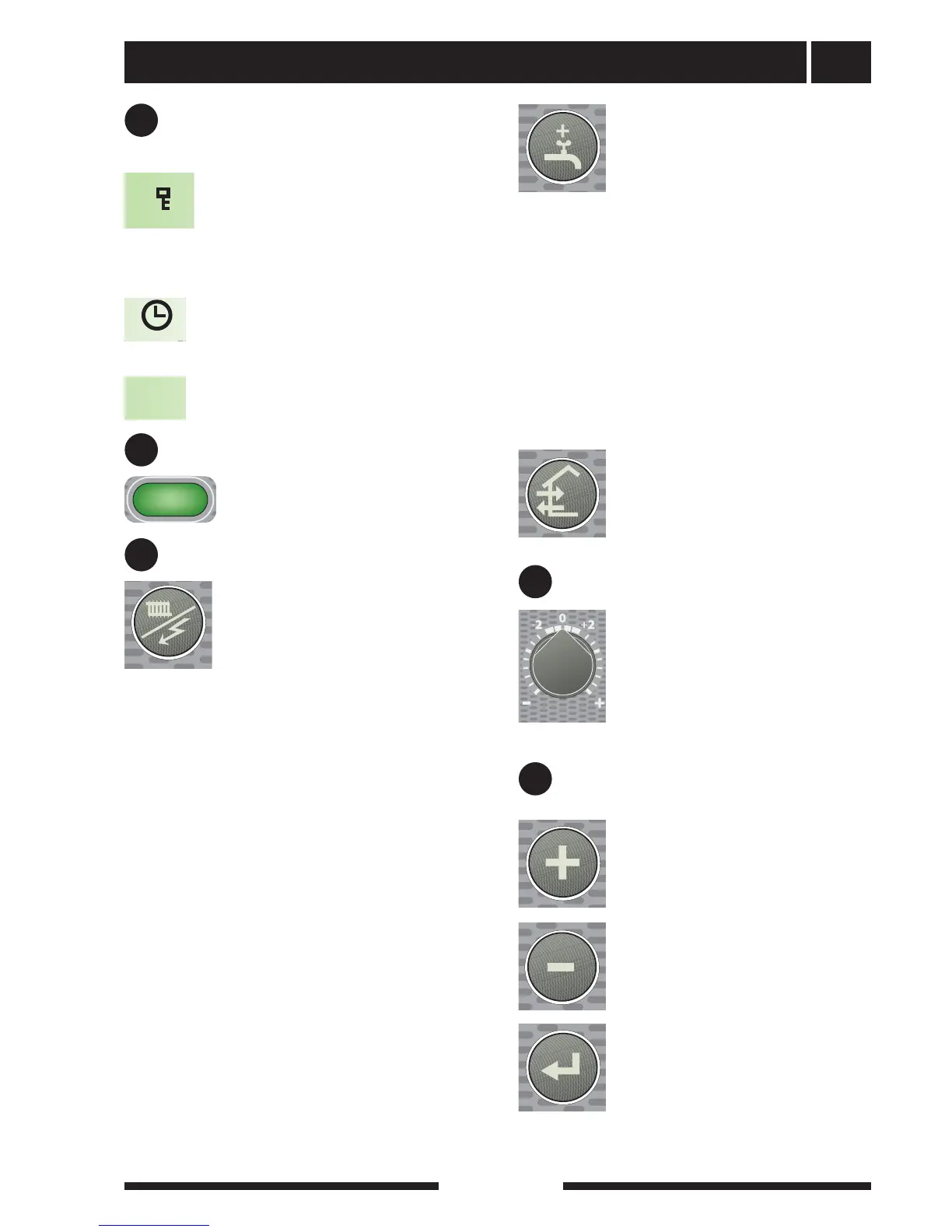
Fourth row: Shows menu numbers, key lock,
clock symbol and time
Left keypad
Right keypad
Offset heating curve
E
D
F
Operating mode
This button is used to set the required
operating mode with regard to permit-
ting/blocking the circulation pump and
additional energy. The change does not
need to be confirmed with the enter but-
ton.
The different operating modes are:
Auto mode: FIGHTER 1240 automatically selects the
operating mode by taking the outdoor temperature
into account. The circulation pump and the immersion
heater are permitted to run as needed.
Summer mode: Only production of hot water using
FIGHTER 1240. The circulation pump and immersion
heater are blocked. However, when Extra hot water is
activated the immersion heater is connected.
Spring/Autumn mode: Production of heating and hot
water using FIGHTER 1240. The circulation pump is
operational. The immersion heater is disabled. How-
ever, when Extra hot water is activated the immersion
heater is connected.
Only additional heat: Compressor and brine pump
blocked. The function can be activated/deactivated by
pressing the “operating mode button” for 7 seconds.
The current operating mode is shown on the display
when the button is pressed and the mode changes
when you continue to press the button. The display
returns to the normal display mode once the enter but-
ton is pressed.
In alarm mode the operating mode changes to winter
mode and additional heat engages.
Extra hot water
The Extra hot water function is activat-
ed using this button. The change does
not need to be confirmed with the enter
button.
A:
Means that the hot water temperature is increased
to 60 °C (adjustable). The temperature then returns to
the normal value.
When A comes on the function is activated.
When A goes out the function is deactivated.
Press once to give extra hot water for 3 hours.
Press twice to give extra hot water for 6 hours.
Press three times to give extra hot water for 12 hours.
Press four times to give extra hot water for 24 hours.
Press five times to deactivate the function.
Plus button
This button is used to scroll through the
menu system (forwards) or increase
the value of the selected parameter.
See the section Control — General.
Minus button
This button is used to scroll through the
menu system (backwards) or lower
the value of the selected parameter.
See the section Control — General.
Enter button
This button is used to select a lower
menu in the menu system, to activate a
parameter change as well as confirm a
parameter change.
See the section Control — General.
This knob is used to change the heating
curve's parallel offset and in doing so
the room temperature. Turning clock-
wise increases the room temperature.
When the knob is turned menu 2.0 is
shown on the display and the value for
the calculated flow temperature
changes.
No function.
B
A key lock can be activated in the main
menus by simultaneously pressing the
plus and the minus buttons. The key
symbol will then be shown on the dis-
play. The same procedure is used to
deactivate the key lock.
The symbol becomes visible when a
timer function is selected, for example,
periodic lowering of the flow or time set-
ting for extra hot water.
The symbol becomes visible when pool
heating is in progress.



 To Next Page