EasyManua.ls Logo

Nice 3501 - User Manual

Nice 3501
44 pages
Print Icon
To Next Page IconTo Next Page
Loading...
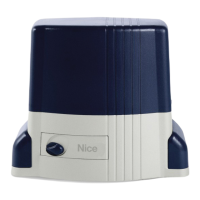
Nice Swing Gate
Operator
Vehicular Swing Gate Operator
Model 3501
1050 Control Board
Revision 4.0.0.0_1-2019
Part #10001450
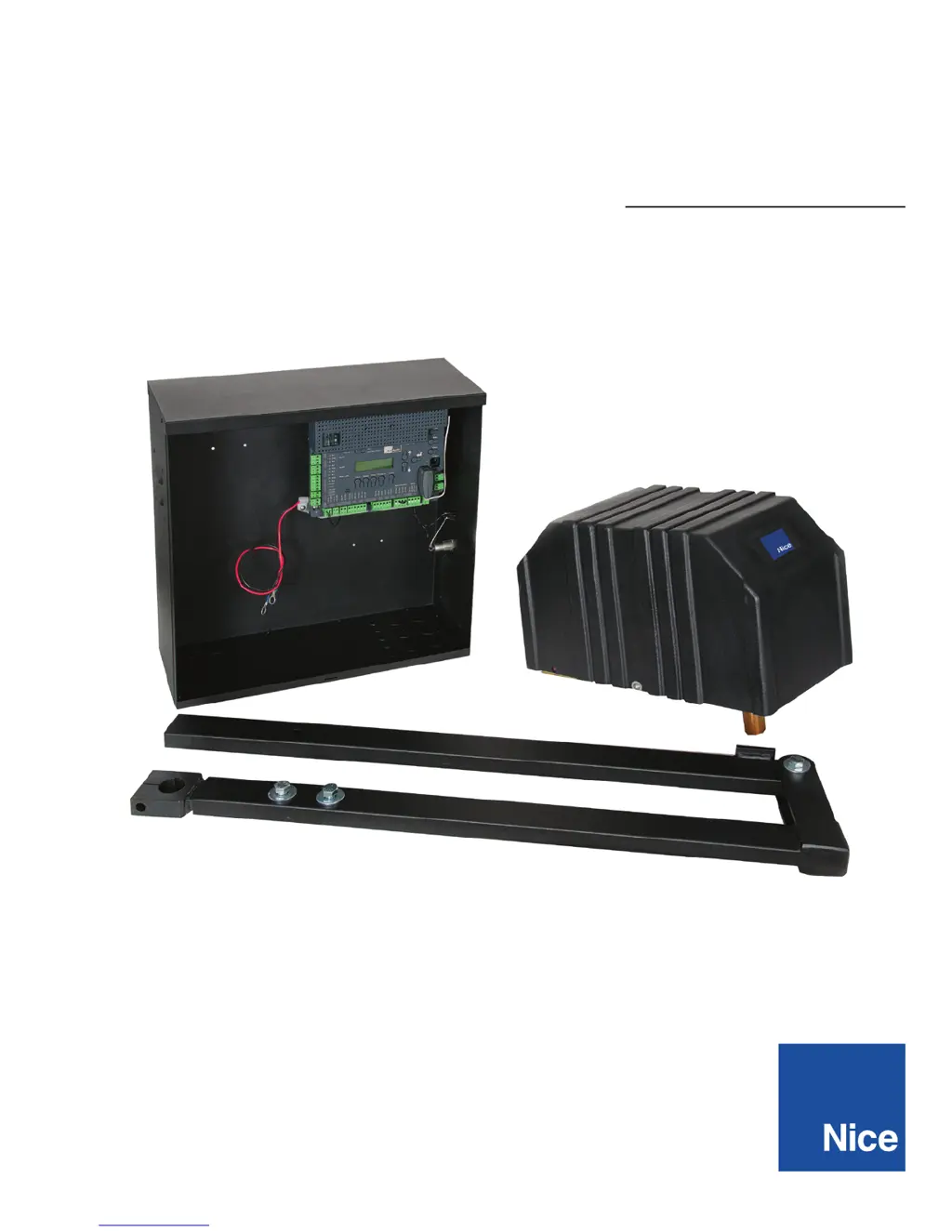
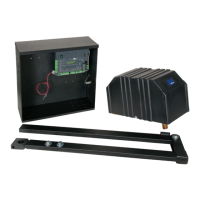
CBOX with 1050 control board
ABOX35
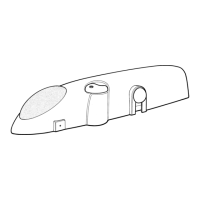
CHBOX35
Programming & controls, connections and safety
information provided in the 1551 manual in CBOX

Questions and Answers

  • H
    Heather MartinezJul 31, 2025
    How to troubleshoot a Nice Gate Opener that won't power on?
    • S
      samantharussoJul 31, 2025
      If the Nice Gate Opener operator will not power on and the power LED is off, make sure the power to the circuit board is turned on. Check the terminal block wiring for loose or broken wires. If the voltage measures OK, check the terminal block. Also, check the fuses, including both AC and DC fuses, in the installation.
  • E
    Elizabeth ToddAug 4, 2025
    What to do if Nice Gate Opener opens but won't close?
    • C
      Charles JacksonAug 4, 2025
      If your Nice Gate Opener opens but will not close, check the input LEDs. Any that are on will hold the gate open, indicating a problem with a keying device. Also, check the external entrapment devices. Any activated devices will hold the gate open, indicating a possible problem with the device. Finally, check the loop detectors; activated loop detectors can hold the gate open, indicating a possible problem with the loop detector or ground loop.
  • M
    Mr. Adam Holmes MDAug 9, 2025
    Why does my Nice Gate Opener stop and reverse when opening?
    • B
      Brandon TaylorAug 9, 2025
      If your Nice Gate Opener opens a short distance, then stops and reverses, check the external entrapment sensors on the gate controller. You may also need to adjust the force settings.
  • V
    Victor DaltonAug 14, 2025
    What to do if Nice Gate Opener has a hard shutdown?
    • T
      tjohnsonAug 14, 2025
      If your Nice Gate Opener experiences a hard shutdown (2 back-to-back obstructions) with a blinking LED and a buzzer sounding for 5 minutes, clear any obstructions from the path of the gate. Then, press the RESET button (or the hard reset button) to clear the error.
  • M
    Maria RayAug 18, 2025
    Why won't my Nice Gate Opener battery backup open the gate?
    • C
      chapmanraymondAug 18, 2025
      If the battery backup system of your Nice Gate Opener will not open the gate during an AC power outage, first check if the backup system is set to open the gate automatically or requires an input to open. Then, check the batteries for proper voltage and replace them if necessary.
  • J
    John WatsonAug 22, 2025
    Why does my Nice 3501 Gate Opener open by itself?
    • J
      Jeff JonesAug 22, 2025
      If your Nice Gate Opener is opening on its own, you should check the accessory inputs and clear them as necessary.
  • K
    Kimberly GrantAug 27, 2025
    What causes Dynamic M1 error on Nice 3501?
    • M
      Mr. Jason WillisAug 27, 2025
      If the actuator connected to Motor 1 of your Nice Gate Opener has a brief current spike and tripped Type A sensor, check for any obstructions in the gate path or degraded gate hardware.

Summary

Overview of Nice Swing Gate Operator

1050 Control Board Description

Describes the main control board, its components, and connections.

1050 Control Board Features

Lists the key features and capabilities of the 1050 control board.

Whats Included and Product Specifications

Included Parts List

Lists all the parts included in the gate operator package.

Technical Product Specifications

Details the technical specifications of the gate operator.

General Safety Information and UL325 Compliance

Important Safety Instructions

Critical warnings and guidelines to prevent injury or death.

UL325 Usage Classes Explained

Describes UL325 classifications for gate operator installations.

Safe Installation Practices

Covers traffic type, installation conditions, controls placement, warnings, clearance.

Entrapment Protection and Sensor Requirements

Details entrapment zones, device limits, and sensor types (Photo Eye, Edge).

Gate Construction and Safety Standards

General Gate Construction Requirements

Outlines general safety standards for gate construction.

Slide Gate Safety Provisions

Specific safety requirements for slide gates across different classes.

Swing Gate Safety Provisions

Specific safety requirements for swing gates across different classes.

Gate System Maintenance and Testing

Monthly Maintenance Checks

Procedure for manually checking gate movement and condition.

Gate Operator Testing Procedures

Tests to perform after reconnecting the gate operator.

Entrapment Protection Definition

Compatible External Sensors for Safety

Parts Identification and Post Installation

Parts Identification Diagram

Identifies all included parts with diagrams.

Post Location Guide

Provides guidance on selecting post location based on gate angle.

Post Installation Details

Post Height Requirements

Specifies the required height for the mounting post.

Welding Mounting Bracket Instructions

Instructions for welding the mounting bracket to the post.

Chassis and Control Arm Assembly

Chassis Mounting Instructions

Instructions for mounting the main chassis.

Control Arm Assembly Steps

Steps for assembling the control arm.

Arm and Gate Bracket Mounting

Control Arm Assembly Continuation

Continues the control arm assembly process.

Gate Bracket Mounting Procedure

Instructions for mounting the gate bracket to the arm.

Control Box and Circuit Board

Control Box Mounting Guidelines

Guidelines for mounting the control box.

Circuit Board Connection Layout

Diagram showing the layout of the circuit board connections.

Wiring Instructions

Incoming Power Wiring

How to connect power sources to the control board.

Chassis Wiring

Wiring instructions for the chassis components.

Limit and Motor Wiring

Wiring for limit switches and gate motors for single/dual gates.

Setting Limit Switches and Learning Mode

Setting the Limit Switches

Procedure for setting the gate's open and close limits.

Learning Mode Procedure

Steps for programming the gate operator's learning mode.

Accessory Inputs and Outputs

Output Terminals Description

Description of the control board's output terminals.

Input Terminals Description

Description of the control board's input terminals.

Communication Buses

Details on communication bus connections like OVIEW and BlueBUS.

Programming Receivers and Remotes

Procedures for programming plug-in receivers and remote controls.

Power Wiring and Solar Panel Sizing

120 VAC Power Wiring Guidelines

Guidelines for connecting 120VAC power safely.

Solar Panel Capacity Chart

Guide for selecting solar panel capacity based on daily cycles.

Optional Inputs and Connections

Fire Department Connection

Input for fire department control switch activation.

Magnetic Lock Connection

Connection for magnetic locks to prevent forced opening.

Guard Station Input Wiring

Inputs for operating the gate from a guard station.

Exit and Edge Input Wiring

Wiring for exit sensors and edge entrapment protection.

Radio Receiver Connection

Connecting third-party radio receivers for remote operation.

Optional Power Output for Accessories

Using terminals for powering accessories in standby mode.

General Layout and Safety Access Diagrams

Accessories and Sensors for Entrapment Protection

External Entrapment Protection Overview

Requirements for external entrapment protection sensors.

Sensor Installation Safety Precautions

Safety precautions during sensor installation.

Monitored Safety Device: BlueBus Photo-Eyes

Details on BlueBus photo-eyes and jumper settings.

Wiring Diagrams for External Devices

IRB-RET Wiring Diagram

Wiring schematic for the IRB-RET sensor.

GEM-103 Wiring Diagram

Wiring schematic for the GEM-103 edge sensor.

WEL-200 Wireless Edge Receiver Wiring

Wiring schematic for the WEL-200 wireless edge receiver.

Maintenance Schedule and Troubleshooting Guide

Recommended Maintenance Schedule

Recommended schedule for system maintenance checks.

Troubleshooting Common Issues

Common problems and their possible solutions.

1050 Board Display Troubleshooting

Table correlating display messages with reasons and solutions.

Operator Dimensions and Overview

Control Box General Dimensions

Provides dimensions for the control box.

3500 Model General Overview

General overview and dimensions of the 3500 model.

Exploded Views of System Components

Control Box Exploded View

Exploded diagram showing control box components.

Motor Chassis Exploded View

Exploded diagram of the motor chassis components.

Arm Assembly Exploded View

Exploded diagram of the arm assembly components.

Product Warranty Information

Installation Checklist

Appendix: French Translations

Nice 3501 Specifications

General IconGeneral
ModelNice 3501
CategoryGate Opener
Max Gate Weight350 kg
Maximum Current1.5 A
Protection LevelIP44
Gate Speed12 m/min
Power Supply230V AC

Related product manuals