EasyManua.ls Logo

Nice Filo - User Manual

Nice Filo
31 pages
Print Icon
To Next Page IconTo Next Page
Loading...
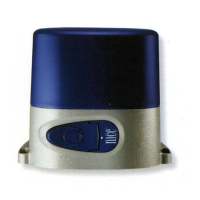
Filo
-EN Instructions and warnings for installation
For sliding gates

Table of Contents

Questions and Answers

  • W
    wheelermatthewJul 29, 2025
    What to do if Nice Filo starts then reverses?
    • M
      Melissa GarciaJul 29, 2025
      If your Nice Garage Door Opener starts to move but immediately reverses, it might be due to obstructions. Try increasing the force setting as described in the manual section 9.1.1.
  • A
    austinlaurenAug 13, 2025
    What to do if Nice Filo Garage Door Opener manoeuvre fails to start and auto led isn't on?
    • K
      Kevin ScottAug 13, 2025
      If the Nice Garage Door Opener isn't starting and the auto led isn't on, verify that the Stop input is active, indicated by the Stop LED being lit. If it's not lit, inspect the device connected to the Stop input.

Summary

General Warnings: Safety, Installation, and Use

Safety and Installation Precautions

Important safety instructions and precautions for installation, use, and maintenance. Covers general cautions.

Product Description and Intended Use

Product Technical Specifications

Provides detailed technical data for the FILO gearmotor models, including thrust, torque, speed, and power.

Installation

Install the Filo Gearmotor

Step-by-step instructions for mounting the gearmotor and installing the rack on the gate leaf.

Installation with New Rack

Step-by-step instructions for mounting the gearmotor and installing the rack on the gate leaf.

Installation with Existing Rack

Instructions for mounting the gearmotor when the gate already has an existing rack.

Electrical Connections

Connection to Control Unit

Details on connecting various devices, photocells, and flashing lights to the central control unit.

Power Supply Connection

Instructions for connecting the system to the main power supply, including safety precautions.

Programming

Memorise Connected Devices

Procedure to make the control unit recognise connected devices like photocells and safety inputs.

Memorise Gate Leaf Length

Programming the control unit to recognise the gate's opening and closing limit positions.

Memorise First Transmitter

Procedure for initial memorisation of an ECCO5 transmitter for system control.

Basic Adjustments

Adjusting gate manoeuvre speed (slow/fast) and operating cycle (semi-automatic/automatic).

Testing and Commissioning

Testing Procedures

Performing operational tests to ensure the gate moves smoothly and safety devices function correctly.

Commissioning

Final checks and procedures to complete before putting the automation system into operation.

Further Information

Troubleshooting

Essential Safety Requirements

Nice Filo Specifications

General IconGeneral
BrandNice
ModelFilo
CategoryGarage Door Opener
LanguageEnglish

Related product manuals