SPDM CONTROL BOX 4 - MAINTENANCE
NIDEC ASI S.P.A. – SPDM CONTROL BOX USER MANUAL
IMSPDCB2EN 51
After the completion of the process some parameters could be misaligned. Please verify the difference between the previous and the new
installation software to manage this problem. This is not an error of the procedure because the new firmware might behave slightly different
from the previous one.
Click on the Next button to proceed.
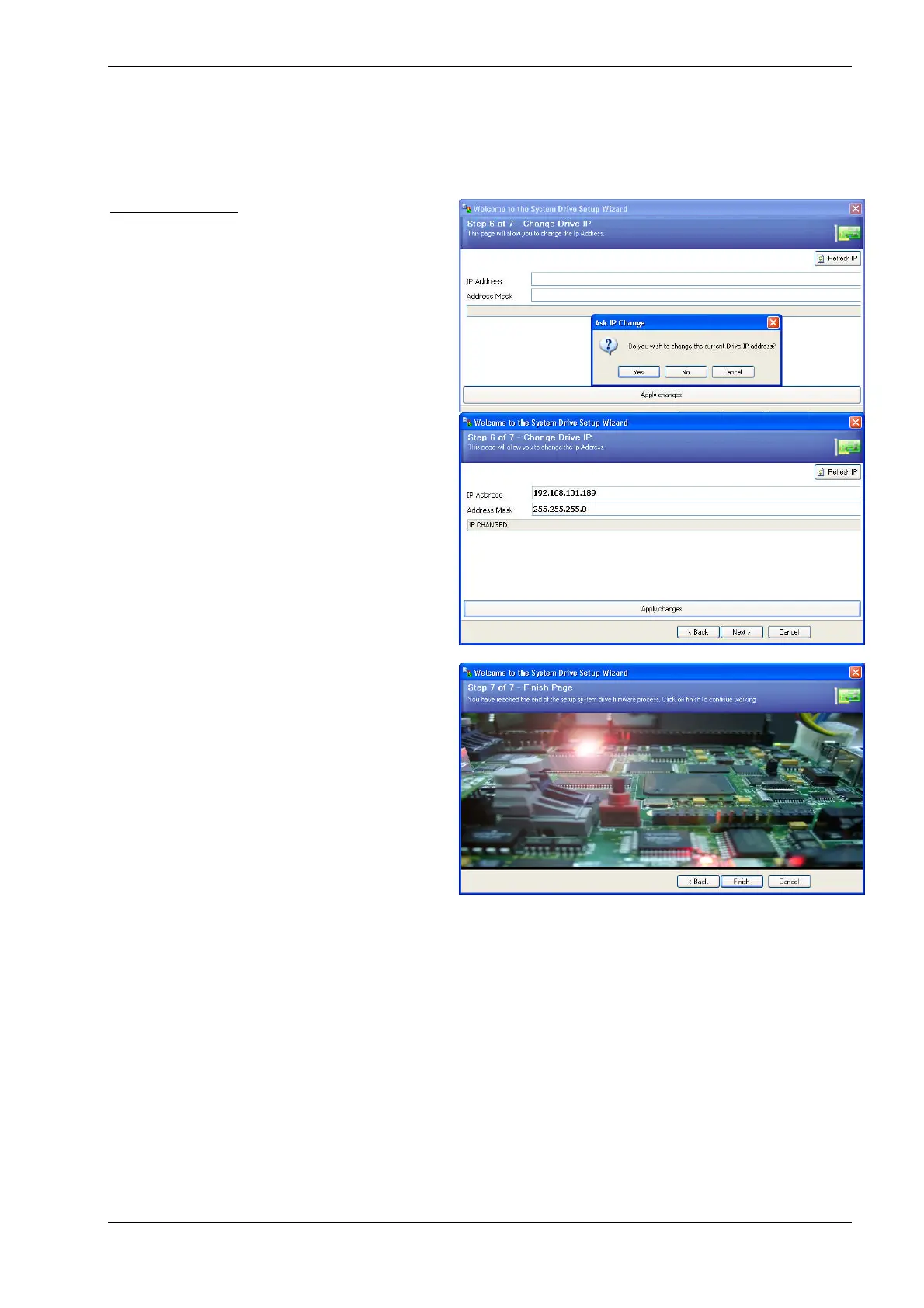
Changing the IP Address
A last option is available. You can change the Drive IP address
you connected to in order to assign it the right value.
Fig. 4.4-17 - Change IP Address option
The Change IP? option enables you to provide a new IP address
and a new Address mask for the drive. Apply Changes button
will execute the command. Remember that when you’ve done it
you will connect to the drive only through the new address and
not the old one.
Click on the Next button to go to the next step.
Fig. 4.4-18 - Change drive IP address
This is the final step. All the Drive Firmware setup process has
been performed. You can click on the Finish button to exit
Fig. 4.4-19 - Conclusion of the Firmware Upload Procedure














 To Next Page