135
Camera Setup
(Shooting) Mode, User Sets 1, 2, 3/ (Playback) Mode
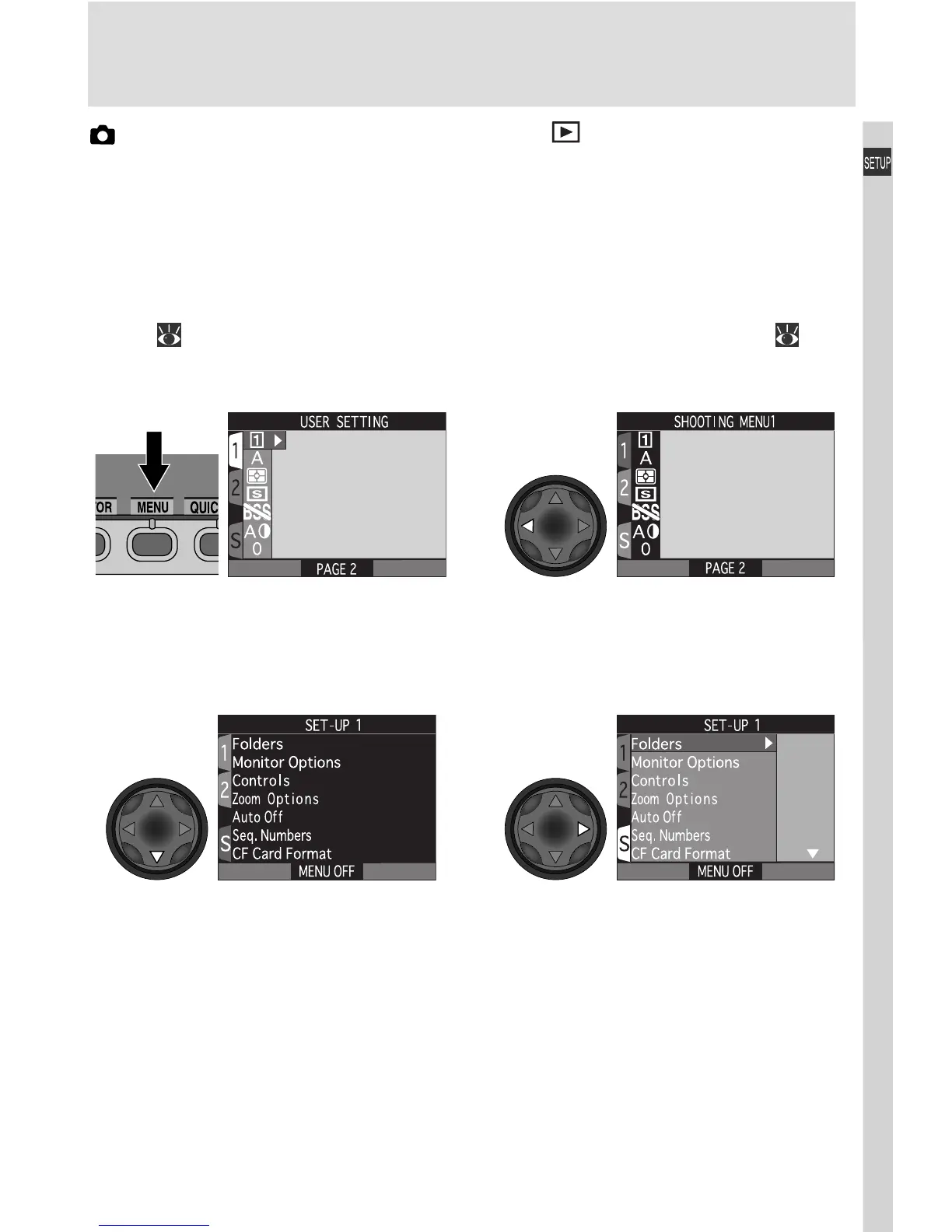
In playback mode, the SET-UP menu contains options for choosing the video
mode for television playback and selecting the language in which menus and
messages are displayed. The SET-UP menu for User Sets 1, 2, and 3 contains
all the options available in the SET-UP menus for playback and User Set A, as
well as advanced setup options and options for customizing camera controls.
The SET-UP menu for User Sets 1, 2, and 3 is accessed from the SHOOTING
menu ( 100), the playback SET-UP menu from the PLAY BACK menu ( 165).
Highlight page tab (selected page
tab highlighted in red)
Highlight S Display SET-UP menu
for current mode
12
34
Press MENU button to display menu
for current mode

















 To Next Page