42
Tutorial—First Steps
Step 6—Set the Time and Date
Information on the time and date of recording is included with all photographs
and movies taken with your Nikon digital camera. To set the camera’s internal
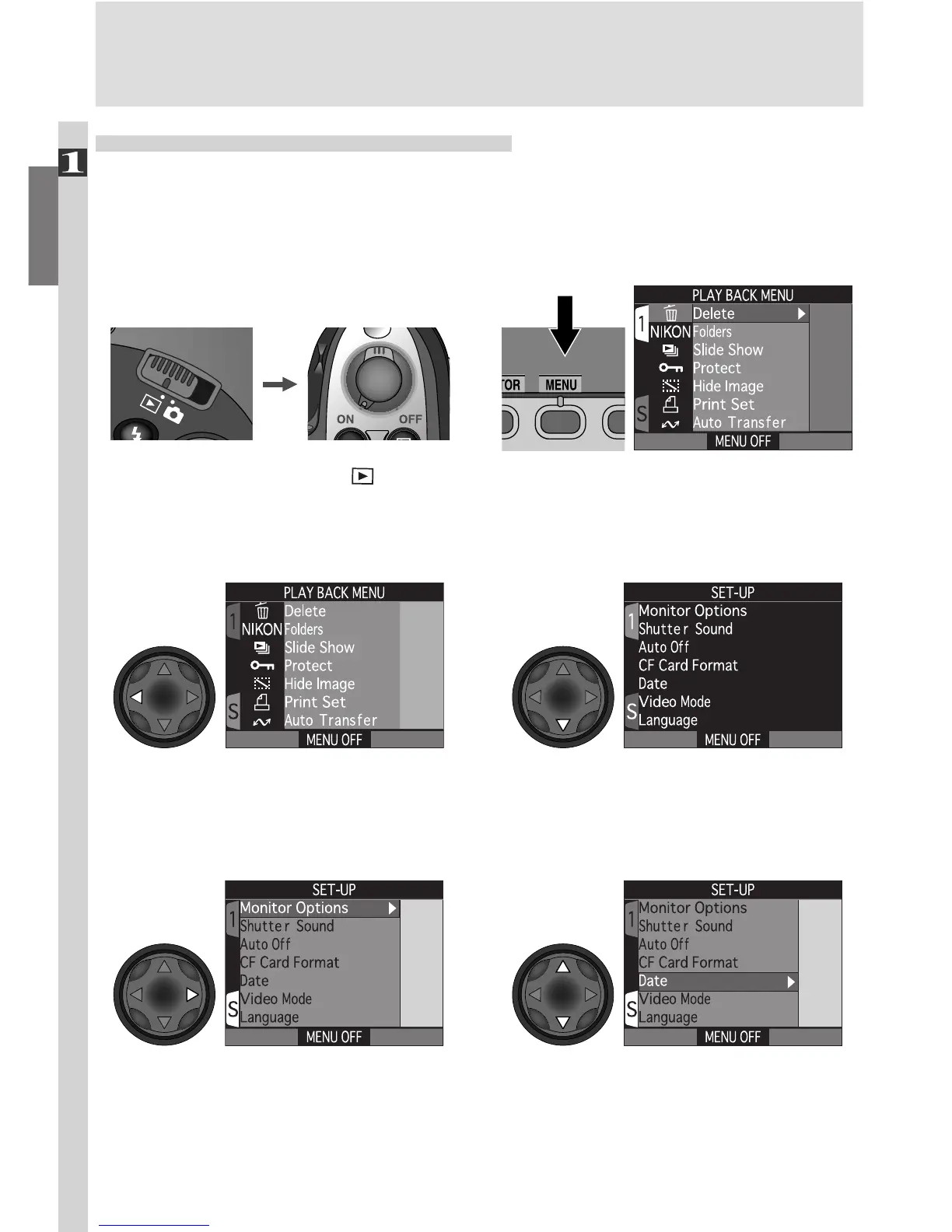
clock to the correct time and date:
Press MENU button to display
PLAY BACK menu
Set mode selector to and
turn camera on
6
.1
6
.2
Highlight SET-UP menu page tab (S)Highlight page tab
6
.3
6
.4
Position cursor in SET-UP menu Highlight Date
6
.5
6
.6

















 To Next Page