134
Camera Setup
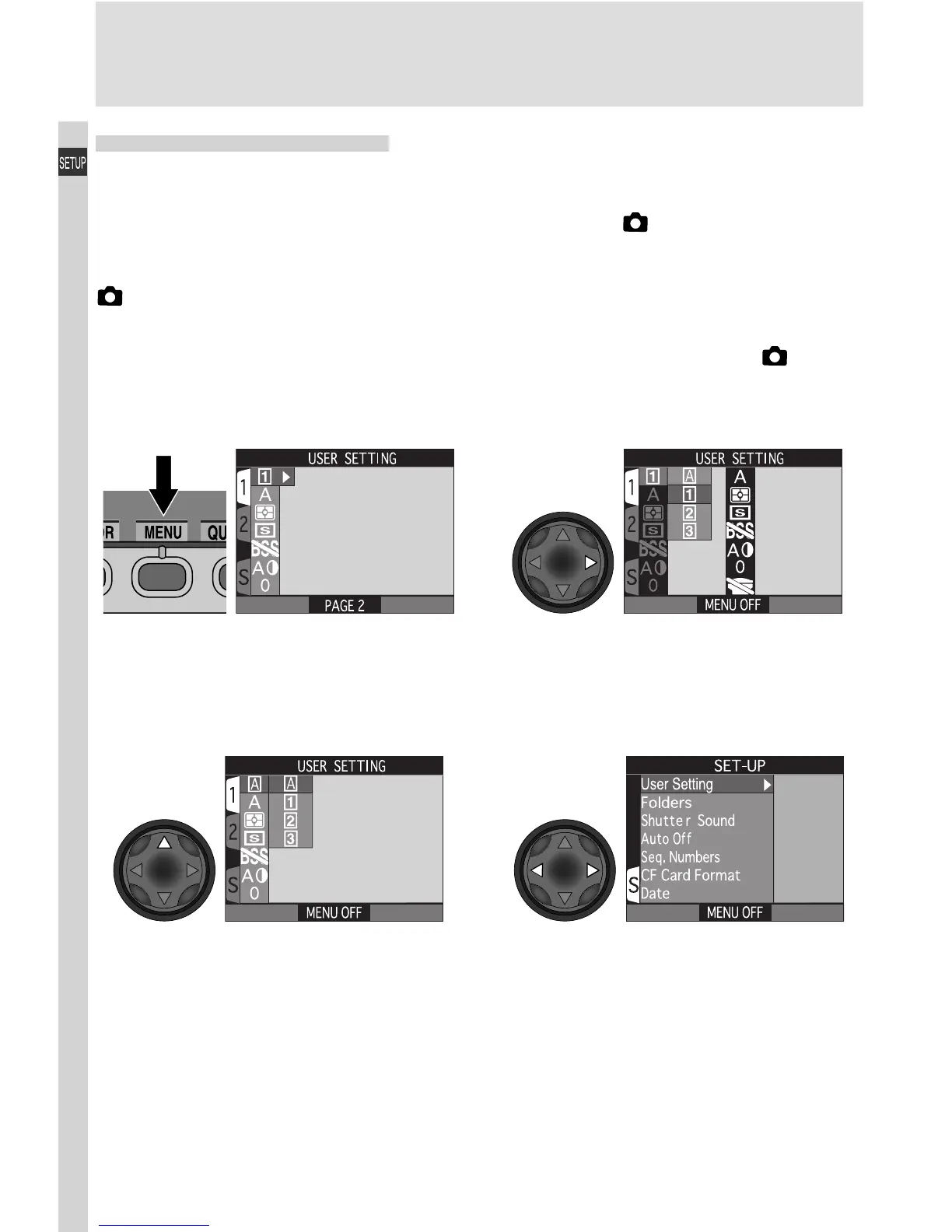
Display SET-UP menu for User Set A
SET-UP Menu Options
The SET-UP menu contains options for basic camera setup, including format-
ting memory cards and setting the time and date. The options available in the
SET-UP menu depend on the operating mode and, in (shooting) mode, the
User Set selected.
(Shooting) Mode, User Set A
The SET-UP menu for User Set A contains six options for basic camera setup.
To display the SET-UP menu for User Set A, slide the mode selector to (shoot-
ing mode), and:
Press MENU button to display
menu for current User Set. USER
SETTING will be highlighted.
Highlight A
12
43
If SET-UP menu is not displayed, press
multi selector to right to display list
of User Sets

















 To Next Page