33
Tutorial—First Steps
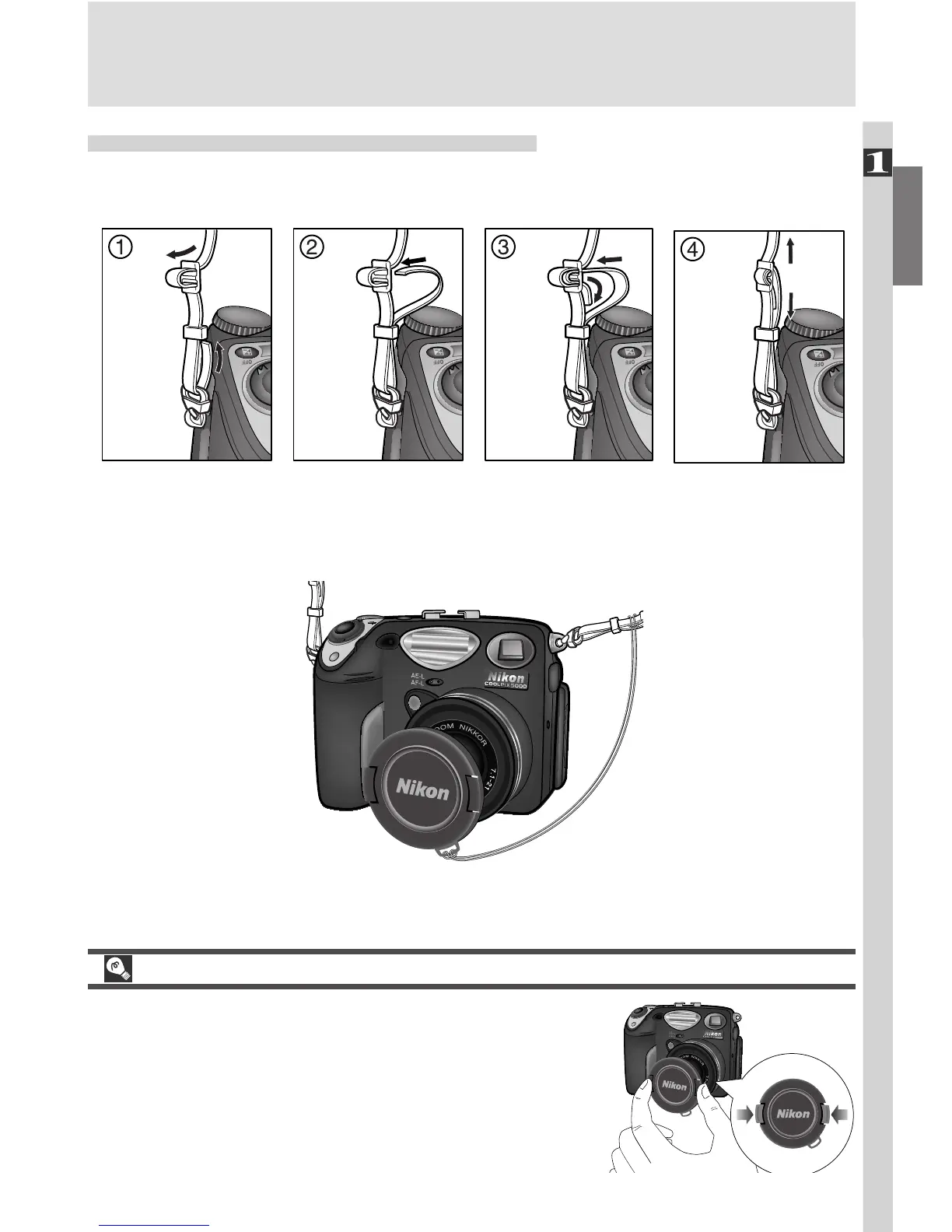
Step 1—Attach the Camera Strap
Attach the strap securely to the two eyelets on the camera body as shown
below.
To avoid losing the lens cap, use the cord provided to attach it to the camera
strap as shown.
Removing and Replacing the Lens Cap
When removing or replacing the lens cap, press the
tabs on either side of the cap to release the latch.
If you turn the camera on with the lens cap in
place, an error message will appear in the moni-
tor. To clear the message from the screen, turn the
camera off and remove the lens cap.

















 To Next Page