52
Tutorial—Taking Photographs
Step 4—Focus and Shoot
4
.1 Focus
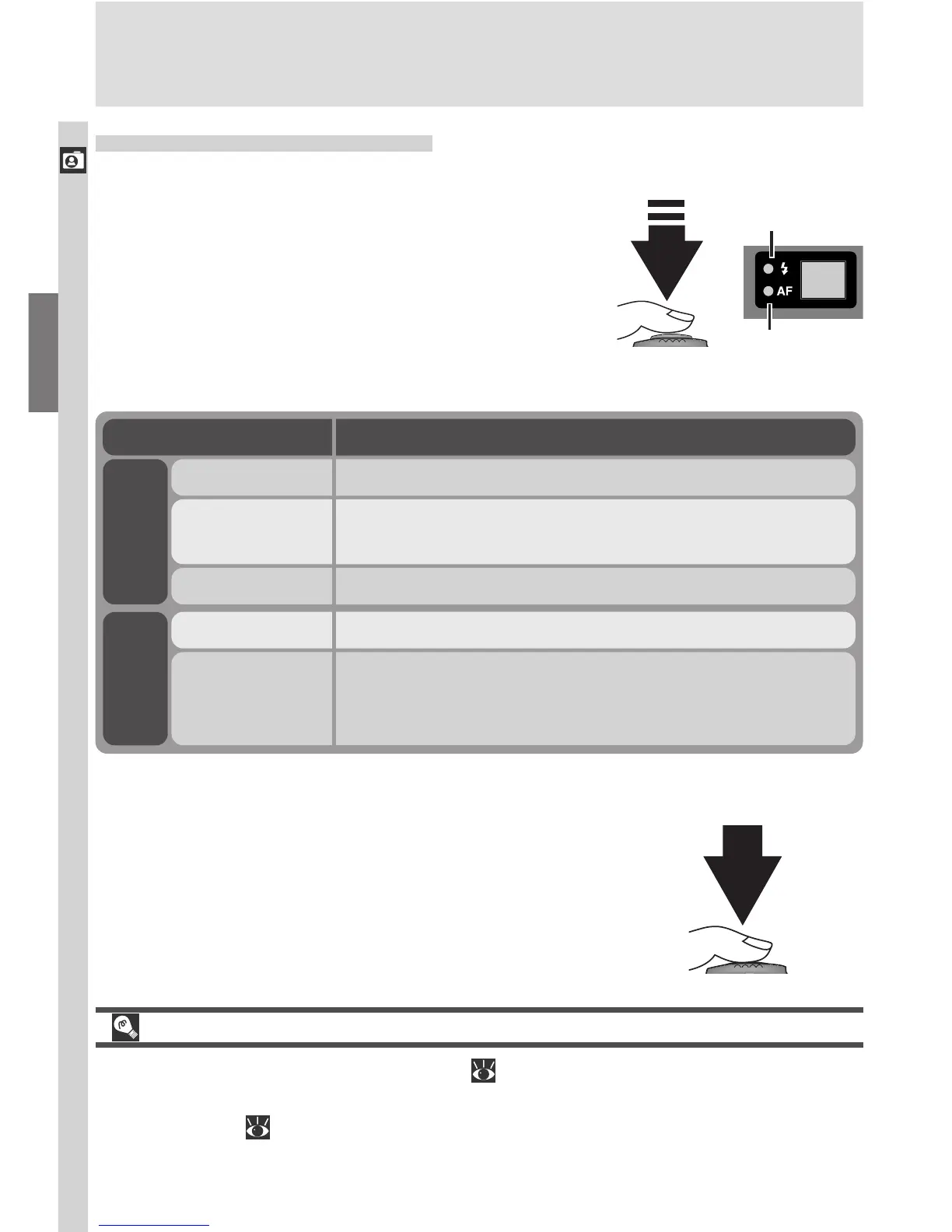
In User Set A, the camera automatically fo-
cuses on the subject in the center of the
frame, shown by the focus target in the
viewfinder. To focus, press the shutter-re-
lease button halfway. Check the status of
the green (autofocus) and red (flash) lamps
next to the viewfinder.
Flash will fire when photograph is taken.On
Flickers
Flash charging. Remove finger briefly from shutter-
release button, then try again.
Off Flash not required or flash set to “off.”
Subject in focus.On
Flickers
Camera unable to focus on subject in focus brack-
ets. Use focus lock to focus on another subject at
the same distance, then recompose the photograph.
Lamp Meaning
Red lamp
Green
lamp
Custom Focus Settings (User Sets 1, 2, and 3)
In User Sets 1, 2, and 3, manual focus ( 98) can be used in situations in which
the camera is unable to focus using autofocus. Manual or automatic focus-
area selection ( 120) can be used to focus on an off-center subject without
using focus lock.
4
.2 Take the photograph
To take a photograph, press the shutter-
release button all the way down.
Red lamp
Green lamp

















 To Next Page