43
Tutorial—First Steps
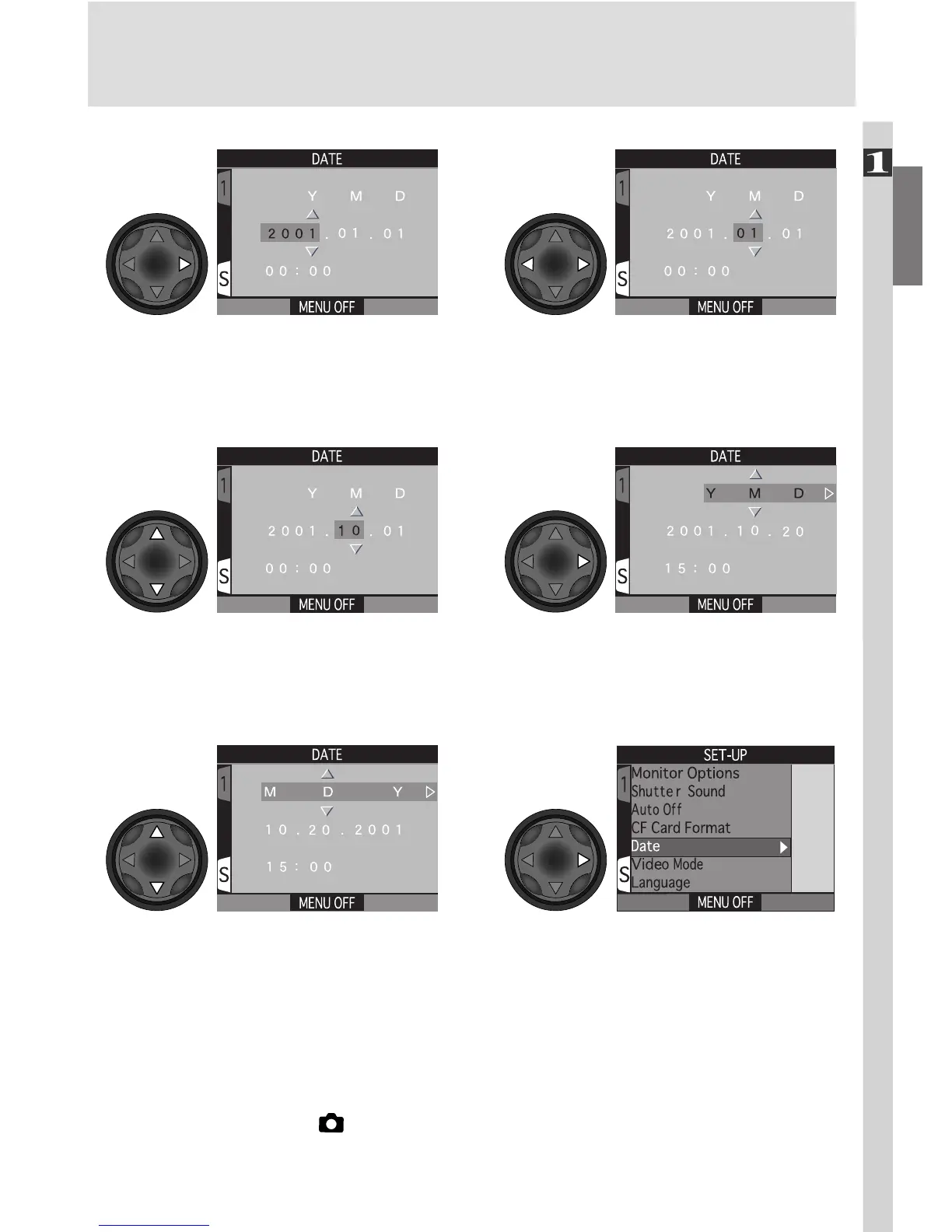
Highlight Y M DEdit selected item. Repeat steps 6.8–
6.9 until all items have been set.
6
.9
6
.10
Choose order in which year, month,
and day will be displayed
Save changes to settings and
return to SET-UP menu
6
.11
6
.12
Any photographs taken before the time and date have been set will have a
time stamp of “0000.00.00 00:00.” If the time and date have not been set,
a flashing clock icon will be displayed in the top right corner of the monitor
when the camera is in (shooting) mode.
Highlight Year, Month, Day, hour, or
minute (selected item blinks on and
off in red)
Display DATE menu
6
.7
6
.8

















 To Next Page