167
Playing Images Back—The Playback Menu
Deleting Selected Photographs and Movies
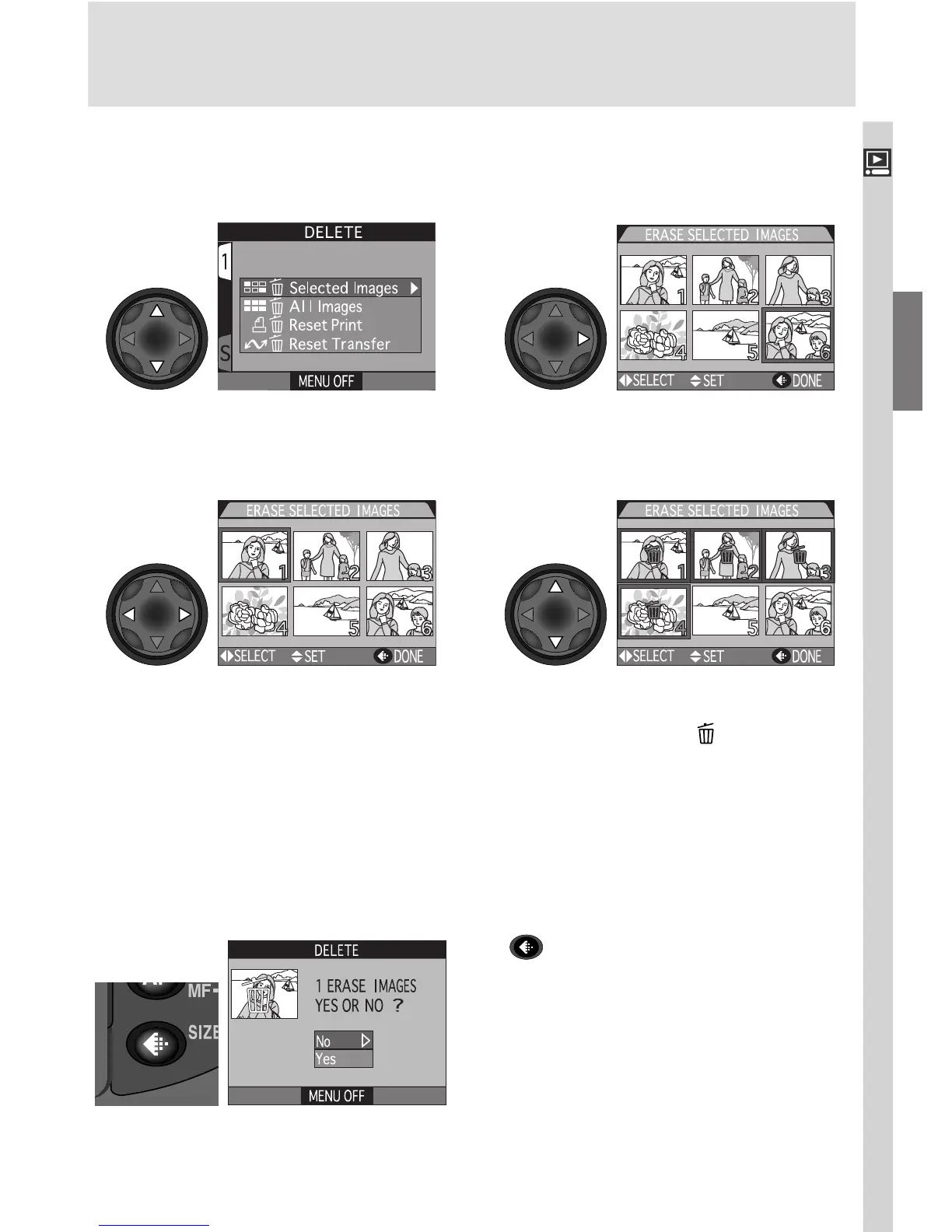
To delete selected photographs and movies:
Highlight Selected Images Display menu of thumbnail images
Highlight image Press multi selector up or down to se-
lect image for deletion. Selected im-
ages are marked by icon. Repeat
steps 3 and 4 to select additional im-
ages for deletion. To deselect image,
highlight and press multi selector up or
down. To exit without deleting im-
ages, press MENU button.
Press to display a confirmation dialog.
Press multi selector up or down to high-
light option, press to right to put choice
into effect:
• Select No to return to playback menu
without deleting images
• Select Yes to delete all selected images
2
34
5
1

















 To Next Page