188
Connections
Removing the Memory Card
Be sure that image transfer is complete before re-
moving the memory card from the card reader or
PC card slot. Do not remove the card while the
transfer progress meter is displayed in the com-
puter monitor.
Before removing the memory card from a PC card slot or USB card reader, you
will need to remove the card from the system.
Windows Millennium Edition (Me)/Windows 2000 Professional
Click the “Unplug or Eject Hardware” icon (
) in the taskbar and remove the
memory card from the system. If this step is omitted, a warning will be dis-
played. Click OK to clear the warning from the screen.
Windows 98/Windows 98 Second Edition (SE)
Double click the My Computer icon and select the removable disk correspond-
ing to the memory card. Open the File menu and select Eject.
Macintosh
Drag the “untitled” volume that represents the
memory card into the Trash.
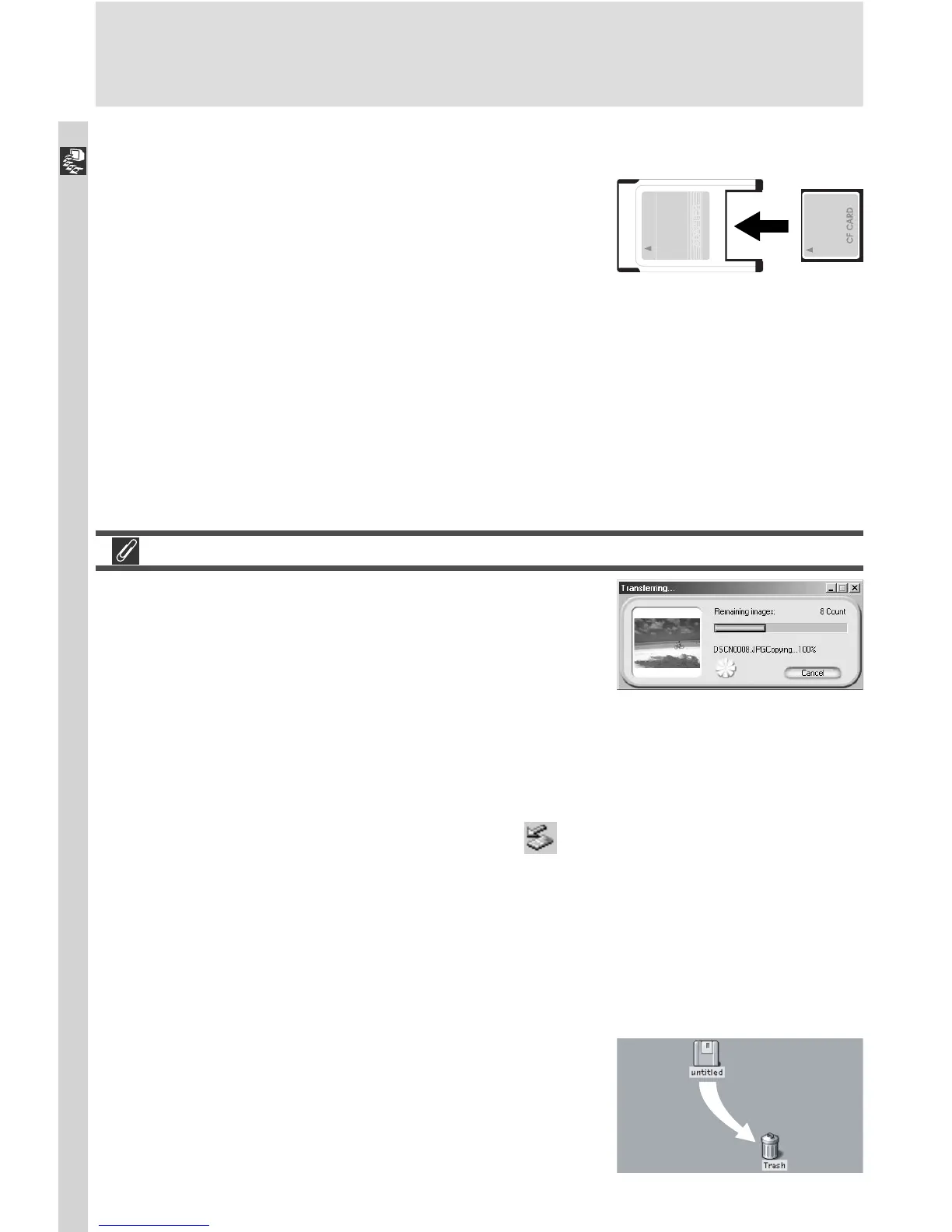
Using a PC Card Slot
1
Insert the memory card into a PC-card adapter
Insert the memory card into a PC-card adapter
as shown at right.
2
Turn the computer on
Turn the computer on and wait for the operating system to start up.
3
Insert the adapter into the card slot
If Nikon View 4 is installed, it will automatically detect cards from Nikon
digital cameras. See the Nikon View 4 Reference Manual for information
on transferring images to your computer.







 To Next Page