27
Introduction—Menu Guide
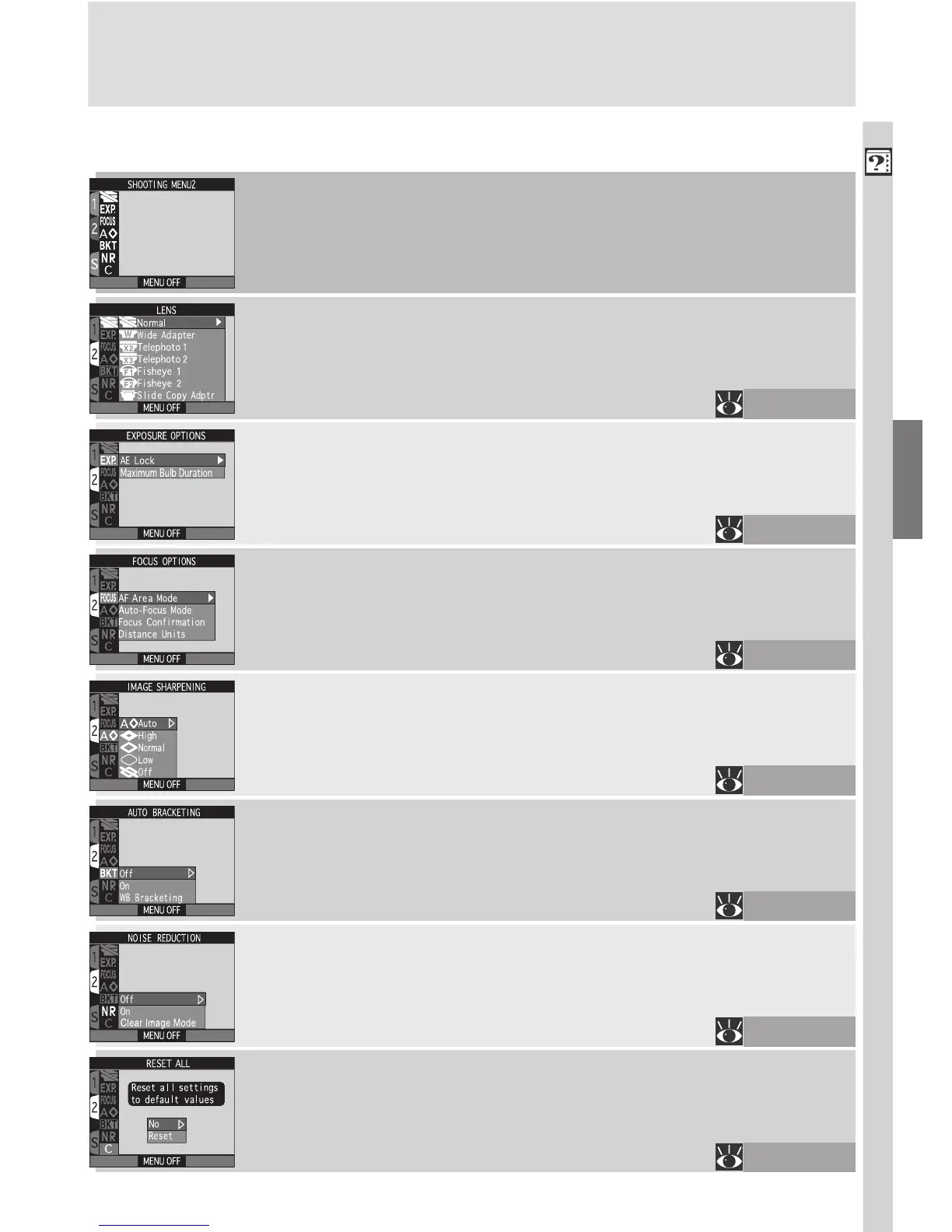
SHOOTING Menu, Page 2
LENS
Choose settings for optional converter lenses.
EXPOSURE OPTIONS
Lock exposure for a series of photographs or set the time limit
for long time-exposures (BULB).
FOCUS OPTIONS
This menu contains options for controlling autofocus, includ-
ing manual focus-area selection, single or continuous autofo-
cus, and focus confirmation.
IMAGE SHARPENING
Heighten or reduce the sharpness of outlines in your photo-
graphs.
AUTO BRACKETING
Automatically vary exposure or white balance over a series of
photographs.
NOISE REDUCTION
Reduce “noise,” a mottling effect that appears in photographs
taken at low shutter speeds or higher sensitivity settings.
RESET ALL
Reset settings for the current User Set to their default values.
116–117
118–119
120–122
123
124–127
128–129
130–131

















 To Next Page