79
Taking Photographs—Beyond Point-and-Shoot
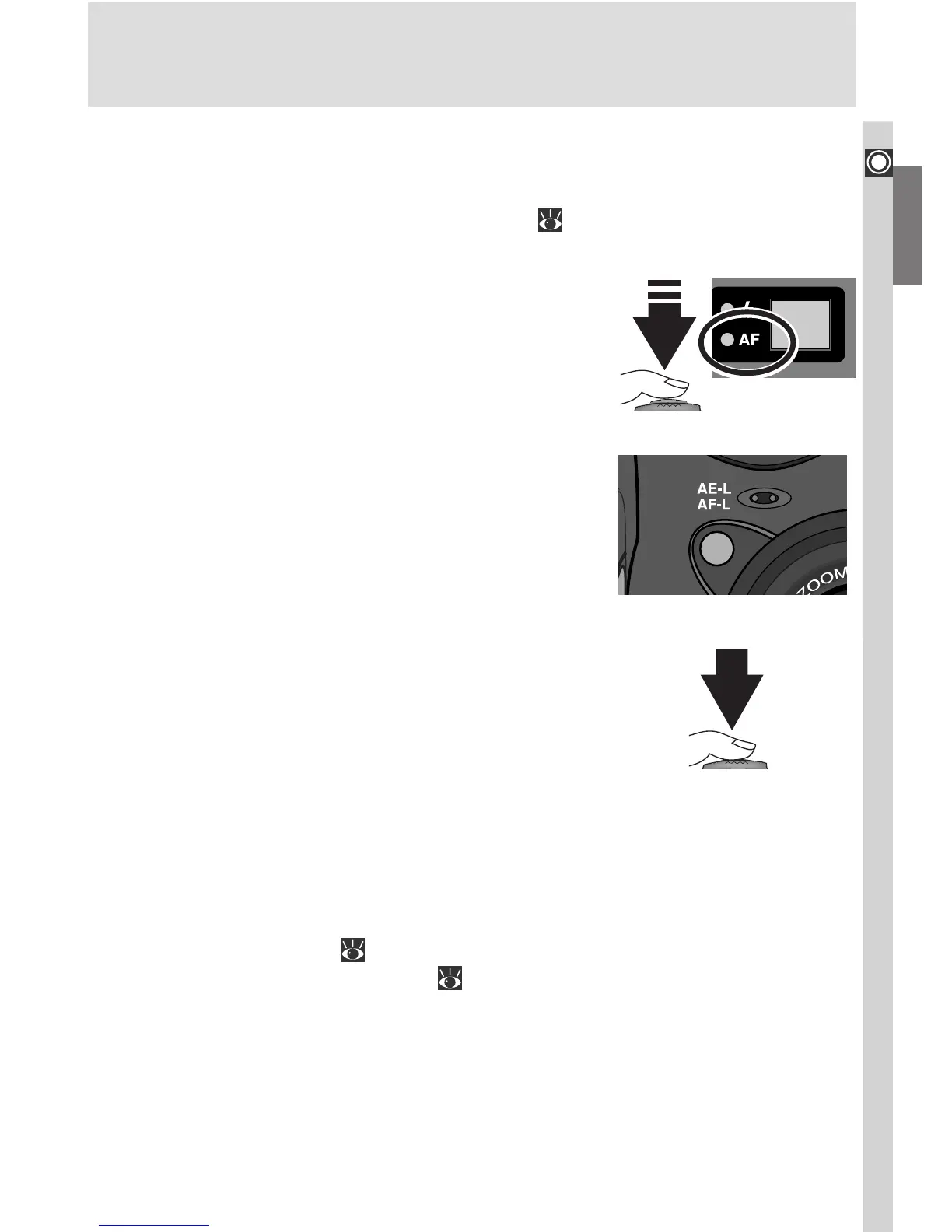
Locking Autofocus with the AE-L/AF-L Button
If desired, focus can be locked using the AE-L/AF-L button on the front of the
camera. For more information on using focus lock to focus on an off-center
subject, see “Tutorial: Taking Photographs” ( 53).
1
Focus
Position your subject in the focus area and press
the shutter-release button halfway. Check that
the green lamp next to the viewfinder lights, in-
dicating that the subject is in focus.
2
Press the AE-L/AF-L button
With the shutter-release button held halfway
down, press the AE-L/AF-L button to lock fo-
cus. Focus will remain locked while the AE-L/
AF-L button is pressed, even if you remove your
finger from the shutter-release button.
3
Recompose the photograph and shoot
With the AE-L/AF-L button held down, recom-
pose your photograph and press the shutter-
release button all the way down to shoot. To
take a series of photographs without pausing
between shots to refocus the camera, keep the
AE-L/AF-L button pressed between shots. Fo-
cus will also remain locked if you keep the shut-
ter-release button pressed halfway between
shots.
By default, pressing the AE-L/AF-L button when the camera is in focus locks
both focus and exposure ( 106). In User Sets 1, 2, and 3, the Controls > AE-
L, AF-L option in the setup menu ( 150) can be used to set the AE-L/AF-L
button to lock only one of focus or exposure. If the AE-L/AF-L button is set to
lock only focus, you can adjust exposure without refocusing the camera by
keeping the AE-L/AF-L button pressed while lifting your finger off the shut-
ter-release button between shots.

















 To Next Page