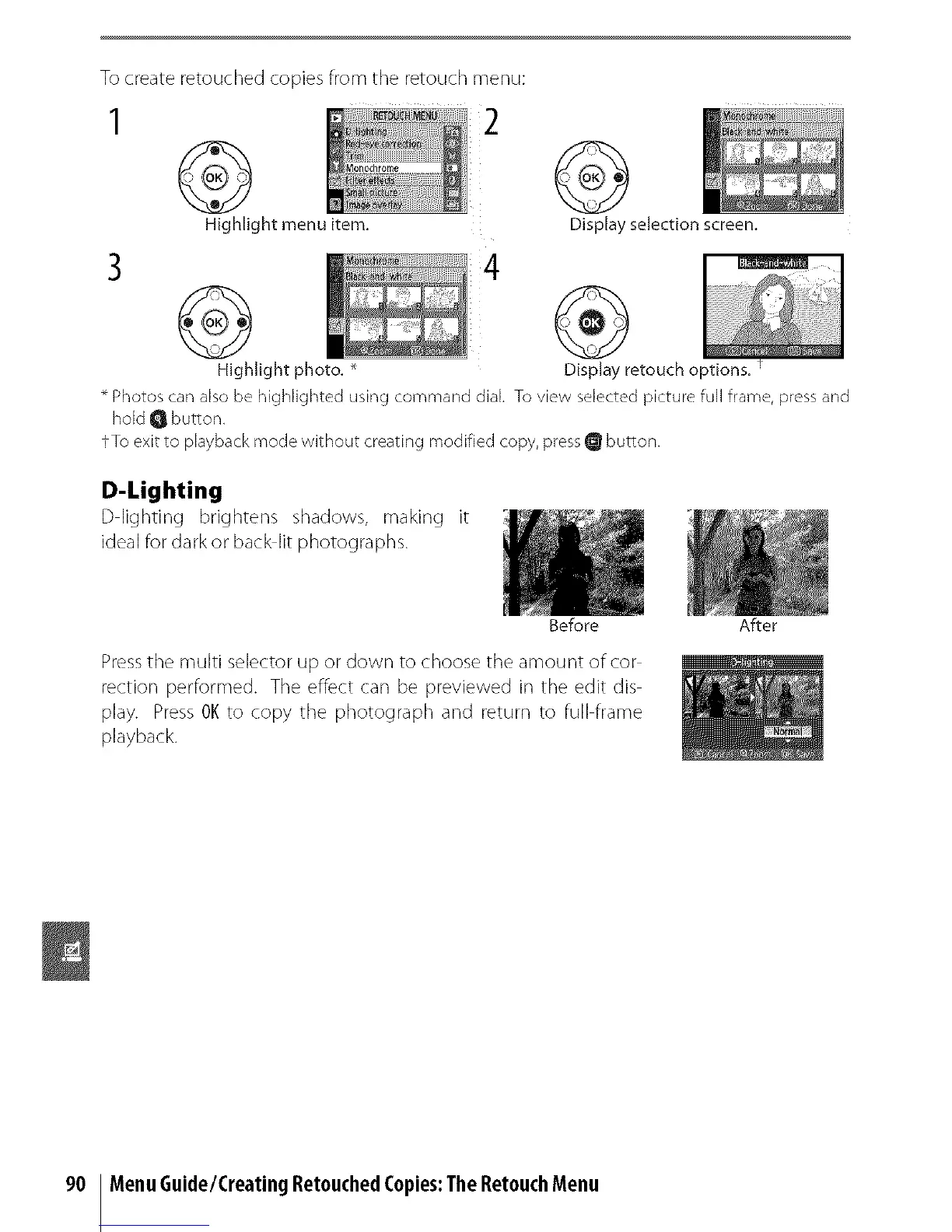
To create retouched copies from the retouch menu:
3
2
@
Highlight menu item,
4
@
Highlight photo, _
@
Display selection screen,
Display retouch options, t
Photos can also be highlighted using command dial. To view selected picture full frame, pressand
hold Q button,
fTo exit to playback mode without creating modified copy, pressQ button.
D-Lighting
D lighting brightens shadows, making it
ideal for dark or back lit photographs.
Before After
Presstile multi selector up or down to choose the amount ofcor
rection performed. Tile effect can be previewed in the edit dis
play. Press OKto copy tile photograph and return to full frame
playback.
90 MenuGuide/CreatingRetouchedCopies:TheRetouchMenu



 To Next Page