The playback menu contains the following options (options dis
played may differ if My menu is selected for the CSM/Setup
menu option in the setup menu; _ 80). See "Using Camera
Menus" (_¢_63) for more information on using the menus.
Option Description
Delete Delete aHor selected photos. 65
Playbackfolder Choose folder for playback. 66
Rotatetall Rotate "tall" (portrait-orientation) photos during playback. 66
Slide show Hay photos back in automatic slide shows. 67
Printset(DPOF)Select photos for printing. 67
Delete
Thedelete menu contains the following options:
Option Description
Selected Delete selected photographs (see below).
All Delete all photographs.
_ Selecting Multiple Pictures
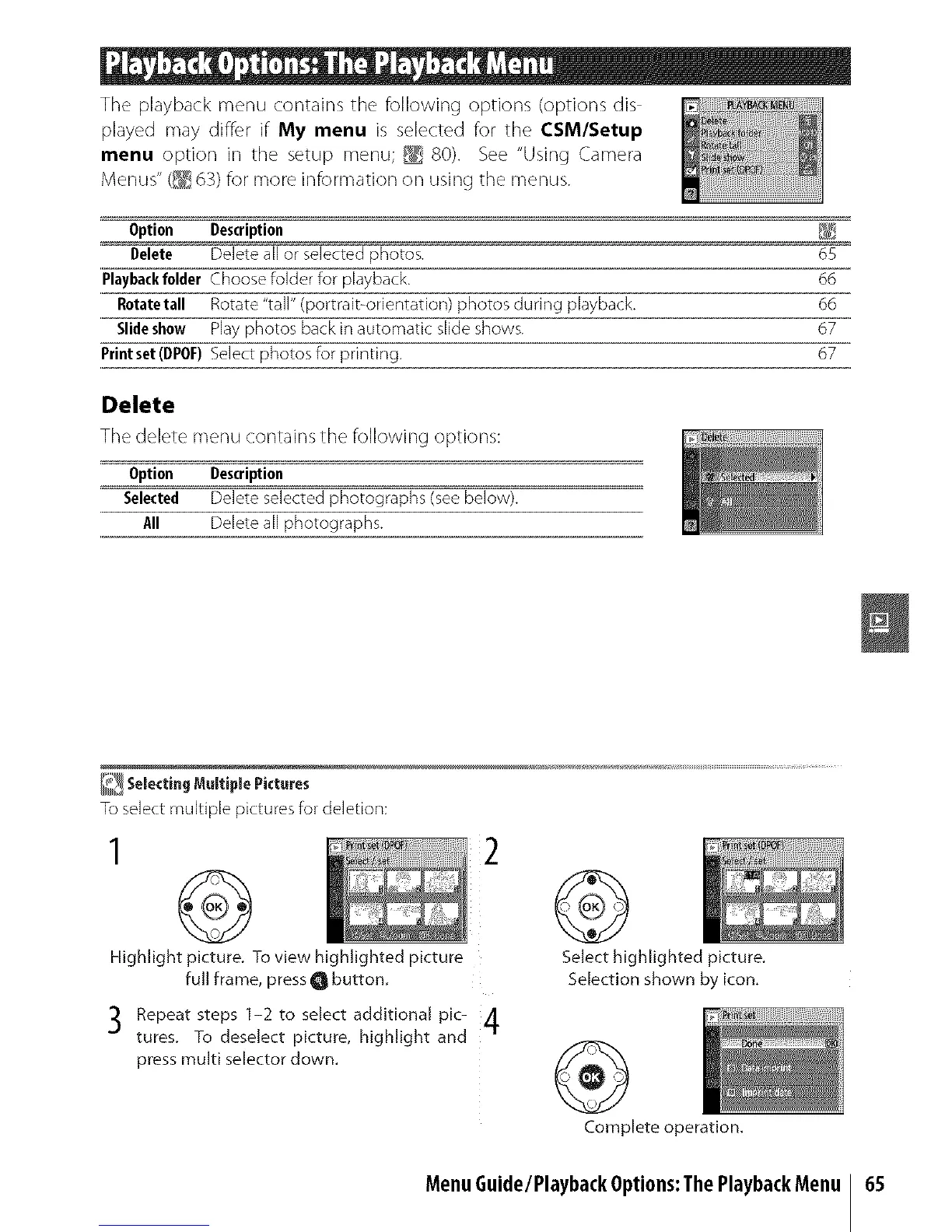
To select multiple pictures for deletion:
1
@
Highlight picture. To view highlighted picture
full frame, press O button.
"_ Repeat steps 1-2 to select additional pic- /1
.J
tures. To deselect picture, highlight and
7r
press multi selector down.
@
Select highlighted picture.
Selection shown by icon.
@
Complete operation.
MenuGuide/PlaybackOptions:ThePlaybackMenu
65



 To Next Page