Attaching a Lens
Autofocus is supported with AF Sand AF I lensesonly. Care should be taken to prevent
dust from entering the camerawhen exchanging lenses.
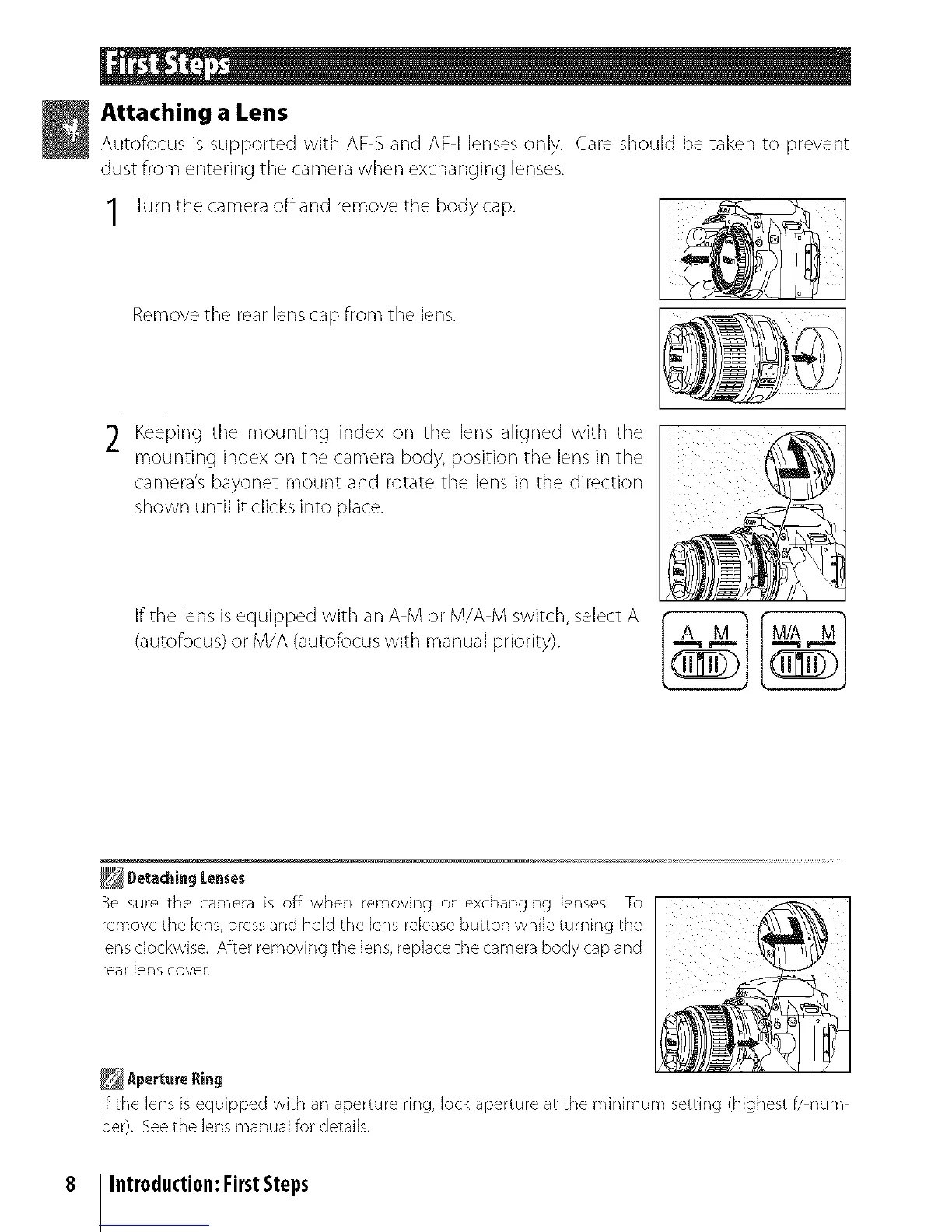
1 Turnthe camera offand remove the body cap.
Removethe rear lenscap from the lens.
2 Keeping the mounting index on the lens aligned with the
mounting index on the camera body, position the lens in the
camera's bayonet mount and rotate the lens in the direction
shown until it clicksinto place.
If the lens isequipped with an A M or M/A M switch, select A _
(autofocus)or M/A (autofocus with manual priority).
Detaihing Lenses
Besurethe camerais off when removing or exchanginglenses. To
removethe lens, pressandholdthe lensreleasebuttonwhile turning the
lensclockwise.Afterremoving the lens, replace the camera body capand
rearlenscover.
If the lens is equipped with an aperture ring, lock aperture at the minimum setting (highest f/num-
ber). See the lens mar/ual for details.
8 Introduction:FirstSteps



 To Next Page